
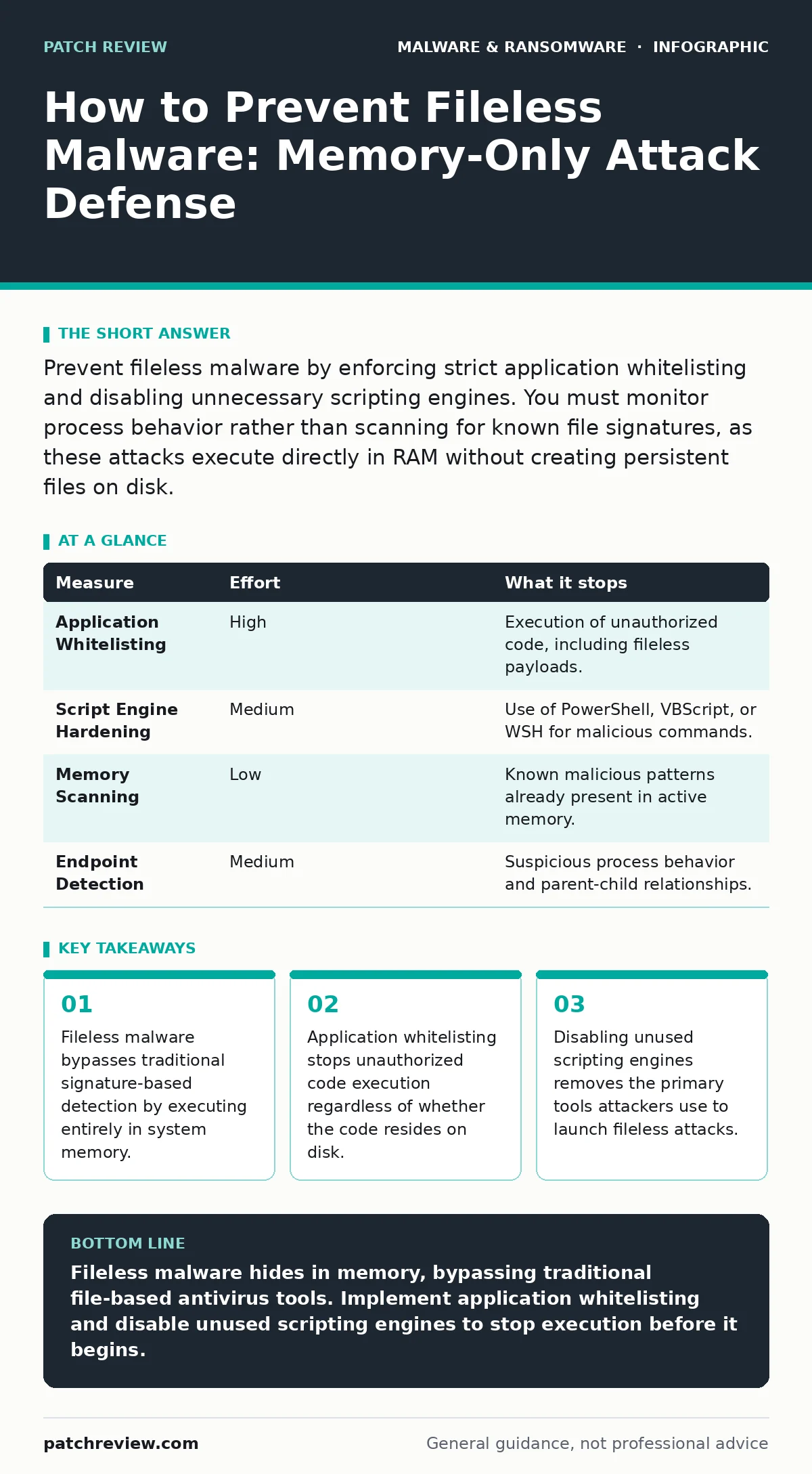
Prevent fileless malware by enforcing strict application whitelisting and disabling unnecessary scripting engines. You must monitor process behavior rather than scanning for known file signatures, as these attacks execute directly in RAM without creating persistent files on disk.
The Memory-Only Threat Model
Fileless malware operates differently than the viruses you may have encountered in earlier computing eras. Instead of dropping an executable file onto your hard drive, these attacks inject malicious code directly into the system’s random access memory. The operating system treats this injected code as part of a legitimate process, such as a system utility or a web browser. Because there is no file to scan, traditional antivirus software often misses the infection entirely.
This technique relies on the trust the operating system places in legitimate programs. Attackers hijack trusted processes to execute their commands. The malicious code exists only while the computer is powered on. When you reboot the machine, the malware disappears. This lack of persistence makes detection difficult but also limits the window of opportunity for defenders. Understanding this lifecycle is the first step in building an effective defense.
Why Signature Scanning Fails
Most users assume that keeping their antivirus software updated provides complete protection. This assumption is dangerous when facing fileless threats. Signature-based detection works by comparing files on your disk against a database of known malicious patterns. If the code never becomes a file, the scanner has nothing to compare. The malicious instructions are hidden inside the memory space of a clean, signed application.
Even heuristic analysis, which looks for suspicious behavior, struggles here. The attacker often uses legitimate system tools to perform the work. These tools are designed to be flexible and powerful. When a known good tool performs a known good action, security software often lets it pass. The context of the action is what matters, not the tool itself. You must shift your focus from what the code is to what the code is doing.
Enforcing Application Whitelisting
The most effective way to stop fileless malware is to decide which applications are allowed to run. This is called application whitelisting. Instead of blocking known bad software, you explicitly allow only known good software. Any program that is not on the list is blocked from executing, even if it tries to run from memory.
This approach removes the ability of an attacker to launch arbitrary code. If a script tries to execute a command that is not whitelisted, the operating system denies the request. This prevents the injection phase of the attack. Implementation requires careful planning because it can block legitimate administrative tasks if configured too strictly. You must balance security with operational needs. This measure addresses the root cause of the threat by restricting execution privileges.
| Measure | Effort | What it stops |
|---|---|---|
| Application Whitelisting | High | Execution of unauthorized code, including fileless payloads. |
| Script Engine Hardening | Medium | Use of PowerShell, VBScript, or WSH for malicious commands. |
| Memory Scanning | Low | Known malicious patterns already present in active memory. |
| Endpoint Detection | Medium | Suspicious process behavior and parent-child relationships. |
Disabling Scripting Engines
Attackers frequently use built-in scripting languages to deploy their attacks. PowerShell, Windows Script Host, and VBScript are powerful tools for system administrators. They are also powerful tools for attackers. These engines can execute complex commands directly from the command line without creating a file. They can download additional payloads, encrypt data, or move laterally across a network.
You should disable these engines on systems that do not require them. Most standard user workstations do not need the ability to run arbitrary scripts. If your organization relies on these tools, you must restrict their use to specific administrative accounts. Standard user accounts should not have the privilege to execute scripts. This reduces the attack surface significantly. It forces attackers to find more complex methods, increasing the chance of detection.
Monitoring Process Behavior
Since you cannot rely on file signatures, you must monitor how processes interact with each other. This is known as process behavior monitoring. Security tools look for unusual parent-child relationships. For example, a web browser should not launch a command prompt. A word processor should not initiate a network connection to a remote server.
These anomalies indicate that a trusted application has been compromised. The monitoring system flags the event for investigation. This method detects the activity of the malware rather than the malware itself. It requires a baseline of normal behavior for your environment. Without this baseline, you will face many false positives. Tuning these monitors takes time but provides deep visibility into system activity.
Limiting User Privileges
Excessive administrative privileges are a major risk factor. When a user has administrator rights, they can install software, modify system settings, and run scripts. An attacker who compromises a user account with these rights can execute fileless malware with ease. The operating system trusts the user, so it trusts the code the user runs.
You should enforce the principle of least privilege. Users should operate with standard accounts for daily tasks. Administrative rights should be granted only when necessary and only for specific tasks. This limits the damage an attacker can do if they gain access. It also prevents accidental execution of malicious scripts. If a user clicks a malicious link, the lack of privileges may stop the attack from gaining a foothold. This simple measure reduces the impact of many social engineering attacks.
What Does Not Work
Many organizations invest in solutions that provide a false sense of security against fileless threats. Traditional antivirus software is insufficient on its own. While it may catch some variants, it misses the majority of fileless attacks. Relying on it exclusively leaves your memory space vulnerable.
Firewalls also do not stop fileless malware once it is inside the network. The attack often originates from a legitimate website or email. The firewall allows the traffic because it looks normal. The malicious code executes internally. You cannot block internal memory execution with a network perimeter device. You must look inside the host.
Immediate Action Checklist
You can take steps today to reduce your exposure to fileless malware. These actions require minimal resources but provide significant risk reduction. Start by reviewing your current security posture. Identify gaps in your monitoring and control mechanisms.
- Disable PowerShell and Windows Script Host on standard user workstations that do not require them.
- Enforce application whitelisting on critical servers and administrative workstations.
- Review user account privileges and remove administrative rights from standard user accounts.
These measures address the primary vectors for fileless attacks. They restrict the ability of attackers to execute code and move laterally. Implementing them creates a stronger foundation for your overall security strategy. You should continue to monitor for new threats and adjust your defenses accordingly.
Key takeaways
- Fileless malware bypasses traditional signature-based detection by executing entirely in system memory.
- Application whitelisting stops unauthorized code execution regardless of whether the code resides on disk.
- Disabling unused scripting engines removes the primary tools attackers use to launch fileless attacks.
Fileless malware hides in memory, bypassing traditional file-based antivirus tools. Implement application whitelisting and disable unused scripting engines to stop execution before it begins.
Frequently asked questions
Can fileless malware survive a system reboot?
No, fileless malware typically resides only in active memory. When the computer restarts, the malicious code is cleared unless it has established a separate persistence mechanism.
Is PowerShell inherently malicious?
No, PowerShell is a legitimate and powerful system administration tool. However, attackers abuse its capabilities to execute commands without creating files, making it a common vector for fileless attacks.
How do I detect if my system is infected?
Look for unusual process behavior, such as trusted applications launching unexpected commands or connecting to unknown external servers. Memory forensics tools can also identify injected code.
Does a firewall protect against fileless malware?
A firewall controls network traffic but cannot inspect code running inside your computer’s memory. It may block the initial download, but it cannot stop execution if the attacker uses internal tools.
How this guide was produced: written by the Patch Review editorial team with AI assistance, checked against the public references listed below, and reviewed when the facts change. See our editorial policy or report an error.