
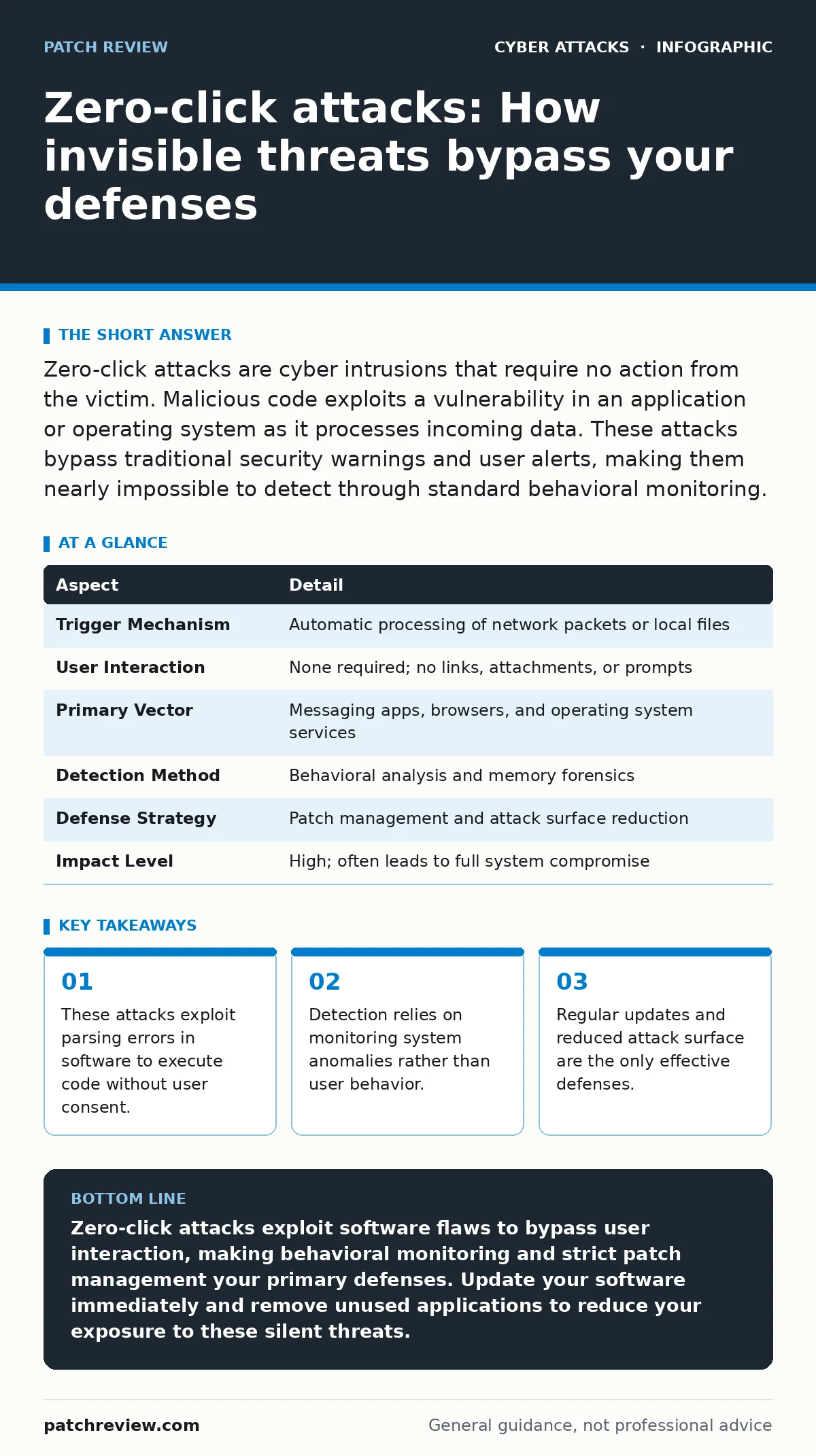
Zero-click attacks are cyber intrusions that require no action from the victim. Malicious code exploits a vulnerability in an application or operating system as it processes incoming data. These attacks bypass traditional security warnings and user alerts, making them nearly impossible to detect through standard behavioral monitoring.
The Mechanics of Invisible Intrusion
Imagine receiving a letter that burns itself as soon as you open the mailbox, leaving behind a note that controls your bank account. You never touched the paper, never read the message, and never clicked a link. The act of the letter arriving and the mailbox processing it triggered the effect. This is the core mechanic of zero-click attacks. The term describes a cyber intrusion where the attacker requires zero clicks or interactions from the target. The vulnerability exists in the software itself, specifically in how it handles incoming data streams.
| Aspect | Detail |
|---|---|
| Trigger Mechanism | Automatic processing of network packets or local files |
| User Interaction | None required; no links, attachments, or prompts |
| Primary Vector | Messaging apps, browsers, and operating system services |
| Detection Method | Behavioral analysis and memory forensics |
| Defense Strategy | Patch management and attack surface reduction |
| Impact Level | High; often leads to full system compromise |
The software parses the incoming data to understand its structure. During this parsing, a hidden payload exploits a memory corruption bug. The bug forces the software to execute the attacker's code instead of displaying the intended content. This happens in milliseconds. The user sees a normal message or a blank screen. The malware has already established persistence. This method contrasts sharply with phishing schemes that rely on human error. In the case of malicious email attachments, the victim must download and open a file. Here, the system does the opening for you.
Who Faces the Highest Risk
These attacks target high-value individuals because the resources required to find and maintain these vulnerabilities are immense. Attackers spend months developing a single exploit. They cannot afford to waste it on a random user whose data holds little strategic value. The targets are typically journalists, government officials, corporate executives, or activists. These individuals possess information that adversaries want to steal or suppress. The attack is highly specific. It is not a mass-distribution model.
The risk extends to anyone running unpatched software on connected devices. While the primary targets are select individuals, the underlying vulnerabilities often exist in common applications. If a messaging app has a flaw in how it renders images, any user of that app is theoretically exposed. However, the likelihood of being targeted remains low for the average person. The cost of the exploit outweighs the potential gain for most criminal groups. This economic reality limits the frequency of such attacks in the wild.
Why Traditional Security Fails
Standard security tools look for known signatures or suspicious user behavior. Antivirus software scans files for patterns associated with known malware. Firewalls block traffic from known bad addresses. These methods fail against zero-click attacks because the payload is often custom-written and the behavior appears normal. The process accessing the data is a legitimate application. The network connection is established by the user's normal usage.
The malware operates at a low level, often within the memory of the operating system. It does not create new files on the disk initially. It lives in the random access memory, which is volatile and difficult to inspect. Traditional endpoint detection and response systems may not see an anomaly. The system is not crashing. The CPU usage is not spiking. The attack is designed to be quiet. This stealth makes detection rely on advanced telemetry and memory analysis, tools that are complex to deploy and maintain.
What People Usually Get Wrong
Many users believe that not clicking links makes them safe from these threats. This belief is incorrect. Safety in this context depends on the integrity of the software, not the caution of the user. Another common misconception is that air-gapped systems are immune. If the system can process any external input, including data imported via USB or internal network broadcasts, it can be targeted. The vector is the processing engine, not the network interface.
A third error is assuming that encryption prevents these attacks. Encryption protects data in transit and at rest from unauthorized reading. It does not prevent the software from executing code when it decrypts and processes that data. If the decryption library has a flaw, the attack succeeds. Users often confuse confidentiality with integrity. Encryption ensures secrecy. Patching ensures that the software behaves as intended. You need both, but they solve different problems.
Reducing the Attack Surface
The most effective defense is minimizing the software that can be exploited. Every application installed on a device is a potential entry point. Remove unused applications. Disable services that are not required for your workflow. If you do not use a specific messaging platform, do not install it. This reduces the number of parsers that an attacker can target. This strategy is known as attack surface reduction. It is a passive defense that works even when you are not actively monitoring the system.
Keep all software updated. Vendors release patches to fix the memory corruption bugs that enable these attacks. Delaying an update leaves the window open for exploitation. Enable automatic updates where possible. This ensures that known vulnerabilities are closed before an attacker can use them. This is not a perfect solution. It does not protect against unknown vulnerabilities, often called zero-days. But it eliminates the majority of known threats that are actively being exploited.
See also: Stop Cryptomining on Exposed Servers: Risks and Protection · Session Cookie Theft: Response Steps to Reclaim Your Account
Detecting the Undetectable
Detection requires monitoring for anomalies rather than specific threats. Look for processes that are behaving strangely. A messaging app should not be accessing the microphone or camera unless you are in a call. A web browser should not be initiating outbound connections to unknown servers in the background. These behaviors indicate that code is executing outside the normal function of the application.
Use tools that monitor system call patterns. These tools record every request the software makes to the operating system. If a text editor suddenly requests access to the network stack, it is a red flag. This method generates many false positives, so it requires careful tuning. For most users, relying on the device manufacturer's built-in security features is sufficient. These features often include sandboxing, which limits what an application can do. DNS filtering can also help by blocking connections to known command-and-control servers, though it will not stop the initial execution.
The Role of Authentication
Strong authentication limits the damage even if a device is compromised. If an attacker gains access to your device, they may try to access your accounts. Using passkeys instead of traditional passwords adds a layer of security. Passkeys are tied to the device and require biometric verification. If the malware cannot spoof the biometric sensor, it cannot unlock the accounts. This containment strategy prevents the attacker from pivoting to other services.
This approach does not stop the malware from stealing data already on the device. It only prevents further lateral movement. Combine this with regular backups. If the device is fully compromised, you can wipe it and restore from a clean backup. This ensures business continuity. The backup must be stored separately and not be accessible from the infected device. This isolation prevents the malware from encrypting or deleting the backup files.
Key takeaways
- These attacks exploit parsing errors in software to execute code without user consent.
- Detection relies on monitoring system anomalies rather than user behavior.
- Regular updates and reduced attack surface are the only effective defenses.
Zero-click attacks exploit software flaws to bypass user interaction, making behavioral monitoring and strict patch management your primary defenses. Update your software immediately and remove unused applications to reduce your exposure to these silent threats.
Frequently asked questions
Can antivirus software detect zero-click attacks?
Standard antivirus tools often miss these attacks because the malware does not match known signatures and behaves like legitimate system processes. Specialized endpoint detection tools are required for better visibility.
Are iOS devices safe from these attacks?
No operating system is immune. While iOS has strong sandboxing, vulnerabilities in system components can still be exploited to bypass these protections. Regular updates are critical for all platforms.
Does using a firewall stop these attacks?
A firewall controls network traffic but cannot stop code execution triggered by local processing. The attack may occur entirely within the application's memory before any network communication happens.
How long does it take for a patch to be released?
Vendors release patches as soon as a vulnerability is confirmed. The timeline varies by vendor and severity, but delays in updating your system leave you exposed to known exploits.
How this guide was produced: written by the Patch Review editorial team with AI assistance, checked against the public references listed below, and reviewed when the facts change. See our editorial policy or report an error.