
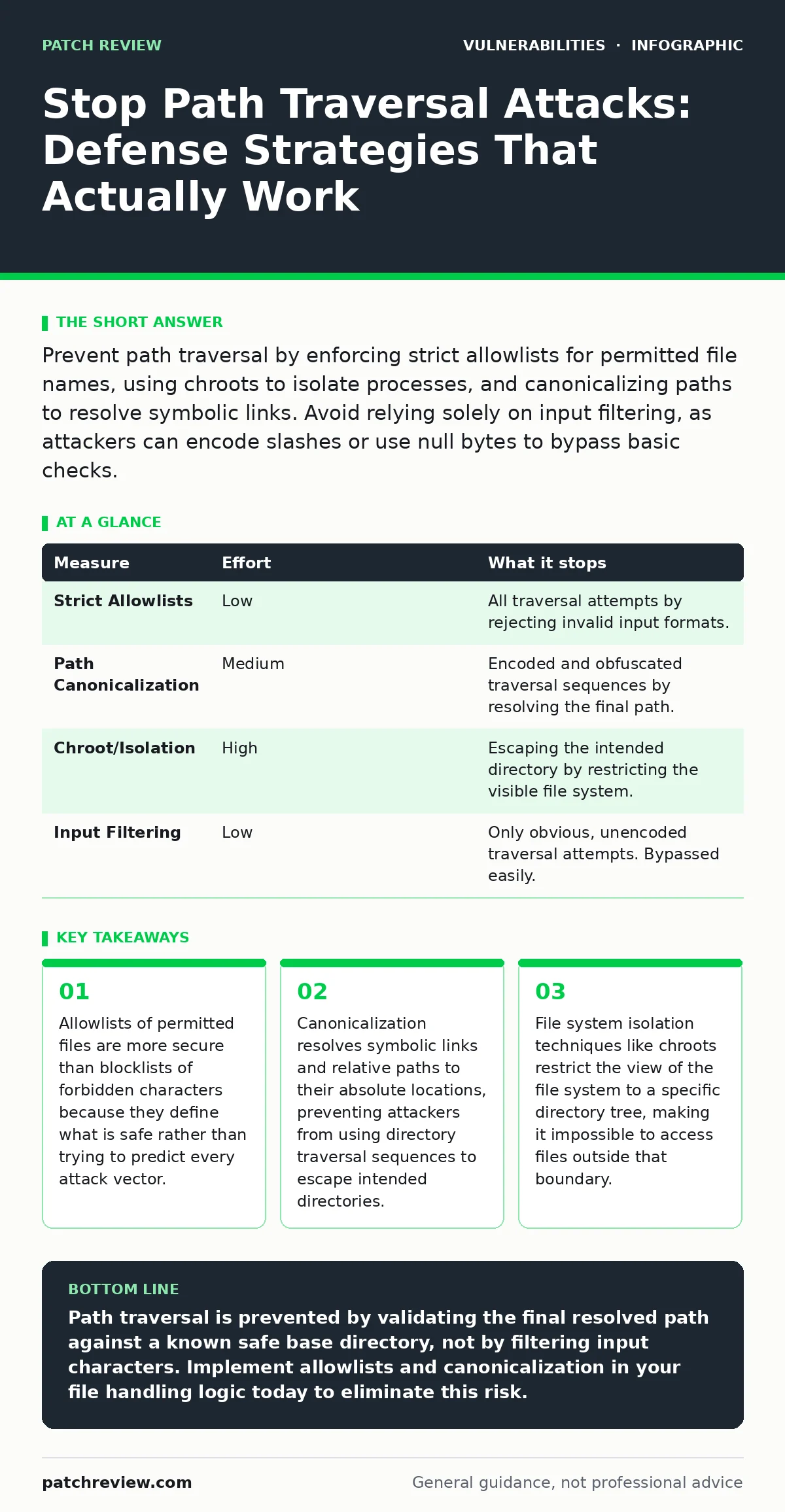
Prevent path traversal by enforcing strict allowlists for permitted file names, using chroots to isolate processes, and canonicalizing paths to resolve symbolic links. Avoid relying solely on input filtering, as attackers can encode slashes or use null bytes to bypass basic checks.
The Mechanics of Directory Escape
Path traversal vulnerabilities occur when an application uses user-supplied input to construct file paths without proper validation. An attacker supplies a string like ../../etc/passwd to move up the directory tree and access sensitive files. This technique exploits the way operating systems interpret relative path components. The application intends to serve a file from a specific directory, but the input redirects the lookup to the root of the file system or other critical locations.
You must understand that the vulnerability lies in the resolution of the path, not just the input string. The application receives the string, combines it with a base directory, and passes the result to the operating system. If the combination allows the resulting path to escape the intended directory, the protection has failed. This is distinct from authentication bypass vulnerabilities, where the attacker gains access to resources they are not permitted to view, though the consequences are often similar.
Why Input Filtering Fails
Many developers attempt to prevent path traversal by scanning input for dangerous characters like ../ or ... This approach is fragile because attackers can encode these sequences in various ways. URL encoding, Unicode normalization, and double encoding can hide the traversal sequences from simple string matching functions. For example, %2e%2e%2f represents ../ in URL encoding. If the application decodes the input after the check, the filter is bypassed.
Imagine a filter that blocks the literal string ... An attacker sends %2e%2e%2f. The filter sees safe characters and allows the request. The web server or application framework then decodes the string to ../ before passing it to the file system. The traversal succeeds. This is a common reason why OWASP Top 10 lists injection flaws as a persistent risk. The defense must happen at the point of path resolution, not at the point of input reception.
Canonicalization as a Primary Defense
Path canonicalization is the process of resolving a path to its absolute, unique form. This involves removing relative components like . and .., resolving symbolic links, and standardizing the format. When you canonicalize a path, you determine exactly which file the operating system will access. If the canonicalized path does not start with the intended base directory, you reject the request.
This method is effective because it deals with the final path the system will use. It does not matter how the attacker encoded the input; the canonicalized result reveals the true target. You must perform this check before opening the file. Some programming languages provide built-in functions for this, such as realpath in C or os.path.realpath in Python. Using these functions ensures that symbolic links are followed and resolved, preventing attackers from using symlinks to point outside the allowed directory.
Implementing Strict Allowlists
An allowlist defines exactly which files or patterns are permitted for access. Instead of checking if input contains bad characters, you check if the input matches a known good pattern. For example, if your application serves user avatars, you might only allow alphanumeric characters and specific extensions like .jpg or .png. Any input containing slashes, dots, or other characters is rejected immediately.
This approach removes the risk of path manipulation entirely because the input cannot contain directory traversal sequences. It is the most robust defense because it limits the attack surface to a known set of safe inputs. You must ensure the allowlist is strict. Allowing arbitrary filenames with extensions can still be risky if the application processes those files in a way that leads to code execution. This is why exposure management is critical; you must know exactly what files are accessible and ensure they do not contain executable code or sensitive data.
File System Isolation with Chroots
A chroot (change root) is a system call that changes the apparent root directory for the current running process and its children. This isolates the process from the rest of the file system. Even if an attacker successfully traverses directories, they can only access files within the chroot environment. This is a powerful defense-in-depth measure.
Implementing chroots requires careful configuration. The application must have all necessary libraries and resources within the chroot directory. This adds complexity to deployment and maintenance. However, it provides a hard boundary that cannot be bypassed by path manipulation. If the application is compromised, the attacker is confined to the chroot. This is particularly useful for services that must access user-supplied files, as it limits the damage of a successful traversal attack.
Measuring the Effectiveness of Defenses
Not all prevention measures are equal in terms of risk reduction. You should prioritize measures that remove the ability to traverse directories entirely. The table below ranks common measures by the amount of risk they remove.
| Measure | Effort | What it stops |
|---|---|---|
| Strict Allowlists | Low | All traversal attempts by rejecting invalid input formats. |
| Path Canonicalization | Medium | Encoded and obfuscated traversal sequences by resolving the final path. |
| Chroot/Isolation | High | Escaping the intended directory by restricting the visible file system. |
| Input Filtering | Low | Only obvious, unencoded traversal attempts. Bypassed easily. |
What Does Not Work
Some developers believe that using a framework or library automatically prevents path traversal. This is false. Frameworks provide tools, but they do not enforce security policies. You must explicitly use the secure functions provided by the framework. Similarly, relying on the web server to handle file access is risky if the application logic constructs paths manually.
Another common mistake is assuming that file type validation is sufficient. Checking the extension of a file does not prevent an attacker from accessing a file with a valid extension in a sensitive directory. For instance, an attacker might access ../../etc/config.json if the application allows .json files. The extension is valid, but the path is not. This is why n-day vulnerabilities often exploit misconfigurations in how applications handle file access, rather than flaws in the code itself.
Immediate Actions for Your Codebase
You can improve your security posture immediately by auditing your file handling code. Look for any place where user input is concatenated with a file path. Replace these instances with canonicalization and allowlist checks. Ensure that your development environment tests for path traversal using various encoding methods.
Review your deployment configuration to see if you can isolate file-serving processes. If you are using containers, ensure they are configured to restrict access to the host file system. This provides a layer of protection even if your application code has flaws. Finally, educate your team on the dangers of path traversal. Many developers are unaware of how easily encoding can bypass simple filters.
Closing Checklist for Today
- Audit all file path construction logic to ensure user input is never directly concatenated with base directories.
- Implement path canonicalization to resolve symbolic links and relative paths before accessing the file system.
- Replace input filtering with strict allowlists that define permitted file names and patterns.
Key takeaways
- Allowlists of permitted files are more secure than blocklists of forbidden characters because they define what is safe rather than trying to predict every attack vector.
- Canonicalization resolves symbolic links and relative paths to their absolute locations, preventing attackers from using directory traversal sequences to escape intended directories.
- File system isolation techniques like chroots restrict the view of the file system to a specific directory tree, making it impossible to access files outside that boundary.
Path traversal is prevented by validating the final resolved path against a known safe base directory, not by filtering input characters. Implement allowlists and canonicalization in your file handling logic today to eliminate this risk.
Frequently asked questions
Can I prevent path traversal by only allowing alphanumeric characters in filenames?
Yes, if you strictly enforce this at the application level and do not allow any special characters like slashes or dots, this effectively prevents path traversal because the input cannot form a directory path.
Does using a secure file server prevent path traversal?
A secure file server can help by restricting access to specific directories, but if your application constructs paths and passes them to the server, the vulnerability remains in the application logic.
How do I test for path traversal vulnerabilities?
Use automated security scanners that test for common traversal sequences and encoding variations. Manual testing should include attempts to access files outside the intended directory using various encoding methods.
Is path traversal a client-side or server-side issue?
Path traversal is primarily a server-side issue because it involves accessing files on the server's file system. However, client-side validation can provide an additional layer of defense against accidental errors.
How this guide was produced: written by the Patch Review editorial team with AI assistance, checked against the public references listed below, and reviewed when the facts change. See our editorial policy or report an error.