
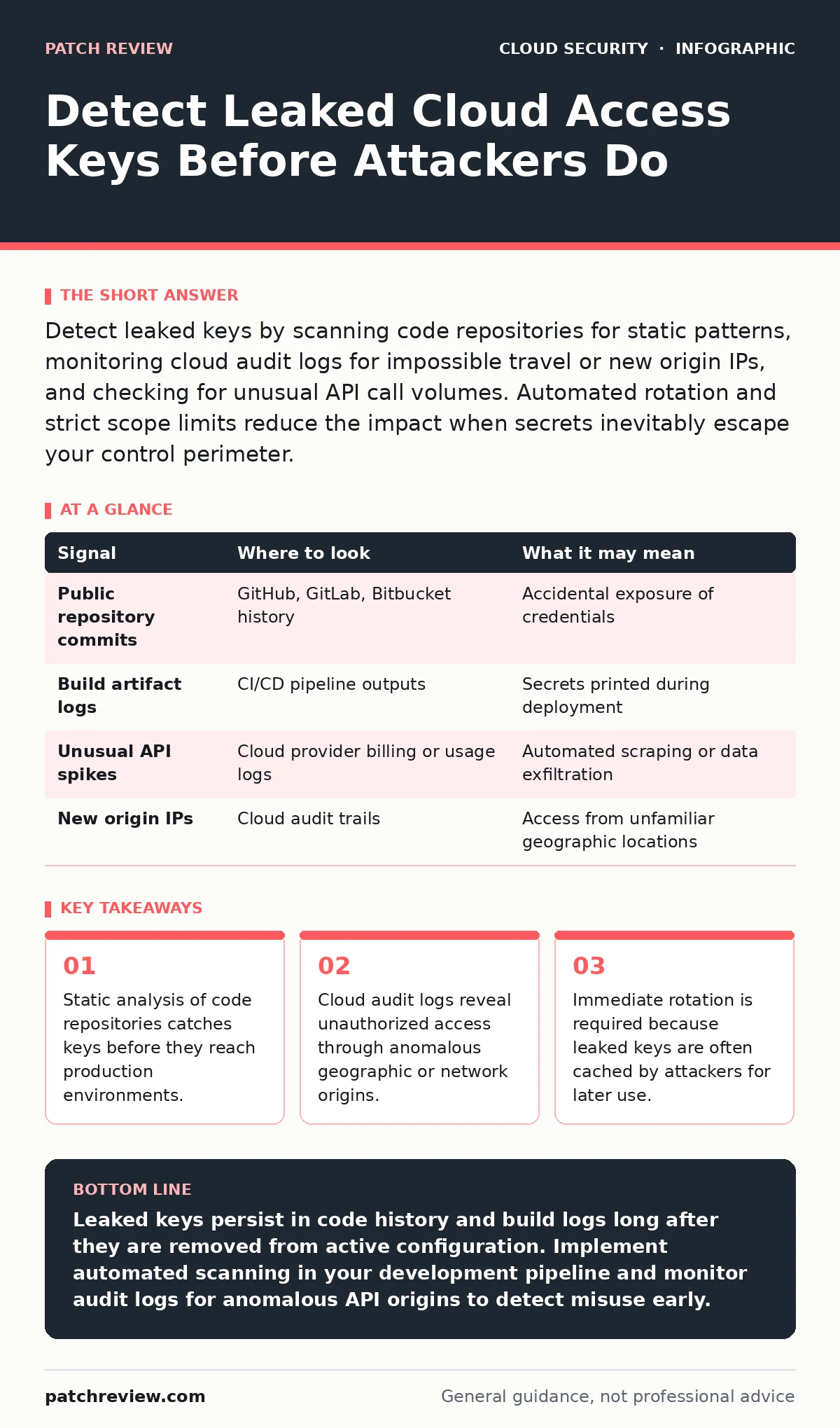
Detect leaked keys by scanning code repositories for static patterns, monitoring cloud audit logs for impossible travel or new origin IPs, and checking for unusual API call volumes. Automated rotation and strict scope limits reduce the impact when secrets inevitably escape your control perimeter.
The Persistence of Static Secrets
Cloud access keys are long strings of characters that allow programs or users to authenticate with cloud services. Unlike human passwords, these keys often remain valid for years unless explicitly revoked. This persistence creates a significant risk because a key leaked in a public code repository can be harvested by an attacker months or even years after the initial mistake. You must treat these keys as compromised the moment they leave your secure storage, regardless of whether you see active misuse.
The primary challenge is that keys do not always look like keys. Developers often embed them in configuration files, environment variables, or even hardcoded strings within application logic. Standard antivirus tools do not inspect code for these patterns. You need specialized scanning mechanisms that understand the syntax of major cloud providers to distinguish between a random string and a valid credential structure.
Signals in Version Control Systems
Most credential leaks originate in software development workflows. Version control systems record every change made to a codebase, including accidental commits of sensitive files. Even if a developer deletes a file in a subsequent commit, the history remains intact. An attacker only needs to clone the repository and search the entire history to find the deleted secret.
| Signal | Where to look | What it may mean |
|---|---|---|
| Public repository commits | GitHub, GitLab, Bitbucket history | Accidental exposure of credentials |
| Build artifact logs | CI/CD pipeline outputs | Secrets printed during deployment |
| Unusual API spikes | Cloud provider billing or usage logs | Automated scraping or data exfiltration |
| New origin IPs | Cloud audit trails | Access from unfamiliar geographic locations |
You should integrate pre-commit hooks that scan for high-entropy strings before code is pushed. These hooks act as a final checkpoint, preventing secrets from entering the repository at all. If a key slips through, you must assume it is visible to anyone with read access to that repository.
Audit Logs and Behavioral Anomalies
Once a key is in the wild, the cloud provider’s audit logs become your primary detection mechanism. These logs record every API call made against your infrastructure. Normal operations follow predictable patterns: consistent source IP ranges, regular timing, and specific service targets. Deviations from this baseline often indicate compromised credentials.
Look for API calls originating from IP addresses that do not match your known corporate or development networks. A key used from a residential IP in a different country is a strong indicator of theft. Also monitor for calls to services that the key holder should never touch. If a development key suddenly attempts to modify network security groups or delete databases, the key is likely in the hands of an adversary.
The Blind Spot of Build Artifacts
Many teams focus on source code but ignore the build artifacts generated during deployment. Continuous integration systems often print environment variables to the console for debugging purposes. If these variables contain access keys, the logs become a permanent record of your secrets. These logs are sometimes stored in accessible locations or shared with third-party debugging tools.
You must sanitize build logs automatically. Ensure that your deployment pipeline masks sensitive values before they are written to any output stream. This requires careful configuration of your logging infrastructure to recognize and redact patterns that match known credential formats. Failure to do so turns your deployment process into a broadcast of your security weaknesses.
Rotating Keys Without Downtime
Detecting a leak is only half the battle. You must have a process to invalidate the compromised key without disrupting legitimate services. This is difficult when keys are hardcoded in applications or shared across multiple teams. Hardcoding prevents rapid rotation because it requires a new code deployment to change the credential.
Adopt a secrets management solution that injects keys at runtime. This allows you to rotate credentials centrally without touching the application code. When a leak is detected, you can revoke the old key and issue a new one instantly. The application fetches the new key on its next request, maintaining continuity while cutting off the attacker.
See also: Spot Shadow IT: Warning Signs and Response Steps · How to Implement SASE: A Step-by-Step Network Architecture Guide
Common Misconceptions in Detection
A common error is assuming that internal networks are safe from credential leakage. Internal code repositories are often accessible to all employees, increasing the attack surface. A malicious insider or a compromised developer workstation can export keys just as easily as an external attacker scraping the internet. You must apply the same scanning rigor to private repositories as you do to public ones.
Another misconception is that key rotation alone provides security. While rotation limits the window of opportunity, it does not prevent the initial leak. If your detection mechanisms are weak, you may not know a key is compromised until significant damage has occurred. You need a combination of preventive scanning and continuous monitoring to maintain a secure posture.
Understanding how attackers retrieve credentials from instance metadata helps you secure the endpoints that generate these keys. Similarly, addressing logging gaps ensures you have the data necessary to detect misuse when it happens.
Integrating Detection into Workflow
Detection must be automated and continuous. Manual audits are insufficient for modern development speeds. Integrate secret scanning into your daily development workflow so that issues are found before code merges. This shifts the responsibility from security teams to developers, creating a culture of shared accountability.
Use policy as code to enforce these standards automatically. Define rules that block deployments containing unencrypted secrets or keys with overly broad permissions. This approach ensures that security requirements are tested and validated just like functional code. It reduces the reliance on human memory and provides a consistent baseline across all projects.
Key takeaways
- Static analysis of code repositories catches keys before they reach production environments.
- Cloud audit logs reveal unauthorized access through anomalous geographic or network origins.
- Immediate rotation is required because leaked keys are often cached by attackers for later use.
Leaked keys persist in code history and build logs long after they are removed from active configuration. Implement automated scanning in your development pipeline and monitor audit logs for anomalous API origins to detect misuse early.
Frequently asked questions
How long should I keep access keys active?
There is no fixed expiration, but keys should be rotated regularly. Automate rotation to ensure credentials are updated frequently without manual intervention.
Can I detect if a key is being used by an attacker?
Yes, by monitoring for unusual geographic origins, new IP addresses, or API calls to services outside the key’s normal scope.
What is the first step after detecting a leak?
Immediately revoke the compromised key. Then rotate any other keys that were created or modified during the window of exposure.
Do internal repositories need scanning?
Yes, internal repositories are accessible to employees and can be compromised by insiders or through lateral movement from other breaches.
How this guide was produced: written by the Patch Review editorial team with AI assistance, checked against the public references listed below, and reviewed when the facts change. See our editorial policy or report an error.