
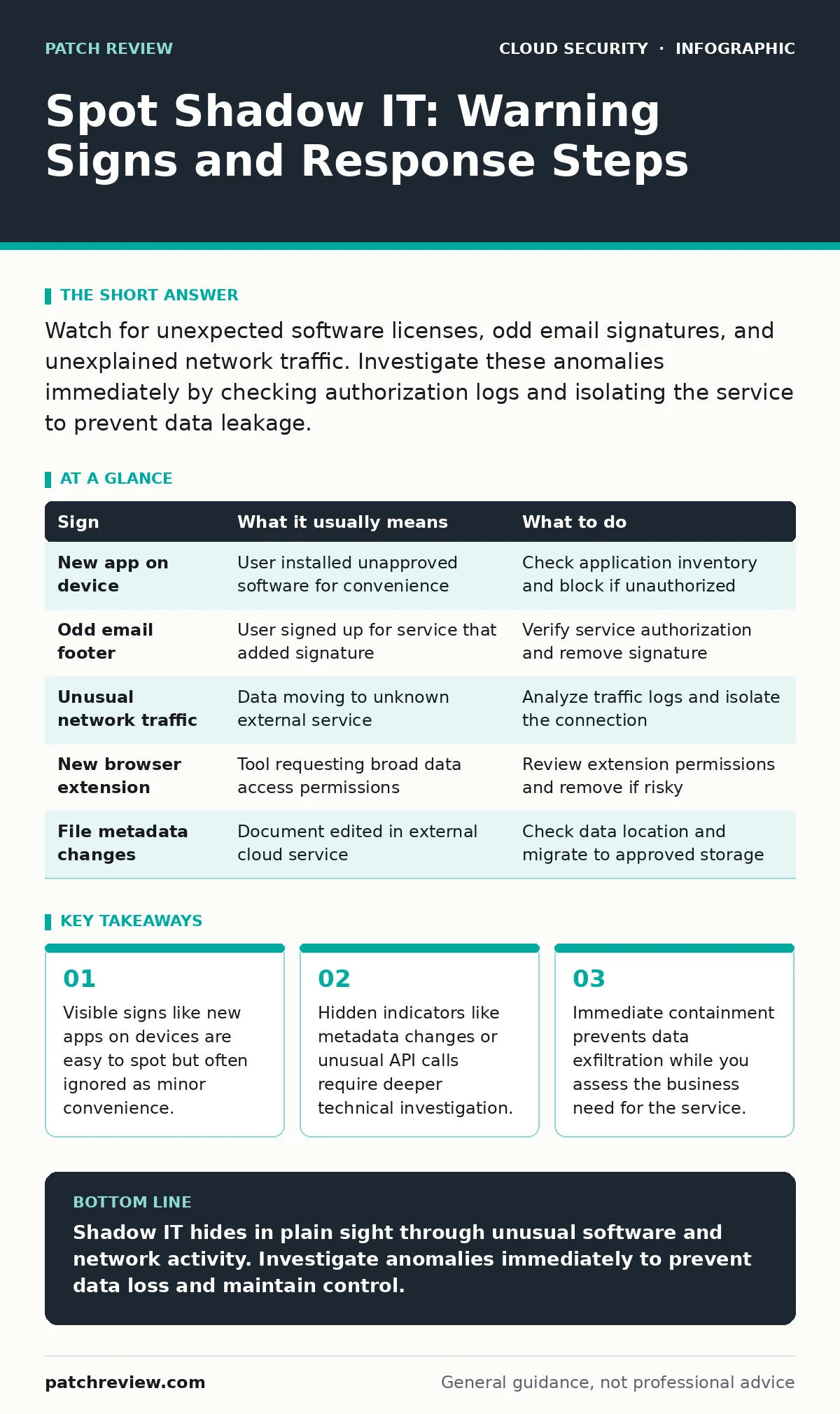
Watch for unexpected software licenses, odd email signatures, and unexplained network traffic. Investigate these anomalies immediately by checking authorization logs and isolating the service to prevent data leakage.
The Visible Anomalies
You often notice shadow IT when it disrupts normal workflows. A colleague asks for help configuring a new application that does not appear on the approved software list. This service usually handles sensitive data without your organization’s security controls. You might also see unfamiliar file extensions or cloud storage links in internal communications. These links bypass standard data loss prevention filters.
Another clear sign is the appearance of new browser extensions on company devices. Employees install productivity tools that claim to sync data across platforms. These extensions often request broad permissions to read all website data. This access allows the tool to capture credentials or sensitive text entered into other applications.
The Hidden Indicators
Some signs of shadow IT are much harder to detect. You might notice slight changes in how files are saved or shared. For example, a document might suddenly have different version history or metadata that does not match your internal systems. This indicates the file was edited in an external tool. You should review your cloud logging gaps to understand what changes are visible to your monitoring systems.
Network traffic patterns can also reveal unmanaged services. Look for connections to IP addresses that do not belong to known vendors. These connections might occur during off-hours or from unusual geographic locations. If you manage infrastructure with containers, check for Kubernetes misconfigurations that allow pods to communicate with external endpoints. This traffic might look like normal web browsing but carries encrypted payloads to unknown servers.
Understanding the Risk Profile
Shadow IT is not just about unauthorized software. It represents a breakdown in visibility and control. When teams use unapproved services, they bypass security reviews. This means you do not know where your data resides or who can access it. The risk is not always immediate compromise. It is often the gradual accumulation of data in unsecured environments.
Consider the impact on identity management. If a service uses its own authentication system, you lose the ability to enforce multi-factor authentication or revoke access when an employee leaves. This creates a persistent vulnerability. You must understand the trade-off between user convenience and data security. Allowing unvetted tools speeds up work but increases the attack surface.
Immediate Response Steps
When you identify a potential shadow IT instance, act quickly but carefully. Do not immediately block the service if it is critical to business operations. This could disrupt work and cause users to find workarounds. Instead, isolate the service and monitor its activity. Check for leaked cloud access keys that might have been created during setup. These keys can grant unauthorized access to your core infrastructure.
Begin by documenting the service and its usage. Identify who is using it and what data is involved. This information helps you assess the risk and plan a migration to an approved alternative. Engage with the users to understand their needs. Often, they adopted the tool because the approved solution lacked a specific feature. Addressing this gap reduces the incentive to use shadow IT.
Table of Common Signs
| Sign | What it usually means | What to do |
|---|---|---|
| New app on device | User installed unapproved software for convenience | Check application inventory and block if unauthorized |
| Odd email footer | User signed up for service that added signature | Verify service authorization and remove signature |
| Unusual network traffic | Data moving to unknown external service | Analyze traffic logs and isolate the connection |
| New browser extension | Tool requesting broad data access permissions | Review extension permissions and remove if risky |
| File metadata changes | Document edited in external cloud service | Check data location and migrate to approved storage |
See also: Detect Leaked Cloud Access Keys Before Attackers Do · How to Implement SASE: A Step-by-Step Network Architecture Guide
Long-Term Prevention Strategies
Preventing shadow IT requires a balance of control and flexibility. Implement regular SaaS access reviews to ensure all cloud services are authorized and necessary. This process helps you identify and remove unused or risky applications. It also provides visibility into how teams use digital tools.
Education is another key component. Teach users how to identify secure services and why unauthorized tools are risky. Explain the consequences of data breaches and compliance violations. When users understand the risks, they are more likely to follow security policies. However, education alone is not enough. You must provide easy-to-use, secure alternatives that meet their needs.
Reviewing Access and Configuration
Regularly review access permissions for all cloud services. Ensure that only authorized users have access to sensitive data. Use least privilege principles to limit what each user can do. This reduces the impact of a potential breach. Also, check your cloud security groups to ensure they are configured correctly. Misconfigured rules can allow unauthorized access to your resources.
Monitor for cloud ransomware threats that might exploit unmanaged services. These attacks can spread quickly if they find vulnerable endpoints. Ensure that your backup and recovery plans cover all critical data, including data stored in shadow IT services. This preparation helps you recover from an incident without significant disruption.
The Human Factor
People use shadow IT because it solves an immediate problem. They value speed and ease of use over security. To change this behavior, you must make the secure path the easy path. Simplify the approval process for new tools. Provide clear guidelines on what is allowed and why. When users feel heard and supported, they are more likely to comply with security policies.
Key takeaways
- Visible signs like new apps on devices are easy to spot but often ignored as minor convenience.
- Hidden indicators like metadata changes or unusual API calls require deeper technical investigation.
- Immediate containment prevents data exfiltration while you assess the business need for the service.
Shadow IT hides in plain sight through unusual software and network activity. Investigate anomalies immediately to prevent data loss and maintain control.
Frequently asked questions
How do I find shadow IT without disrupting work?
Use passive network monitoring and application discovery tools to identify unmanaged services without blocking them immediately.
What is the biggest risk of shadow IT?
The loss of visibility and control over sensitive data, which increases the risk of data breaches and compliance violations.
Can shadow IT be useful?
Yes, it often provides faster solutions to business problems, but these benefits must be weighed against security risks.
How often should I review for shadow IT?
Conduct regular reviews, such as quarterly or after major organizational changes, to ensure all services are authorized and secure.
How this guide was produced: written by the Patch Review editorial team with AI assistance, checked against the public references listed below, and reviewed when the facts change. See our editorial policy or report an error.