
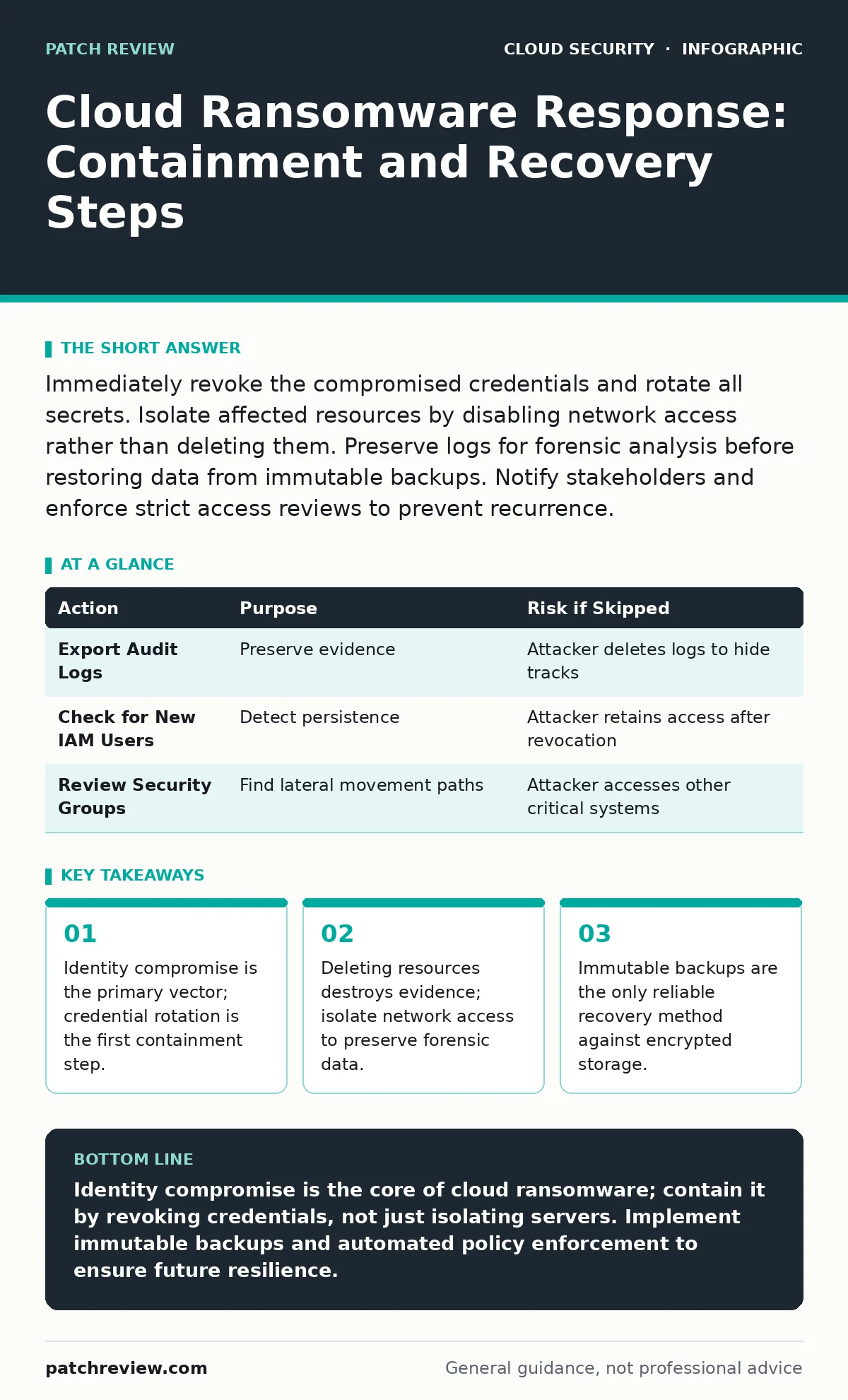
Immediately revoke the compromised credentials and rotate all secrets. Isolate affected resources by disabling network access rather than deleting them. Preserve logs for forensic analysis before restoring data from immutable backups. Notify stakeholders and enforce strict access reviews to prevent recurrence.
First hour
The initial response to cloud ransomware differs from on-premises incidents because the attacker often controls the identity layer, not just the infrastructure. You must assume that any credential associated with the affected account is compromised. The attacker likely used these keys to encrypt data, exfiltrate backups, or create persistence mechanisms. Your first priority is stopping the lateral movement within the cloud environment.
Imagine an attacker gains access to a developer’s account. They do not immediately encrypt files. Instead, they create a new administrative user and generate access keys. If you only encrypt the affected server, the attacker still holds the administrative privileges. You must treat the identity as the infection vector.
- Identify the compromised identity or service account.
- Revoke all active sessions for that identity immediately.
- Rotate all access keys, API tokens, and secrets associated with the account.
- Disable password-based logins for the affected account if possible.
- Isolate affected resources by modifying security groups or network ACLs.
- Preserve current state logs before making further changes.
Revoking access stops the attacker from creating new resources or modifying permissions. Rotating secrets ensures that any keys the attacker copied are no longer valid. This step is more effective than trying to patch individual servers.
First day
Once the immediate threat is contained, you must assess the scope of the breach. Cloud environments are dynamic, and an attacker can move quickly between regions and services. You need to determine what data was accessed, not just what was encrypted. Encryption is visible; data exfiltration is not.
Review the cloud audit logs for any unusual activity in the hours before the encryption started. Look for new security group rules, changes to IAM roles, or the creation of new storage buckets. These actions often precede the ransom note. If you rely on default logging, you may face cloud logging gaps that obscure the attacker’s path. Ensure you have exported these logs to a secure, external storage location before the attacker can tamper with them.
You should also check for leaked cloud access keys in public repositories or code commits. Attackers often harvest keys from open-source projects or misconfigured repositories. If you find a key that was exposed months ago, assume the attacker has been inside your environment for that duration. This extends your investigation timeline significantly.
| Action | Purpose | Risk if Skipped |
|---|---|---|
| Export Audit Logs | Preserve evidence | Attacker deletes logs to hide tracks |
| Check for New IAM Users | Detect persistence | Attacker retains access after revocation |
| Review Security Groups | Find lateral movement paths | Attacker accesses other critical systems |
First week
Recovery involves restoring data and services while ensuring the attacker has no remaining foothold. Do not restore data to the same environment without verifying the integrity of the configuration. The attacker may have modified security policies to allow their return.
Use immutable backups to restore data. Immutable backups cannot be modified or deleted for a set period, even by administrators. This property makes them resistant to ransomware that targets backup systems. Verify the integrity of the backup before restoration. If the backup was created after the initial compromise, it may contain encrypted or corrupted data.
Rebuild affected infrastructure from known-good templates. Do not attempt to clean infected virtual machines. The effort required to remove all artifacts is rarely successful, and the risk of residual persistence is high. Rebuilding ensures a clean state.
During this phase, implement policy as code to enforce security standards automatically. This prevents manual configuration errors that could reintroduce vulnerabilities. Define allowed configurations in code and apply them consistently across the environment.
Who to tell
Notification is not just a legal requirement; it is a security necessity. Internal teams need to know to monitor for phishing attempts or social engineering attacks linked to the breach. External stakeholders, including customers and partners, may need to be informed if their data was accessed.
Coordinate with your legal and compliance teams to determine the scope of notification. Delaying notification can increase liability and erode trust. Be transparent about what happened and what steps you are taking to prevent recurrence.
If the breach involves third-party services, notify the providers immediately. They may need to rotate shared secrets or investigate their own environments. Collaboration with providers can speed up the containment process.
How to stop a repeat
Preventing recurrence requires addressing the root cause, not just the symptoms. If the attacker gained access through a weak password, enforce multi-factor authentication. If they used a leaked key, implement secrets managers to handle credential storage and rotation.
Conduct a thorough SaaS access reviews to identify unused or excessive privileges. Attackers often exploit dormant accounts with high privileges. Remove access that is not actively needed. This reduces the attack surface and limits the impact of future compromises.
Monitor for shadow IT applications that may not have the same security controls as approved services. Employees may use unauthorized tools that expose credentials or data. Enforce a whitelist of approved applications and monitor for unauthorized integrations.
Implement private endpoints for critical services to restrict access to trusted networks. This reduces the exposure of your services to the public internet. Combine this with strict identity and access management policies to ensure only authorized users can connect.
See also: Detect Leaked Cloud Access Keys Before Attackers Do · How to Implement SASE: A Step-by-Step Network Architecture Guide
Final checks
Before declaring the incident resolved, perform a final validation. Test the restored systems for functionality and security. Verify that all compromised credentials have been rotated and that no new, unauthorized users exist.
Review the incident timeline and document lessons learned. Update your incident response plan based on what worked and what failed. Share these findings with the broader organization to improve overall security posture.
Continuous monitoring is critical. Set up alerts for anomalous behavior, such as unusual login locations or large data transfers. Early detection can prevent a small breach from becoming a major incident.
Key takeaways
- Identity compromise is the primary vector; credential rotation is the first containment step.
- Deleting resources destroys evidence; isolate network access to preserve forensic data.
- Immutable backups are the only reliable recovery method against encrypted storage.
Identity compromise is the core of cloud ransomware; contain it by revoking credentials, not just isolating servers. Implement immutable backups and automated policy enforcement to ensure future resilience.
Frequently asked questions
How do I know if my backups are clean?
Verify the backup timestamp against the known time of compromise. Use immutable backups that cannot be altered by attackers, and perform integrity checks before restoration.
Should I pay the ransom?
Paying does not guarantee data recovery or prevent further leaks. It also encourages future attacks. Focus on containment, forensic analysis, and restoration from clean backups.
What is the difference between cloud and on-prem ransomware response?
Cloud response focuses on identity and API access, while on-prem response focuses on network segmentation and endpoint isolation. Cloud environments allow attackers to move laterally across regions instantly.
How often should I rotate cloud access keys?
Rotate keys regularly, especially after any security incident. Implement automated rotation using secrets managers to reduce the risk of human error and ensure timely updates.
How this guide was produced: written by the Patch Review editorial team with AI assistance, checked against the public references listed below, and reviewed when the facts change. See our editorial policy or report an error.