
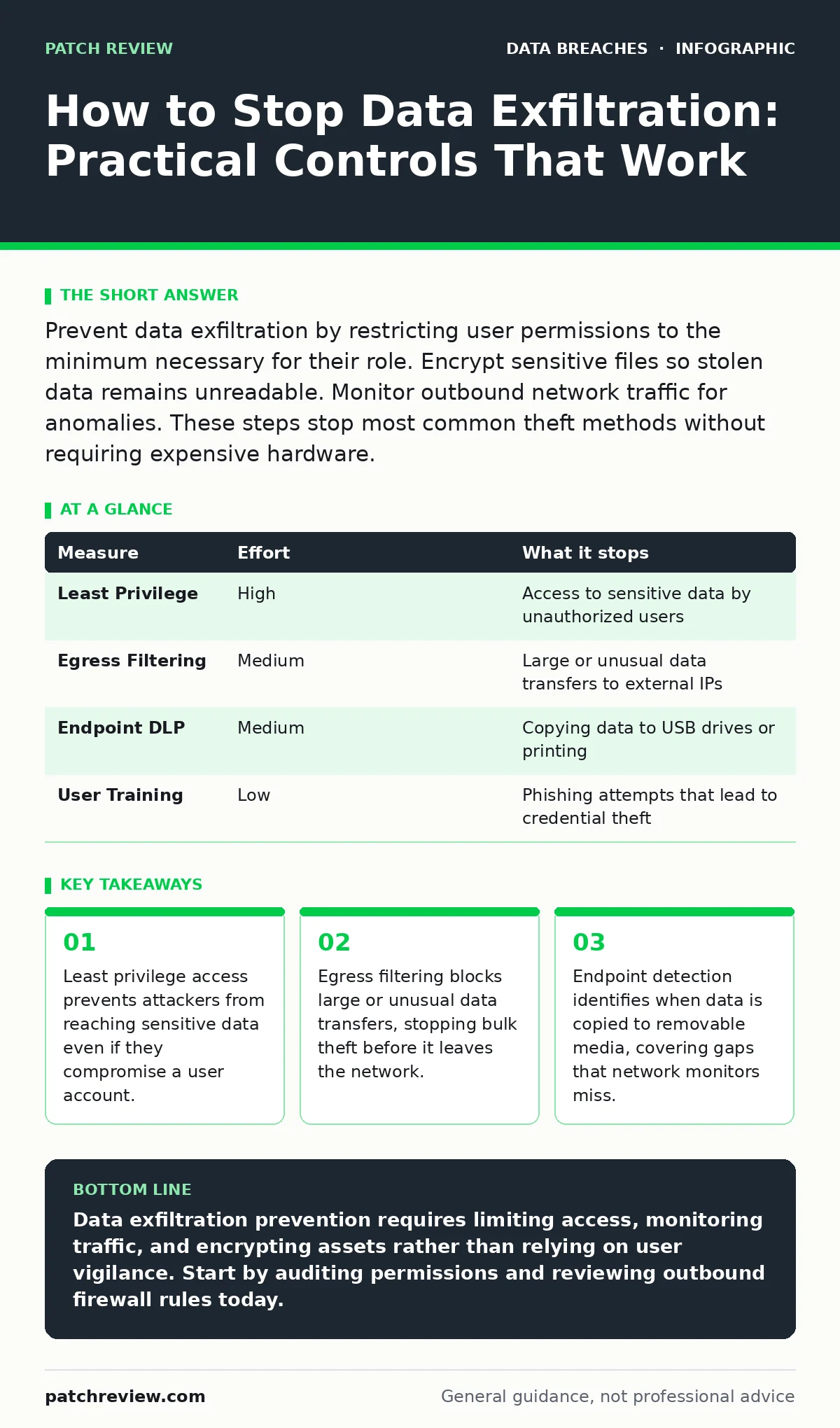
Prevent data exfiltration by restricting user permissions to the minimum necessary for their role. Encrypt sensitive files so stolen data remains unreadable. Monitor outbound network traffic for anomalies. These steps stop most common theft methods without requiring expensive hardware.
Why Traditional Perimeters Fail
The old model of security relied on a strong outer wall. You assumed that if you kept attackers out, your data was safe. This assumption no longer holds. Modern threats often start from inside the network or use legitimate credentials. Data exfiltration is the unauthorized transfer of data from an organization to an external recipient. It happens quietly, often using standard business tools.
You cannot stop exfiltration by simply blocking all outgoing connections. Business operations require data to move out. Emails, cloud uploads, and API calls are necessary. The challenge is distinguishing normal business flow from theft. You must focus on the data itself and the behavior surrounding it.
Enforce Least Privilege Access
The most effective control is limiting who can see what. This is called least privilege. It means users only have access to the specific data they need to do their job, nothing more. If an attacker compromises a standard employee account, they cannot reach financial records or source code.
Imagine a scenario where an attacker gains access to a marketing intern’s laptop. If that intern has no reason to access customer databases, the attacker hits a wall. They cannot exfiltrate high-value data because they cannot read it. This control removes the risk entirely for that account. It requires careful planning of user roles and regular reviews.
| Measure | Effort | What it stops |
|---|---|---|
| Least Privilege | High | Access to sensitive data by unauthorized users |
| Egress Filtering | Medium | Large or unusual data transfers to external IPs |
| Endpoint DLP | Medium | Copying data to USB drives or printing |
| User Training | Low | Phishing attempts that lead to credential theft |
Monitor Outbound Network Traffic
You must watch what leaves your network. This is egress filtering. It involves inspecting outbound traffic for signs of abuse. Attackers often use covert channels to sneak data out. They might encode data in DNS queries or use encrypted tunnels that look like normal web traffic.
Configure your firewall to block traffic to unknown or suspicious destinations. Allow only known business partners and services. Look for volume anomalies. A sudden spike in data sent to a single external IP is a red flag. This measure does not stop small, slow leaks. It catches bulk theft and automated exfiltration tools.
Encrypt Data at Rest and in Transit
Encryption scrambles data so it is unreadable without a key. If an attacker steals your database or intercepts a network packet, encryption ensures they cannot use the information. This is a defense-in-depth measure. It does not prevent the theft, but it neutralizes the impact.
Use strong encryption standards for all sensitive files. Ensure keys are stored separately from the data. If the keys are stolen along with the data, encryption provides no protection. Also, encrypt data in transit using secure protocols. This prevents attackers from reading data as it moves across the network.
Control Endpoint Devices
Data often leaves via physical devices. USB drives, external hard drives, and even smartphones can be used to copy files. You must manage these endpoints. This is endpoint data loss prevention. It involves monitoring and controlling what can be connected to corporate computers.
Disable unauthorized ports on workstations. Block the execution of programs from removable media. Log all connections to external devices. This stops the "sneakernet" method of exfiltration. It is particularly important for high-security areas where network access is tightly controlled.
See also: Chain of Custody Form: How to Preserve Digital Evidence Integrity · Secure Data Disposal: FAQs on Sanitization and Media Destruction
Detect Anomalous User Behavior
Attackers often mimic normal behavior to avoid detection. They might log in at odd hours or download files slowly over time. User behavior analytics helps spot these patterns. It establishes a baseline for normal activity for each user. Deviations from this baseline trigger alerts.
For example, if a user who normally accesses five files a day suddenly downloads five hundred, the system flags this. It does not mean the user is malicious. They might be working on a special project. But it requires investigation. This measure catches insider threats and compromised accounts that other controls miss.
What Does Not Work Alone
Many organizations rely on user training as their primary defense. While education is valuable, it is not enough. Humans make mistakes. They click phishing links. They misconfigure cloud storage. They forget to lock their screens. Relying solely on training assumes perfect human behavior, which does not exist.
Another common failure is using only antivirus software. Traditional antivirus looks for known malware signatures. It does not detect custom exfiltration scripts or legitimate tools used maliciously. It also cannot stop an insider who has legitimate access. You need technical controls that enforce policy regardless of user intent.
Immediate Action Checklist
You can reduce your risk today by taking three specific steps. First, audit your user permissions. Remove access for employees who no longer need it. Second, review your outbound firewall rules. Ensure they are not overly permissive. Third, enable logging on your critical servers. You cannot detect what you do not record.
These actions provide immediate visibility and control. They do not require large budgets or long implementation times. Start with the highest-value data. Protect it first. Then expand your controls to cover the rest of the organization.
- Review and revoke unnecessary user permissions
- Check firewall rules for overly broad outbound access
- Enable detailed logging on servers holding sensitive data
Key takeaways
- Least privilege access prevents attackers from reaching sensitive data even if they compromise a user account.
- Egress filtering blocks large or unusual data transfers, stopping bulk theft before it leaves the network.
- Endpoint detection identifies when data is copied to removable media, covering gaps that network monitors miss.
Data exfiltration prevention requires limiting access, monitoring traffic, and encrypting assets rather than relying on user vigilance. Start by auditing permissions and reviewing outbound firewall rules today.
Frequently asked questions
Can I stop data exfiltration with just a firewall?
No. Firewalls control network access but often allow outbound traffic by default. You need specific egress filtering and data loss prevention tools to stop data theft.
Is encryption enough to prevent data breaches?
Encryption protects the confidentiality of stolen data but does not prevent the theft itself. You still need access controls and monitoring to stop unauthorized access and transfer.
How do I detect slow data exfiltration?
Use user behavior analytics to establish baselines for normal activity. Look for gradual increases in data volume or access to unusual resources over time.
Should I block all USB drives?
Blocking USB drives is effective but disruptive. A better approach is to allow only authenticated and encrypted devices while logging all connections for audit purposes.
How this guide was produced: written by the Patch Review editorial team with AI assistance, checked against the public references listed below, and reviewed when the facts change. See our editorial policy or report an error.