
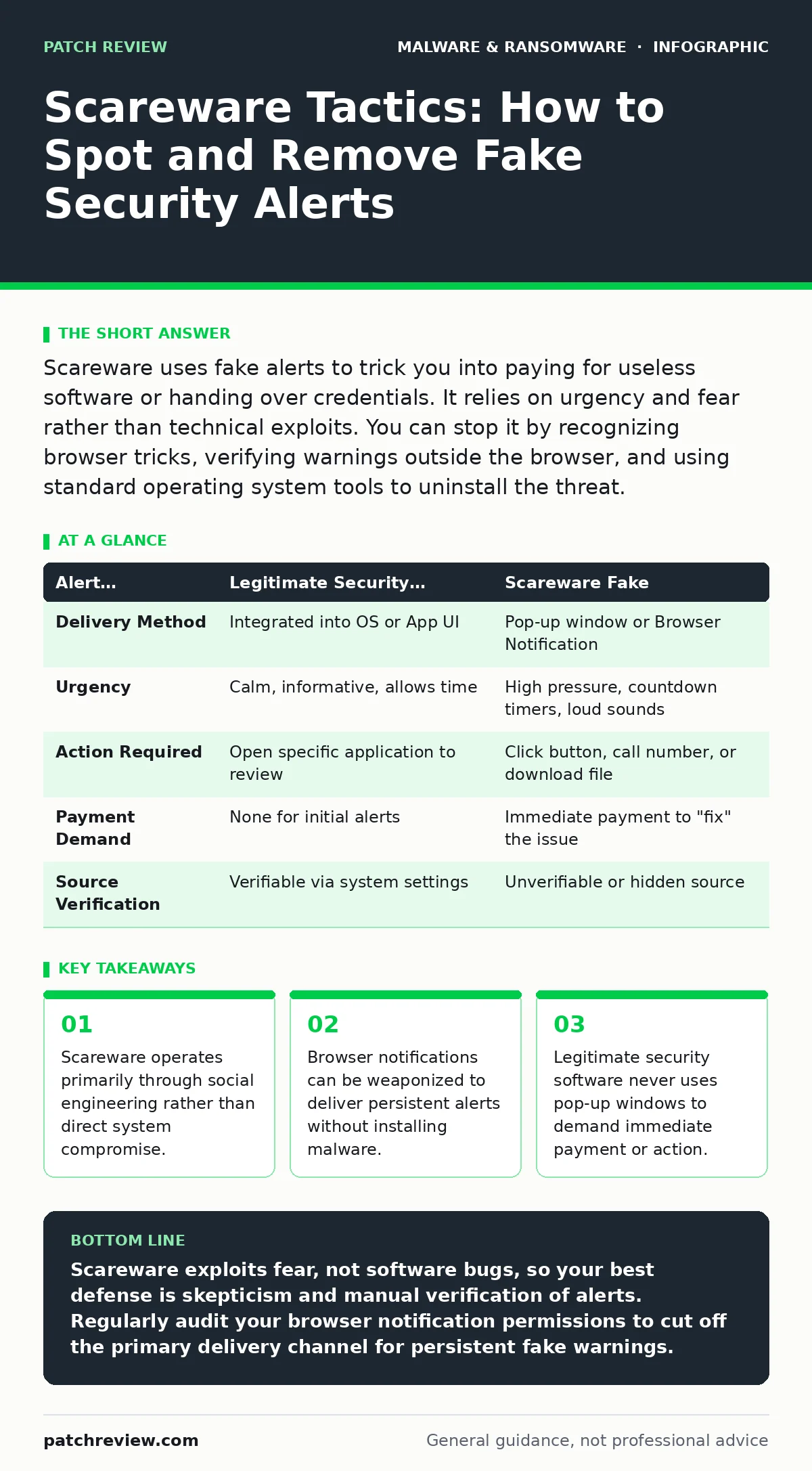
Scareware uses fake alerts to trick you into paying for useless software or handing over credentials. It relies on urgency and fear rather than technical exploits. You can stop it by recognizing browser tricks, verifying warnings outside the browser, and using standard operating system tools to uninstall the threat.
What exactly is scareware?
Scareware is a type of social engineering attack that uses fear to compel you to take a specific action. The attacker presents a fake warning, often mimicking a legitimate security alert, claiming your device is infected or compromised. The goal is to make you panic so you bypass your normal critical thinking. You might be urged to purchase fake antivirus software, call a support number, or download malicious files. This technique exploits the psychological response to immediate threat rather than exploiting a technical vulnerability in your operating system.
How does scareware differ from standard malware?
Standard malware typically aims to steal data, encrypt files, or hijack resources quietly. Scareware, by contrast, is loud and aggressive in its demand for attention. It does not necessarily need to install code on your hard drive to be effective. Often, the entire attack happens within the context of a web browser session. The damage comes from the actions you take in response to the fear, such as installing a Trojan horse disguised as a fix. This distinction matters because removing scareware often requires changing browser settings or uninstalling a program, rather than scanning for hidden processes.
Can scareware infect my device through a browser notification?
Yes, and this is one of the most persistent delivery methods. When you visit a compromised site, it may ask for permission to send notifications. If you click "Allow," the site can push alerts directly to your desktop or mobile lock screen. These alerts look like system warnings, claiming you have a virus or need to update software. They appear even when the browser is closed. This mechanism bypasses traditional antivirus heuristics because the browser is technically performing an allowed action. You must manually revoke these permissions in your browser settings to stop the stream of fake alerts.
Why do fake virus warnings look so convincing?
Attackers clone the visual design of trusted operating systems and security vendors. They use official logos, color schemes, and technical jargon to create a sense of authority. The alerts often include fake progress bars, countdown timers, and model numbers that match your actual device. This visual fidelity reduces the cognitive load required to detect the lie. You might assume that because the font matches your system font, the source is legitimate. However, legitimate system alerts rarely demand immediate financial transactions or phone calls.
Does scareware always require a download to cause harm?
Not initially, but the end goal is usually a download. The initial scareware page is a landing page designed to convert fear into action. If you ignore the alerts, the attack fails at that stage. However, if you click the fake "Close" or "Scan" buttons, the site triggers a download. This file might be a benign but annoying program, or it could be a full trojan. The trojan might then install infostealers to capture your login credentials or cryptojacking scripts to mine digital currency. The initial scare is merely the bait; the payload is the hook.
How can I verify if a security alert is real?
Never interact with the alert itself. If a window appears claiming a critical error, do not click any buttons inside that window. Instead, open a new browser tab or use your operating system’s task manager to check for active processes. Legitimate security software runs in the background and logs events to its own interface, not via pop-ups. You can also check the URL of the page hosting the alert. Real security warnings do not originate from random domains or suspicious IP addresses. If you are unsure, consult a separate, trusted source for information about the specific error message.
What is the role of browser permissions in scareware attacks?
Permissions are the gateway for persistent scareware. Browsers ask for permission to send notifications, access your camera, or track your location. Scareware sites often disguise the notification prompt as a CAPTCHA or a "Verify you are human" test. You click "Allow" thinking you are proving your humanity, but you are actually authorizing the site to spam your device. This permission survives browser restarts. To secure your environment, you must audit your notification settings regularly and remove any sites you do not recognize. This step is often overlooked but is critical for preventing recurring alerts.
| Alert Characteristic | Legitimate Security Warning | Scareware Fake |
|---|---|---|
| Delivery Method | Integrated into OS or App UI | Pop-up window or Browser Notification |
| Urgency | Calm, informative, allows time | High pressure, countdown timers, loud sounds |
| Action Required | Open specific application to review | Click button, call number, or download file |
| Payment Demand | None for initial alerts | Immediate payment to "fix" the issue |
| Source Verification | Verifiable via system settings | Unverifiable or hidden source |
How do I remove scareware from my system?
The removal process depends on how the scareware entered your system. If it is a browser notification issue, go to your browser settings, find the privacy or security section, and manage site settings. Locate the notification permissions and remove any suspicious sites. If you installed a program, use your operating system’s uninstall feature to remove it. Check your startup items to ensure the program does not launch automatically. Finally, run a standard scan with your existing security software to ensure no secondary payloads were installed. This methodical approach ensures you remove the trigger and any associated components.
Can scareware lead to more serious infections?
Yes, scareware is often a precursor to more dangerous threats. Once you have been tricked into downloading a file, the attacker has established trust and execution rights. The downloaded file might install ransomware that encrypts your files, or it might install malware persistence mechanisms that allow the attacker to return later. It could also deploy fileless malware that runs in memory, making it harder to detect with traditional file scanners. The initial scareware is the low-risk entry point that enables high-risk operations. Treating scareware as a minor annoyance ignores its role as a delivery vector for severe compromise.
Why do standard antivirus programs sometimes miss scareware?
Antivirus software focuses on detecting malicious code and known bad signatures. Scareware often consists of legitimate web technologies used in a deceptive way. A browser notification is a standard feature, not a virus. A pop-up window is a standard web element. The antivirus sees no malicious code because there is none, at least not in the initial phase.
The "malice" is in the intent and the social engineering, which code scanners cannot evaluate. This is why behavioral awareness and user training are just as important as technical controls. Understanding the malware obfuscation techniques used to hide payloads is also relevant, as scareware often leads to downloads that use these techniques.
How does scareware relate to ransomware-as-a-service?
Scareware can be the initial contact point for ransomware-as-a-service operations. The fake alert creates a sense of vulnerability, making you more likely to believe subsequent, more sophisticated attacks. It also serves as a low-tech way to filter for susceptible targets. Those who click through to buy fake software or call support numbers are identified as poor security practitioners. Attackers can then target these users with more advanced exploits. The scareware itself does not encrypt your files, but it gathers the intelligence and trust needed to launch a successful ransomware campaign.
Key takeaways
- Scareware operates primarily through social engineering rather than direct system compromise.
- Browser notifications can be weaponized to deliver persistent alerts without installing malware.
- Legitimate security software never uses pop-up windows to demand immediate payment or action.
Scareware exploits fear, not software bugs, so your best defense is skepticism and manual verification of alerts. Regularly audit your browser notification permissions to cut off the primary delivery channel for persistent fake warnings.
Frequently asked questions
Is scareware illegal?
Yes, deploying scareware to trick users into installing software or paying for services is illegal in most jurisdictions. It constitutes fraud and unauthorized access to computer systems.
Can scareware steal my passwords?
Indirectly, yes. While the alert itself does not steal data, the software you download in response might include keyloggers or infostealers designed to capture your credentials.
Should I uninstall my antivirus if I see a scareware alert?
No, keep your security software active. Scareware alerts are often designed to make you think your current protection is failing. Uninstalling it leaves you vulnerable to the actual malware the scareware tries to install.
Do mobile devices get scareware?
Yes, mobile devices are frequent targets. Fake alerts often appear in mobile browsers or via push notifications, mimicking app store warnings or system updates.
How this guide was produced: written by the Patch Review editorial team with AI assistance, checked against the public references listed below, and reviewed when the facts change. See our editorial policy or report an error.