
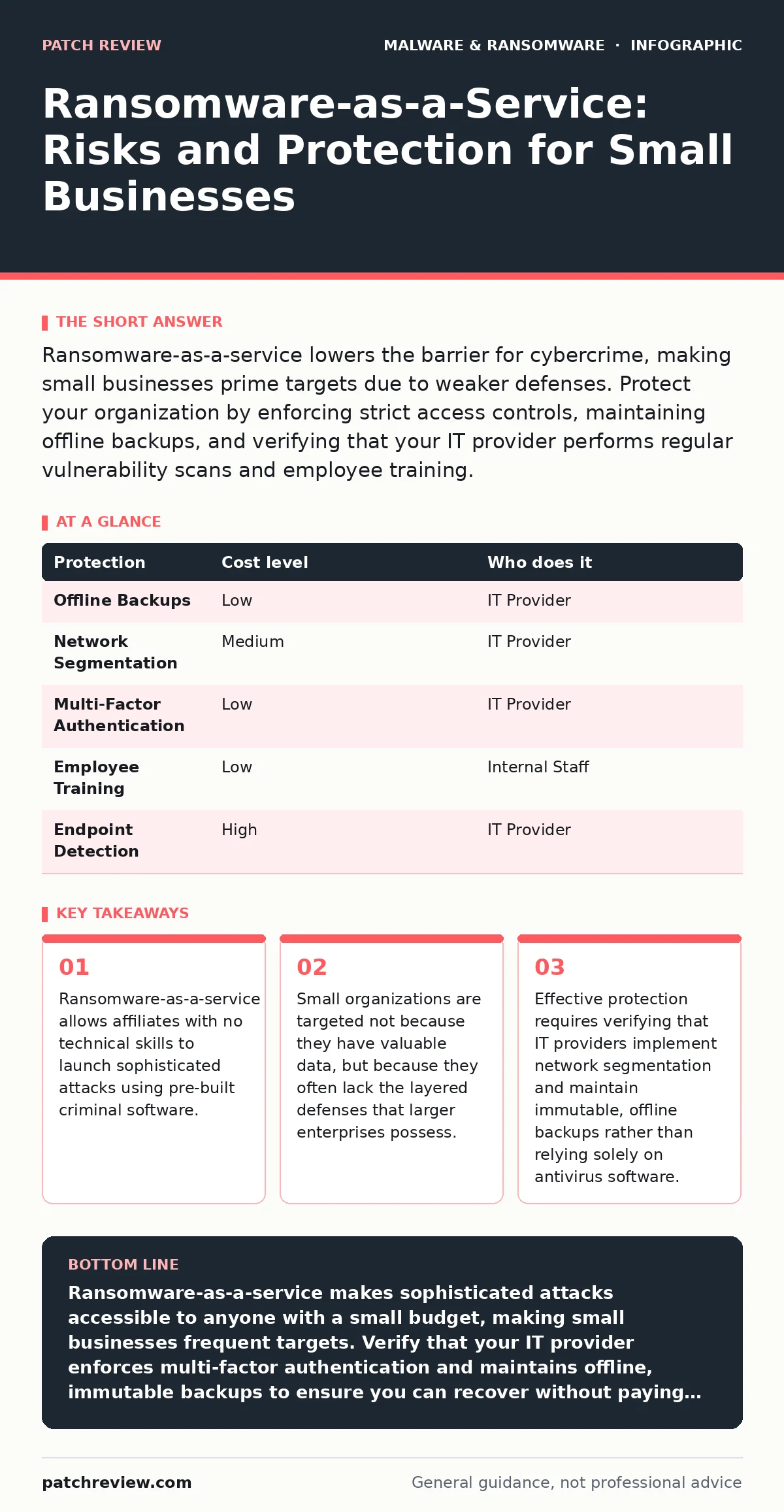
Ransomware-as-a-service lowers the barrier for cybercrime, making small businesses prime targets due to weaker defenses. Protect your organization by enforcing strict access controls, maintaining offline backups, and verifying that your IT provider performs regular vulnerability scans and employee training.
The Business Model of Digital Extortion
Ransomware-as-a-service operates like a legitimate software subscription. Developers create the malicious code, handle the infrastructure, and manage the decryption process. They then recruit affiliates, who are responsible for finding victims and launching the attack. The proceeds are split between the developer and the affiliate. This structure removes the need for technical expertise from the person breaking into your network.
This model has democratized cybercrime. You no longer need to understand encryption algorithms or exploit development to cause significant damage. The barrier to entry is financial, not intellectual. This means your organization faces threats from individuals who may have never studied cybersecurity but have access to professional-grade weapons.
The automation inherent in these kits allows attackers to scale their operations. They can target hundreds of organizations simultaneously with minimal effort. If one attack fails, they move to the next target without losing significant resources. This volume-based approach increases the probability of success, even if the individual chance of breaching any single small business remains low.
Why Small Organizations Face Disproportionate Risk
Small businesses are not targeted because they hold crown jewels of intellectual property. They are targeted because they are easier to breach. Large enterprises often have dedicated security teams, advanced monitoring, and strict compliance requirements. Small organizations typically rely on generalist IT staff or external providers who may prioritize uptime over security.
Many small businesses assume their size offers invisibility. This assumption is dangerous. Automated scanning tools do not distinguish between a multinational corporation and a local consultancy. They scan entire IP ranges, flagging any system with known vulnerabilities. If your firewall has an open port or your remote access software is outdated, you appear as a valid target to these automated systems.
Resource constraints also play a role. Implementing deep packet inspection or behavioral analysis requires budget and expertise that many small firms lack. Attackers know this. They exploit the gap between basic antivirus protection and advanced threat detection. Basic antivirus signatures may not recognize new ransomware variants immediately, leaving a window of exposure during which your files can be encrypted.
Beyond Basic Antivirus: Layered Defenses
Antivirus software is a necessary baseline, but it is insufficient against ransomware-as-a-service. Modern ransomware kits often include modules designed to disable security software before encryption begins. You must implement a strategy of defense in depth, where multiple layers of security control different aspects of your environment.
Network segmentation is a critical layer. By dividing your network into smaller zones, you limit the lateral movement of an attacker. If a user’s laptop is compromised, segmentation prevents the malware from easily reaching your central file server. You achieve this by using virtual LANs or strict firewall rules that restrict which devices can communicate with each other.
User education remains a vital component, but it must be specific. Phishing simulations that teach users to identify suspicious sender addresses or unusual links are more effective than generic warnings. Attackers often use social engineering to bypass technical controls. If a user willingly hands over credentials, no amount of firewall configuration will stop the subsequent breach.
The Critical Role of Backups
Backups are your primary recovery mechanism. Without them, you have no leverage in a negotiation with attackers. However, not all backups are equal. A backup stored on the same network as your live data is vulnerable to encryption. If the ransomware spreads across your network, it will find and encrypt your backup files before you can react.
You must maintain offline backups. These are copies of your data stored on media that is physically disconnected from your network. Tape drives or external hard drives that are plugged in only during the backup process are ideal. This air gap ensures that even if your entire network is compromised, your backup remains intact and usable.
Consider the principle of immutability. Immutable backups cannot be altered or deleted for a set period, even by administrators. This prevents attackers from deleting your backups to force a ransom payment. While this adds complexity to your recovery process, it provides a guarantee that your data will survive an attack.
| Protection | Cost level | Who does it |
|---|---|---|
| Offline Backups | Low | IT Provider |
| Network Segmentation | Medium | IT Provider |
| Multi-Factor Authentication | Low | IT Provider |
| Employee Training | Low | Internal Staff |
| Endpoint Detection | High | IT Provider |
What to Ask Your IT Provider
Your IT provider is your first line of defense. You must verify that their services include proactive security measures, not just reactive support. Many providers focus on keeping systems running, which can sometimes conflict with security best practices that require reboots or restrictions.
Ask your provider to explain their incident response plan. Do they have a documented procedure for isolating infected systems? How quickly can they restore data from offline backups? These questions reveal whether they have tested their capabilities or if they are relying on theoretical knowledge.
You should also inquire about their patch management process. Unpatched software is a common entry point for ransomware. Ask how often they scan for vulnerabilities and how quickly they apply critical updates. A provider who waits for vendor recommendations rather than applying patches immediately leaves you exposed to known exploits.
- Does the provider perform regular penetration testing or vulnerability scans?
- Are backups stored offline or in an immutable cloud storage?
- Is multi-factor authentication enforced on all remote access points?
- Does the provider offer security awareness training for employees?
See also: Smartphone Security Updates for Small Business Operations
Understanding Related Threat Vectors
Ransomware is often part of a broader attack chain. Attackers may first use infostealers to harvest credentials from your employees’ browsers and password managers. These tools are widely available and easy to deploy, often preceding the ransomware strike. Understanding this sequence helps you prioritize credential protection.
Similarly, you should be aware of potentially unwanted programs that may weaken your security posture. These applications often disable privacy features or install additional toolbars that can be exploited. While not malicious in themselves, they create unnecessary risks and complicate your security environment.
For a deeper understanding of how these threats operate, consider reviewing our guides on crypto-stealing malware and malware persistence mechanisms. These resources explain how attackers maintain access to your systems and how they extract value beyond simple extortion.
Implementing a Practical Security Posture
You do not need enterprise-grade tools to be secure. You need consistent application of basic principles. Start by enforcing multi-factor authentication on all accounts, especially email and remote access. This single measure blocks the majority of automated attacks that rely on stolen passwords.
Review your user permissions regularly. Ensure that employees only have access to the files and systems they need to do their jobs. This principle of least privilege limits the damage if an account is compromised. An attacker with standard user rights cannot easily install system-wide malware or access sensitive databases.
Finally, test your backups. A backup is only as good as your ability to restore from it. Schedule regular drills where you attempt to restore a small set of files from your offline backup. This process verifies that your backups are not corrupted and that your team knows how to execute the recovery procedure under pressure.
Key takeaways
- Ransomware-as-a-service allows affiliates with no technical skills to launch sophisticated attacks using pre-built criminal software.
- Small organizations are targeted not because they have valuable data, but because they often lack the layered defenses that larger enterprises possess.
- Effective protection requires verifying that IT providers implement network segmentation and maintain immutable, offline backups rather than relying solely on antivirus software.
Ransomware-as-a-service makes sophisticated attacks accessible to anyone with a small budget, making small businesses frequent targets. Verify that your IT provider enforces multi-factor authentication and maintains offline, immutable backups to ensure you can recover without paying ransom.
Frequently asked questions
Does insurance cover ransomware attacks?
Cyber insurance may cover some costs, but policies vary widely. Many insurers require proof of specific security controls, such as multi-factor authentication and offline backups, before providing coverage. Always read the exclusions carefully.
How do I know if I have been breached?
Look for unusual system behavior, such as slow performance, locked files, or unexpected pop-ups. Contact your IT provider immediately if you suspect an issue. Do not attempt to investigate yourself, as this may alert the attacker and cause them to destroy evidence or escalate the attack.
Should I pay the ransom?
Paying the ransom does not guarantee data recovery. Attackers may provide faulty decryption keys or steal your data for additional leverage. Furthermore, paying encourages further attacks against you and others. Recovery from backups is always the preferred and safer option.
What is the difference between ransomware and scareware?
Ransomware encrypts your files, making them inaccessible. Scareware uses fake warnings to trick you into paying for unnecessary software or services. While both are malicious, ransomware causes direct data loss, whereas scareware relies on deception to generate revenue.
How this guide was produced: written by the Patch Review editorial team with AI assistance, checked against the public references listed below, and reviewed when the facts change. See our editorial policy or report an error.