
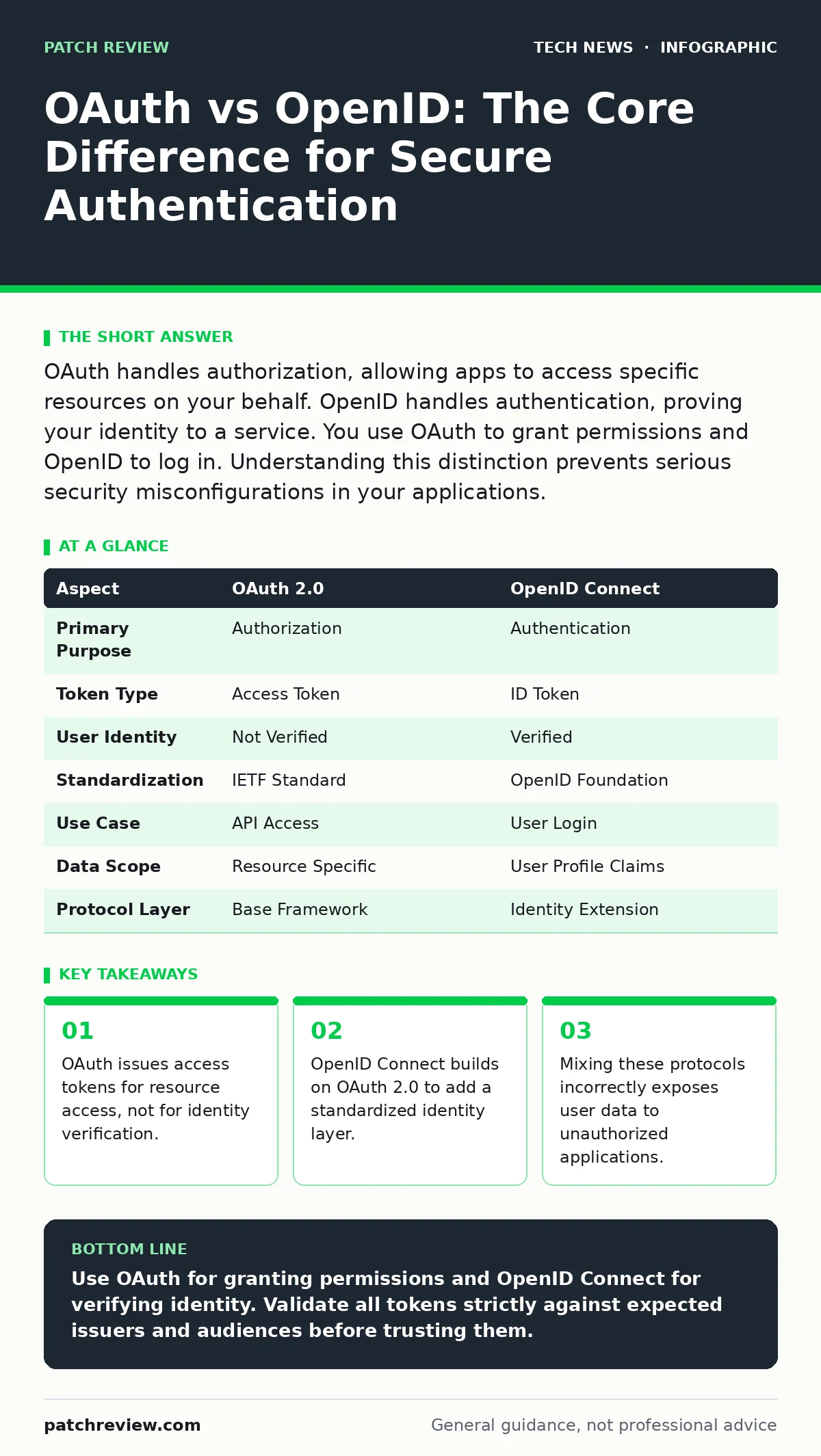
OAuth handles authorization, allowing apps to access specific resources on your behalf. OpenID handles authentication, proving your identity to a service. You use OAuth to grant permissions and OpenID to log in. Understanding this distinction prevents serious security misconfigurations in your applications.
OAuth vs OpenID: The Core Distinction
The difference between OAuth and OpenID lies in their primary function: authorization versus authentication. OAuth 2.0 is a framework that allows third-party applications to obtain limited access to user accounts on an HTTP service. It does not tell the application who the user is, only that the user granted permission to access specific data. OpenID Connect adds an identity layer on top of OAuth 2.0. It allows applications to verify the identity of the user based on the authentication performed by an authorization server. You use OAuth to let an app read your calendar. You use OpenID to let an app know you are logged in.
What Is OAuth 2.0?
OAuth 2.0 is an authorization framework that enables users to grant third-party applications access to their information without sharing credentials. The protocol defines four roles: the resource owner (the user), the client (the application), the authorization server (which issues tokens), and the resource server (which hosts the data). When you log into a service using another platform, you are likely using an OAuth flow.
The client receives an access token. This token is a string that the resource server validates to determine what actions the client can perform. The token contains scopes, which define the extent of access. For example, a scope might allow reading email but not sending it. This mechanism prevents credential sharing. The third-party application never sees your password. It only sees a token that expires and can be revoked.
What Is OpenID Connect?
OpenID Connect is an identity layer that sits on top of OAuth 2.0. It uses the same authorization framework but adds a new token type called the ID token. The ID token is a JSON Web Token that contains claims about the authenticated user. These claims include the user’s identifier, name, and email address. The relying party, which is the application requesting login, validates the signature of the ID token.
This proves the token was issued by the identity provider and has not been tampered with. OpenID Connect does not replace OAuth. It extends it. You still use OAuth flows to obtain the tokens. The difference is that the client requests an ID token in addition to, or instead of, an access token. This allows for single sign-on capabilities across multiple services.
Point-by-Point Comparison
| Aspect | OAuth 2.0 | OpenID Connect |
|---|---|---|
| Primary Purpose | Authorization | Authentication |
| Token Type | Access Token | ID Token |
| User Identity | Not Verified | Verified |
| Standardization | IETF Standard | OpenID Foundation |
| Use Case | API Access | User Login |
| Data Scope | Resource Specific | User Profile Claims |
| Protocol Layer | Base Framework | Identity Extension |
When to Choose OAuth
Choose OAuth 2.0 when your application needs to perform actions on behalf of a user without needing to know their identity. This is common in backend services that interact with APIs. For example, a backup service might need to read files from a cloud storage provider. It does not need to know the user’s name or email. It only needs permission to read specific folders. Using OAuth here limits the data exposure. The backup service receives a token scoped to file reading. It cannot access the user’s profile information. This separation of concerns enhances security. It ensures that applications only receive the minimum permissions required. This aligns with the principle of least privilege.
Choose OAuth 2.0 when you are building an API that other developers will consume. Your API may need to verify that a request is authorized. It does not need to handle user login. The authorization server handles the login. Your API only checks the access token. This simplifies your architecture. You do not need to implement password storage or session management. You rely on the authorization server for security. This reduces your attack surface. You focus on protecting the resource, not the identity.
See also: USB Security Dongle: How Hardware Keys Stop Account Takeovers · Domain Name System vs Domain Name Server: The Exact Difference
When to Choose OpenID Connect
Choose OpenID Connect when you need to verify the identity of a user. This is the standard for single sign-on implementations. When a user logs into your application using a provider like Google or GitHub, OpenID Connect is at work. The provider issues an ID token. Your application validates this token and creates a local session. You do not store the user’s password. You trust the provider’s authentication. This improves user experience. Users do not need to remember another password. It improves security. You do not handle sensitive credentials.
OpenID Connect is also useful when you need user profile information. The ID token contains claims about the user. You can request specific claims in the scope. This allows you to populate user profiles automatically. You do not need to ask users for their name or email. You receive it from the identity provider. This reduces friction during onboarding. It also ensures data accuracy. The provider maintains the profile. You rely on their updates.
Where They Overlap
OAuth and OpenID Connect overlap in their infrastructure. OpenID Connect uses OAuth 2.0 endpoints and flows. You do not implement them separately. You implement an OAuth 2.0 server that supports OpenID Connect. This means you can handle both authorization and authentication with one service. This simplifies development. You maintain one codebase. You use one set of endpoints. This reduces operational complexity.
You do not need to manage two separate protocols. You configure the server to issue both access tokens and ID tokens. The client requests what it needs. If it needs login, it requests the ID token. If it needs data access, it requests the access token. This flexibility is key to modern identity architectures. Proper configuration of reverse proxies can help manage these token exchanges securely.
Implementation Considerations
Implementing these protocols requires careful attention to scope and audience. The audience claim in the ID token specifies who the token is intended for. Your application must validate this claim. It must ensure the token was issued for your client ID. This prevents token reuse across applications. You must also validate the issuer. This ensures the token came from a trusted provider. You should not trust tokens from unknown sources. This validation step is critical. It prevents identity spoofing.
You must also handle token expiration. Access tokens and ID tokens have limited lifespans. Your application must handle refresh flows. This allows users to stay logged in without re-authenticating. You must store refresh tokens securely. They are high-value targets for attackers. If compromised, they allow long-term access. You should use short-lived access tokens. This limits the window of opportunity for attackers. You should rotate refresh tokens. This invalidates old tokens if they are stolen.
Key takeaways
- OAuth issues access tokens for resource access, not for identity verification.
- OpenID Connect builds on OAuth 2.0 to add a standardized identity layer.
- Mixing these protocols incorrectly exposes user data to unauthorized applications.
Use OAuth for granting permissions and OpenID Connect for verifying identity. Validate all tokens strictly against expected issuers and audiences before trusting them.
Frequently asked questions
Can I use OAuth 2.0 for single sign-on?
You can technically use OAuth 2.0 for login, but it is not recommended. OAuth tokens do not contain standardized identity claims. You must parse access tokens to find user data, which is insecure and non-standard. OpenID Connect provides a standardized way to verify identity.
Is OpenID Connect more secure than OAuth?
OpenID Connect is not inherently more secure. It is built on OAuth 2.0. Security depends on implementation. Both protocols require proper validation of tokens and scopes. Misconfigurations in either protocol can lead to serious vulnerabilities.
Do I need both protocols in my application?
You likely need both if your application requires login and API access. Use OpenID Connect for user authentication. Use OAuth 2.0 for granting access to specific resources. Many identity providers support both seamlessly.
What is the difference between an access token and an ID token?
An access token grants permission to access a resource. An ID token contains information about the user’s identity. Access tokens are sent to resource servers. ID tokens are sent to the client application for login.
How this guide was produced: written by the Patch Review editorial team with AI assistance, checked against the public references listed below, and reviewed when the facts change. See our editorial policy or report an error.