
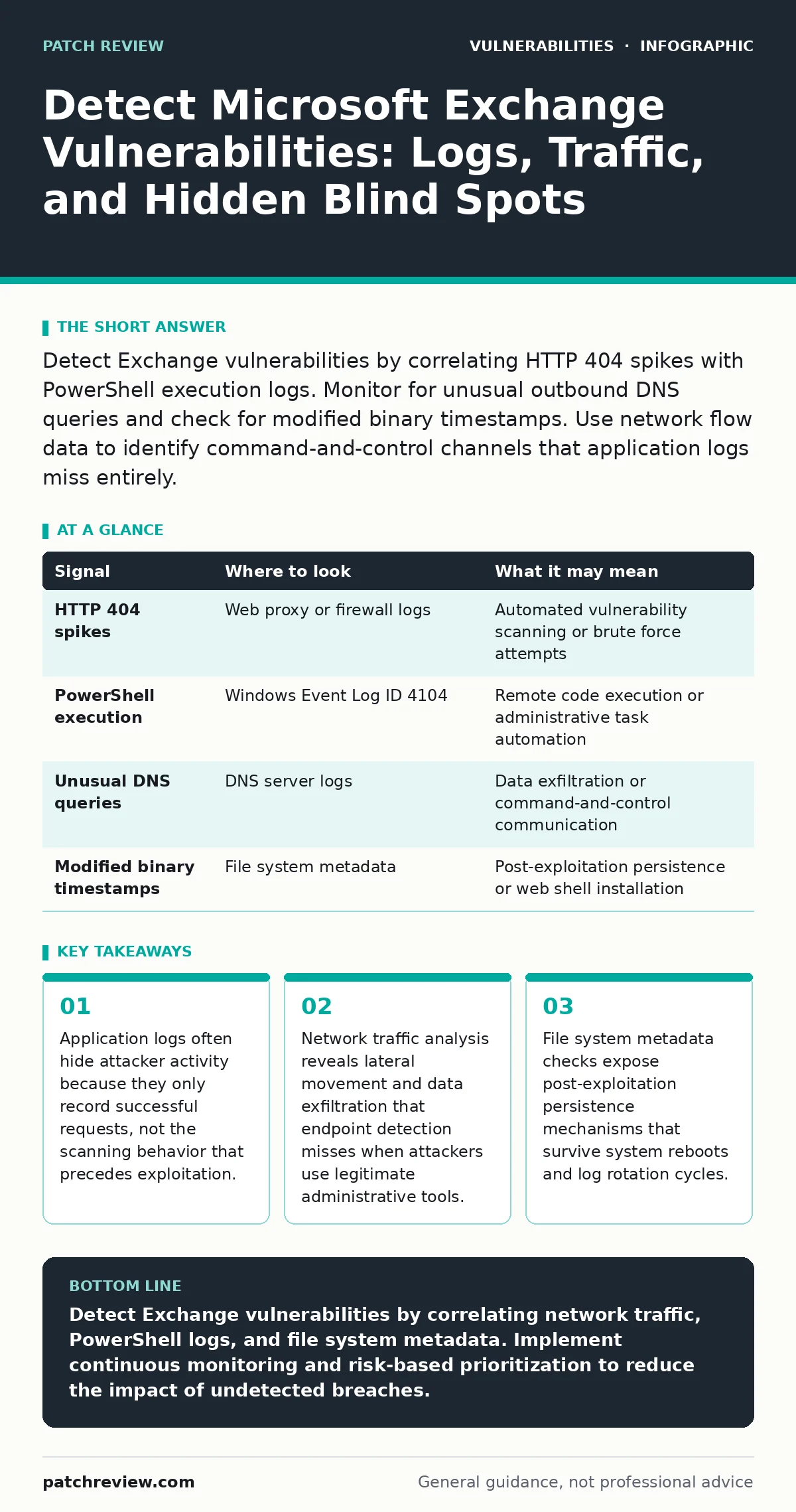
Detect Exchange vulnerabilities by correlating HTTP 404 spikes with PowerShell execution logs. Monitor for unusual outbound DNS queries and check for modified binary timestamps. Use network flow data to identify command-and-control channels that application logs miss entirely.
Network Traffic Anomalies Reveal Scanning Activity
Attackers scan for known vulnerabilities before attempting exploitation. This scanning generates a high volume of HTTP 404 Not Found responses. You will see these errors when automated tools probe for specific paths associated with past flaws. The volume of these requests often exceeds normal user behavior by several orders of magnitude.
Monitor your proxy or firewall logs for this spike. A sudden increase in 404 errors from a single source or a distributed set of sources indicates active reconnaissance. Do not rely solely on the Exchange server logs for this detection. The server may drop these requests before logging them, leaving your internal visibility incomplete.
| Signal | Where to look | What it may mean |
|---|---|---|
| HTTP 404 spikes | Web proxy or firewall logs | Automated vulnerability scanning or brute force attempts |
| PowerShell execution | Windows Event Log ID 4104 | Remote code execution or administrative task automation |
| Unusual DNS queries | DNS server logs | Data exfiltration or command-and-control communication |
| Modified binary timestamps | File system metadata | Post-exploitation persistence or web shell installation |
PowerShell Logs Expose Remote Execution
Microsoft Exchange relies heavily on PowerShell for administration. Attackers exploit this dependency to execute commands remotely. You must enable and monitor Module Logging and Script Block Logging. These logs record the exact commands an attacker runs after gaining initial access.
Without these logs, you cannot see the specific actions taken during a breach. Standard audit logs only show that a process started, not what it did. Enable these features on all Exchange servers. Review the logs for commands that interact with mailboxes, create new users, or modify transport rules. These actions often precede large-scale data theft.
DNS Queries Indicate Command and Control
After exploitation, attackers establish communication channels to control the compromised server. They often use DNS queries for this purpose because DNS traffic is rarely blocked. You will see long, random-looking subdomains in the DNS query logs. These queries encode stolen data or receive instructions from the attacker.
Compare these queries against your baseline of normal DNS activity. Legitimate applications use predictable domain names. Random strings suggest encoding. You can detect this by looking for high entropy in the subdomain labels. This method helps identify data exfiltration even when the payload is encrypted.
File System Metadata Reveals Persistence
Attackers install web shells or backdoors to maintain access. These files often have timestamps that differ from the surrounding system files. You can detect this by scanning the Exchange installation directory for recent modifications. Look for files with creation dates that do not match the last patch installation date.
This method is effective because attackers rarely change file timestamps to match the system. They focus on hiding the file content, not the metadata. Use a file integrity monitoring tool to track changes. Alert on any modification to executable files or configuration scripts. This helps you detect persistence mechanisms that survive reboots.
Email Flow Anomalies Signal Account Compromise
Compromised Exchange servers are often used to send spam or phishing emails. You will see a sudden increase in outbound email volume from specific accounts. These accounts may belong to legitimate users but show unusual sending patterns. Look for accounts sending large volumes of email to external domains they rarely contact.
Monitor the transport logs for this behavior. The logs show the source and destination of every email. Identify accounts with a high ratio of failed deliveries or complaints. This indicates that the account credentials are being used for malicious purposes. Reset the password for these accounts immediately to stop the abuse.
Common Blind Spots in Detection
Many security teams focus only on application logs. This creates a blind spot for network-level attacks. You must also monitor network flows and DNS traffic. Another blind spot is the lack of PowerShell logging. Without it, you cannot detect post-exploitation activity.
A third blind spot is the assumption that internal traffic is safe. Attackers often move laterally within the network using legitimate protocols. You must monitor internal traffic for unusual patterns. Implement network segmentation to limit the impact of a compromise. This reduces the attacker's ability to move freely.
Integrating with Risk-Based Strategies
Detecting vulnerabilities is only the first step. You must prioritize remediation based on risk. Use a risk-based vulnerability management approach to focus on the most critical flaws. This method considers the exploitability and impact of each vulnerability.
You should also consider the context of your environment. Not all vulnerabilities pose the same risk to every organization. Evaluate the likelihood of exploitation and the potential impact. This helps you allocate resources effectively. You can learn more about this approach in our guide on risk-based vulnerability management.
The Role of Secure Development
Prevention is better than detection. You must ensure that your Exchange configuration follows secure development practices. This includes applying patches promptly and disabling unnecessary features. You should also review your code for common vulnerabilities.
A secure code review helps identify flaws before they are exploited. This process involves examining the source code for security issues. You can apply this to any custom scripts or applications that interact with Exchange. This reduces the attack surface and makes detection easier. Refer to our guide on secure code review for detailed steps.
Key takeaways
- Application logs often hide attacker activity because they only record successful requests, not the scanning behavior that precedes exploitation.
- Network traffic analysis reveals lateral movement and data exfiltration that endpoint detection misses when attackers use legitimate administrative tools.
- File system metadata checks expose post-exploitation persistence mechanisms that survive system reboots and log rotation cycles.
Detect Exchange vulnerabilities by correlating network traffic, PowerShell logs, and file system metadata. Implement continuous monitoring and risk-based prioritization to reduce the impact of undetected breaches.
Frequently asked questions
How do I distinguish between a legitimate scan and an attack?
Legitimate scans usually occur during maintenance windows and come from known IP ranges. Attacks often occur at random times and come from diverse sources.
What is the best tool for detecting Exchange vulnerabilities?
There is no single best tool. You need a combination of network monitoring, log analysis, and file integrity monitoring.
Can I detect vulnerabilities without installing agents?
Yes, by analyzing network traffic and DNS queries. This method is less intrusive but may miss some post-exploitation activities.
How often should I review my Exchange logs?
Review logs daily for anomalies. Set up automated alerts for critical events such as PowerShell execution or unusual DNS queries.
How this guide was produced: written by the Patch Review editorial team with AI assistance, checked against the public references listed below, and reviewed when the facts change. See our editorial policy or report an error.