You fall for callback phishing when you treat an unsolicited call as a routine service request. The attacker controls the context and often spoofs the caller ID. Verify the origin through a separate channel. Do not share codes. Use passkeys to remove passwords from the equation entirely.
Mistake 1: Trusting the Caller ID Display
You see a number that matches your bank or IT department. The display shows a local area code or a familiar corporate prefix. This visual cue creates immediate trust. Attackers use Voice over IP services to spoof these numbers with high precision. The number on your screen is not a source of truth. It is a string of digits that the caller chose to display. Relying on this display allows an attacker to bypass your first line of defense. They do not need to hack your network. They only need to convince you that the call is legitimate.
Why it hurts:
The psychological weight of a familiar number reduces your skepticism. You assume the call originates from a trusted entity. This assumption leads you to engage in conversation without verifying the caller’s identity. The attacker gains social leverage immediately. They can then request sensitive information under the guise of routine account maintenance.
The fix:
Treat every unsolicited call as unverified. Do not look at the caller ID. Instead, look for a reason to end the call. If you must verify, use a separate communication channel. Check your banking app or official website for a pending alert. Do not use the number displayed on the call screen. Use a number you have saved from a previous, verified interaction. This approach aligns with callback verification principles, but you initiate the contact, not the attacker.
Mistake 2: Calling Back the Same Number
The caller claims they cannot reach you or that the connection is poor. They ask you to hang up and call them back to resolve the issue. You comply. You dial the number that just called you. You reach the same person. You believe you have re-established a secure line. You have not. You have dialed the attacker’s number directly. The attacker controls the entire interaction now. They can record your voice, listen for background noise, or ask for new codes. The original spoofed ID is irrelevant. You are talking to the person who dialed you.
Why it hurts:
This action confirms to the attacker that you are present and willing to follow instructions. It removes the ambiguity of the initial contact. The attacker now has a confirmed, active line to you. They can escalate the request for sensitive data. They know you are not checking independent sources. This mistake turns a potential scam into a successful extraction of credentials or personal data.
The fix:
Never call back the number that contacted you. If you need to speak with an institution, find their official contact number through a trusted source. Use your billing statement, the back of your card, or the official website. Do not use search engines, as attackers often buy ads for these terms. Use the official number to initiate the call. This ensures you are speaking with the legitimate organization. This method prevents replay attacks where the attacker might try to mimic the response of a legitimate agent.
Mistake 3: Sharing One-Time Codes
The caller asks for a one-time passcode or verification code sent to your phone or email. They claim this is needed to verify your identity or reset your password. You provide the code. You believe you are helping them verify you. You are actually giving them access to your account. The code proves you control the account. The attacker uses this code to complete the login process. They are now in your account. They can change passwords, add recovery emails, or initiate transfers. The code is not a verification tool for the caller. It is a key to your door.
Why it hurts:
You surrender the most critical piece of authentication. The attacker already has your username or email. The code is the final barrier. Once you provide it, the attacker has full access. They can lock you out by changing your credentials. They can use your account to attack your contacts. This mistake is particularly damaging because it bypasses multi-factor authentication. The attacker turns the security feature into a vulnerability.
The fix:
Never share one-time codes with anyone who contacts you unexpectedly. Legitimate institutions will never ask for these codes. They will generate them on their side and verify them internally. If you receive a code you did not request, assume an attacker is trying to access your account. Do not share it. Use passkeys instead of passwords where possible. Passkeys are cryptographic keys that do not involve sharing codes. They prevent this type of phishing entirely. This method is more secure than traditional multi-factor authentication.
Mistake 4: Ignoring Contextual Red Flags
The caller uses generic greetings. They do not know your account details. They ask for basic information like your address or date of birth. You overlook these signs. You focus on the urgency of the request. You assume the caller has access to your records. You do not notice that they are fishing for information. The lack of specific details is a major red flag. Legitimate agents usually know your account status. They do not need to ask for basic data. This lack of context indicates a scripted attack.
Why it hurts:
You provide information that helps the attacker impersonate you. They use this data to bypass other security checks. They can answer security questions or verify your identity with other services. This information is often used in conjunction with data breaches. The attacker combines your personal data with stolen credentials. This increases the likelihood of a successful attack. You help the attacker build a complete profile of your identity.
The fix:
Listen for generic language. If the caller does not know your specific account details, hang up. Legitimate agents will reference specific transactions or account issues. They will not ask for basic personal information. If you are unsure, end the call. Contact the institution through a separate channel. Verify the issue independently. Do not let the caller guide the conversation. Control the interaction by initiating contact yourself. This prevents the attacker from gathering more data.
Mistake 5: Falling for Urgency Tactics
The caller claims your account is compromised. They say they need immediate action to prevent fraud. They create a sense of panic. You rush to comply. You skip verification steps. You want to stop the perceived threat. The urgency is manufactured. It is designed to bypass your critical thinking. Legitimate institutions give you time to verify. They do not demand immediate action over the phone. They send alerts through official channels. They allow you to respond at your own pace.
Why it hurts:
Urgency triggers a stress response. You become less analytical and more reactive. You are more likely to follow instructions without question. The attacker exploits this cognitive bias. They prevent you from checking facts. You act on emotion rather than logic. This leads to mistakes you would not make in a calm state. You might share codes, click links, or install software. The urgency is the primary weapon in the attack.
The fix:
Recognize urgency as a manipulation tactic. Take a deep breath. Pause the conversation. Tell the caller you need to verify the request. Hang up if they pressure you. Legitimate institutions will understand. They will wait for you to verify. Use the time to check your account online. Look for official alerts. Do not act until you have confirmed the issue. This pause breaks the attacker’s momentum. It allows you to regain control.
See also: How Passkeys Work: The Cryptographic Mechanics Behind Passwordless Login · Replay Attack Response: Containment, Recovery, and Prevention Steps
Mistake 6: Using Weak Authentication Methods
You rely on passwords and SMS codes for account access. These methods are vulnerable to phishing. The attacker can trick you into revealing them. SMS codes can be intercepted or forwarded. Passwords can be reused or guessed. These methods do not provide strong protection against social engineering. The attacker can bypass them by manipulating you. You need a method that does not involve sharing secrets. You need a method that is tied to your device.
Why it hurts:
Weak authentication gives the attacker multiple ways to gain access. They can phish for passwords. They can intercept SMS codes. They can use stolen data to answer security questions. You are defending on multiple fronts. Each method has vulnerabilities. The attacker only needs to exploit one. This increases your risk significantly. You are relying on processes that can be tricked.
The fix:
Adopt passkeys for your critical accounts. Passkeys are cryptographic keys stored on your device. They do not involve sharing passwords or codes. They cannot be phished. If an attacker tricks you into clicking a link, they cannot steal the key. The key stays on your device. This method eliminates the risk of callback phishing for those accounts. It also protects against web skimming and other credential theft methods. This is a fundamental shift in security.
Mistake 7: Failing to Verify the Caller Independently
You assume the caller is legitimate because they have information about you. They may know your name or address. You think this proves their identity. It does not. Attackers can gather this information from data breaches or social media. They use it to appear credible. You do not verify the caller through a separate channel. You accept their word. This is a critical error. You are trusting the attacker’s narrative. You are not checking the facts.
Why it hurts:
You validate the attacker’s impersonation. You confirm that the information they have is correct. This encourages them to continue. They may try to get more information. They may try to convince you to take further action. You are engaging with a threat without confirmation. This increases the likelihood of a successful attack. You are helping the attacker refine their technique.
The fix:
Always verify the caller independently. Do not rely on the information they provide. Use a separate channel to contact the institution. Check your account online. Look for official alerts. Verify the issue before taking any action. This step is non-negotiable. It breaks the attacker’s chain of deception. It ensures you are speaking with the legitimate entity. This practice protects you from sophisticated impersonation.
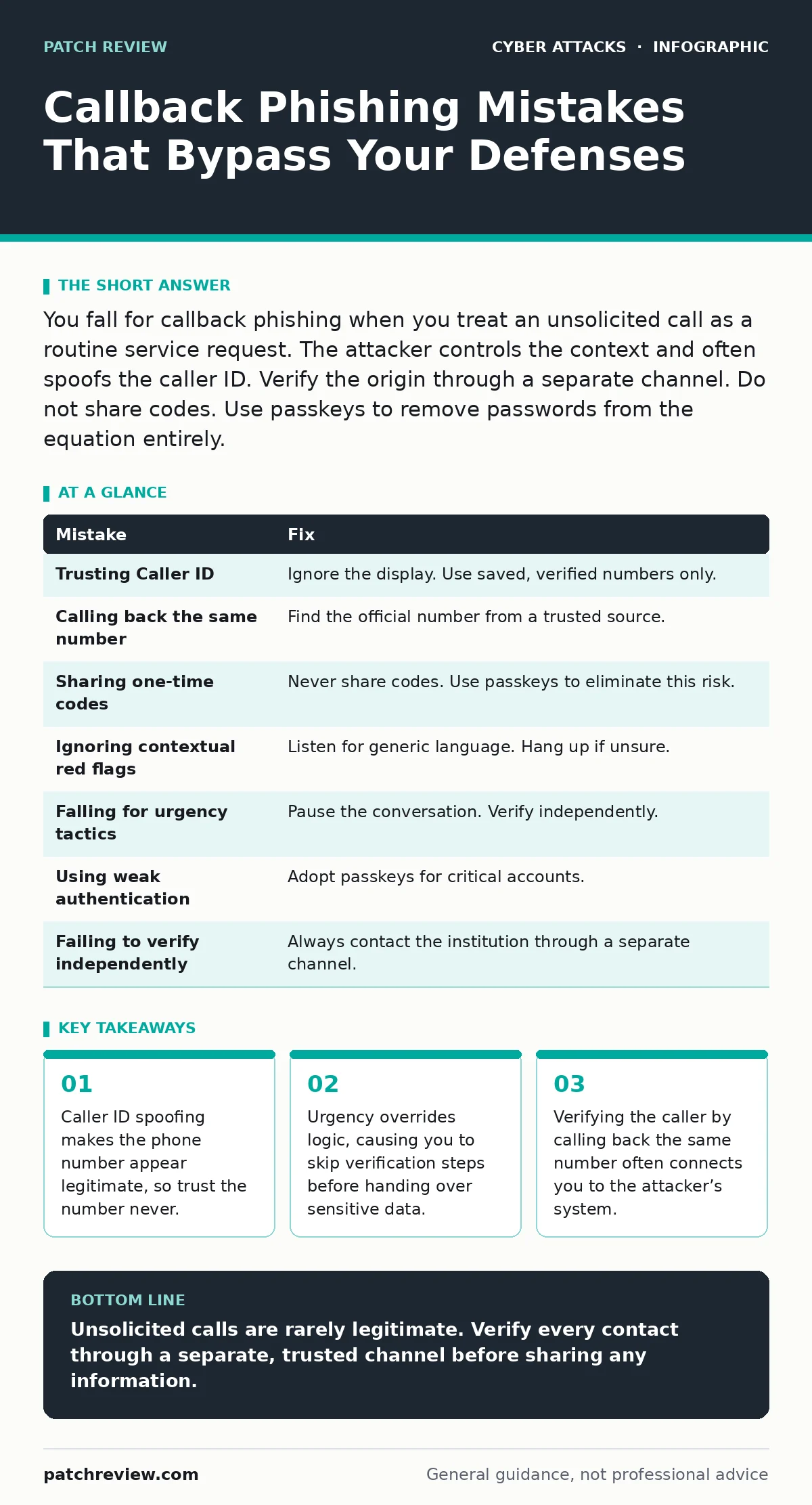
| Mistake | Fix |
|---|---|
| Trusting Caller ID | Ignore the display. Use saved, verified numbers only. |
| Calling back the same number | Find the official number from a trusted source. |
| Sharing one-time codes | Never share codes. Use passkeys to eliminate this risk. |
| Ignoring contextual red flags | Listen for generic language. Hang up if unsure. |
| Falling for urgency tactics | Pause the conversation. Verify independently. |
| Using weak authentication | Adopt passkeys for critical accounts. |
| Failing to verify independently | Always contact the institution through a separate channel. |
Key takeaways
- Caller ID spoofing makes the phone number appear legitimate, so trust the number never.
- Urgency overrides logic, causing you to skip verification steps before handing over sensitive data.
- Verifying the caller by calling back the same number often connects you to the attacker’s system.
Unsolicited calls are rarely legitimate. Verify every contact through a separate, trusted channel before sharing any information.
Frequently asked questions
Can callback phishing happen on VoIP services?
Yes, VoIP services are often used for spoofing. The same verification rules apply. Do not trust the displayed number.
Is it safe to give my account number to a caller?
No, legitimate agents usually already have this information. If they ask, verify the call through a separate channel first.
Do passkeys protect against all phishing?
Passkeys protect against credential theft. They do not protect against social engineering that does not involve login.
What if I already shared a code?
Change your password immediately. Enable passkeys if available. Monitor your account for unauthorized activity.
How this guide was produced: written by the Patch Review editorial team with AI assistance, checked against the public references listed below, and reviewed when the facts change. See our editorial policy or report an error.