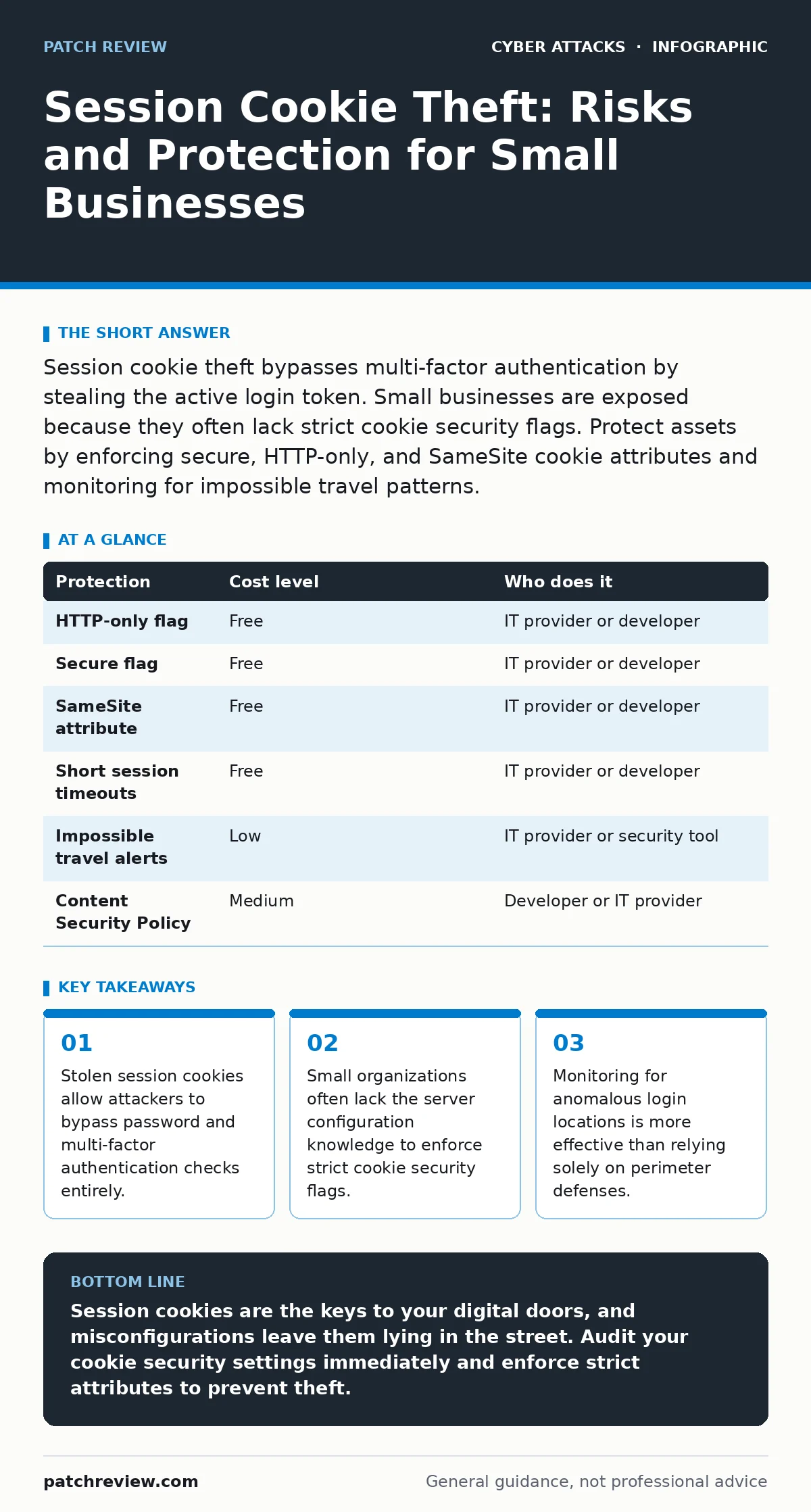
Session cookie theft bypasses multi-factor authentication by stealing the active login token. Small businesses are exposed because they often lack strict cookie security flags. Protect assets by enforcing secure, HTTP-only, and SameSite cookie attributes and monitoring for impossible travel patterns.
The Mechanics of Session Hijacking
A session cookie is a small piece of data stored in your browser that identifies you to a web server. When you log in, the server creates a unique token and sends it to your browser. Every subsequent request includes this token, telling the server you are already authenticated. This mechanism allows you to stay logged in while navigating between pages.
The security model assumes this token remains secret and stays on your device. If an attacker intercepts this token, they can present it to the server as if they were you. The server sees a valid token and grants access. It does not check your password again. It does not ask for a second factor. The attacker is now inside your account.
This method is particularly dangerous because it bypasses most standard defenses. Multi-factor authentication protects the login page, not the session itself. Once the session is active, the initial authentication is complete. The attacker holds the key to the house, even if they did not pick the lock.
Why Small Organizations Are Exposed
Small organizations often operate with fewer dedicated security resources. This creates specific vulnerabilities that attackers exploit. Many small businesses rely on software-as-a-service platforms for email, finance, and project management. These platforms are convenient, but they depend on the security of the web interface.
If your IT provider does not configure the web server correctly, cookies may be transmitted over unencrypted connections or stored insecurely. Even if you use HTTPS, misconfigured headers can leave cookies vulnerable to cross-site scripting attacks. Cross-site scripting occurs when an attacker injects malicious code into a trusted website, allowing that code to read your browser’s data.
Small teams also struggle with visibility. You may not notice a compromised account until data has been exfiltrated or funds transferred. Large organizations have security information and event management systems that flag unusual activity. Smaller teams often lack these tools, relying on manual checks that miss subtle indicators.
The exposure is not just technical. It is operational. When a breach occurs, the lack of clear procedures slows response time. Attackers know that small businesses are more likely to ignore warnings or lack the expertise to investigate. This makes them attractive targets for low-effort, high-reward attacks.
The Hidden Cost of Misconfiguration
Many web applications use default settings that prioritize ease of use over security. Developers often leave cookies accessible to JavaScript by default. This allows websites to function smoothly, but it also allows malicious scripts to steal the cookie. If a third-party script on your page is compromised, it can read your session token and send it to an attacker.
Another common misconfiguration involves the SameSite attribute. This attribute tells the browser whether to send the cookie with cross-site requests. If set incorrectly, the cookie may be sent to malicious sites that embed your service in an iframe. This allows attackers to perform actions on your behalf without your knowledge.
These misconfigurations are often invisible to the average user. You see a working website, not the underlying header responses. Without regular audits, these weaknesses persist. They accumulate over time, creating a larger attack surface. The cost of fixing them is low, but the cost of ignoring them can be catastrophic.
Related to this is the risk of web skimming, where attackers inject code into e-commerce sites to steal payment data. While skimming targets credit cards, the same injection techniques can target session cookies. Understanding how code injection works helps you appreciate the value of strict input validation and content security policies.
Low-Cost Protections for Small Teams
You do not need expensive software to mitigate session cookie theft. Many protections are built into modern browsers and web servers. The challenge is knowing which settings to change and how to verify them.
| Protection | Cost level | Who does it |
|---|---|---|
| HTTP-only flag | Free | IT provider or developer |
| Secure flag | Free | IT provider or developer |
| SameSite attribute | Free | IT provider or developer |
| Short session timeouts | Free | IT provider or developer |
| Impossible travel alerts | Low | IT provider or security tool |
| Content Security Policy | Medium | Developer or IT provider |
The HTTP-only flag prevents JavaScript from accessing the cookie. This stops most cross-site scripting attacks from stealing the token. The Secure flag ensures the cookie is only sent over HTTPS connections. This prevents interception on unsecured networks. The SameSite attribute restricts how the cookie is sent with cross-site requests.
Short session timeouts reduce the window of opportunity. If a cookie expires after an hour, the attacker has less time to use it. This forces them to re-authenticate, which may trigger alerts or fail due to lack of credentials. Implementing these settings is a configuration task, not a software purchase.
What to Ask Your IT Provider
Your IT provider is your first line of defense. They manage the servers and applications that handle your session data. You need to ensure they are following best practices. Do not assume they are; ask specific questions.
- Do you enforce HTTP-only and Secure flags on all authentication cookies?
- How do you configure the SameSite attribute for cross-site request protection?
- What is the maximum lifetime of an active session, and can it be reduced?
- Do you monitor for impossible travel patterns, such as logins from distant locations in a short time?
- How do you handle session invalidation when a user logs out or changes their password?
These questions reveal whether your provider understands the nuances of web security. A provider who cannot answer these questions is likely relying on default settings. This leaves your organization exposed to basic attacks. You need a partner who actively manages security configurations, not just uptime.
Monitoring for impossible travel is a powerful, low-cost detection method. If a user logs in from New York and then from London ten minutes later, it is impossible for the same person to be in both places. This anomaly suggests a stolen cookie. Setting up alerts for this behavior helps you detect theft before significant damage occurs.
This approach complements broader security strategies. For instance, understanding the attack lifecycle helps you place defenses at each stage. Session theft often occurs during the exploitation phase, after initial access is gained. By focusing on session integrity, you add a layer of defense that persists even if the perimeter is breached.
See also: Stop Cryptomining on Exposed Servers: Risks and Protection · Zero-click attacks: How invisible threats bypass your defenses
Beyond Cookies: Strengthening Authentication
While protecting cookies is critical, it is not the only step. You must also strengthen how users authenticate in the first place. Weak passwords make it easier for attackers to gain initial access and steal cookies. Complex, unique passwords reduce this risk.
Consider moving toward passkeys for critical accounts. Passkeys use public-key cryptography and are resistant to phishing. They do not rely on shared secrets that can be intercepted. While not all services support passkeys, adopting them where possible reduces the reliance on traditional passwords and cookies.
Additionally, enable login alerts for all administrative accounts. These alerts notify you of new devices or locations. While they do not prevent theft, they help you detect it quickly. Rapid detection allows you to revoke sessions and limit damage.
Email security is also relevant. Phishing emails often deliver the malware that steals cookies. Ensuring strong email authentication helps prevent attackers from sending deceptive messages that appear to come from trusted sources. This reduces the likelihood of users clicking malicious links.
Operationalizing Session Security
Security is not a one-time configuration. It is an ongoing process. Regularly review your web application settings. Test for cross-site scripting vulnerabilities. Ensure that third-party scripts are trusted and secure.
Train your staff to recognize suspicious behavior. While they cannot prevent cookie theft directly, they can avoid the phishing emails that deliver the theft tools. Awareness reduces the initial vector.
Monitor your logs for anomalies. Look for unusual login patterns or rapid session creations. Investigate any alerts promptly. The speed of your response determines the extent of the damage.
Finally, ensure your IT provider has a clear incident response plan. Know how to revoke sessions across all platforms. Know how to notify affected users. Preparation turns a potential crisis into a managed event.
Related to this is the need for DDoS protection, which ensures your services remain available during attacks. While DDoS does not directly cause cookie theft, it often accompanies other attacks. Having a holistic view of your security posture helps you prioritize resources effectively.
Key takeaways
- Stolen session cookies allow attackers to bypass password and multi-factor authentication checks entirely.
- Small organizations often lack the server configuration knowledge to enforce strict cookie security flags.
- Monitoring for anomalous login locations is more effective than relying solely on perimeter defenses.
Session cookies are the keys to your digital doors, and misconfigurations leave them lying in the street. Audit your cookie security settings immediately and enforce strict attributes to prevent theft.
Frequently asked questions
Can a stolen session cookie be used on a different device?
Yes, if the attacker copies the cookie value and pastes it into their browser, they can impersonate you on any device, bypassing device-specific checks.
Does two-factor authentication protect against session hijacking?
No, two-factor authentication only protects the initial login. Once the session is active, the attacker uses the existing token, which does not require re-authentication.
How long do session cookies typically last?
Durations vary by service, but they can last from minutes to days. Shorter durations reduce the risk window, forcing attackers to re-authenticate more often.
Can I detect a stolen cookie myself?
You can look for impossible travel alerts or unexpected activity in your account. Most services provide a way to view active sessions and revoke them remotely.
How this guide was produced: written by the Patch Review editorial team with AI assistance, checked against the public references listed below, and reviewed when the facts change. See our editorial policy or report an error.