
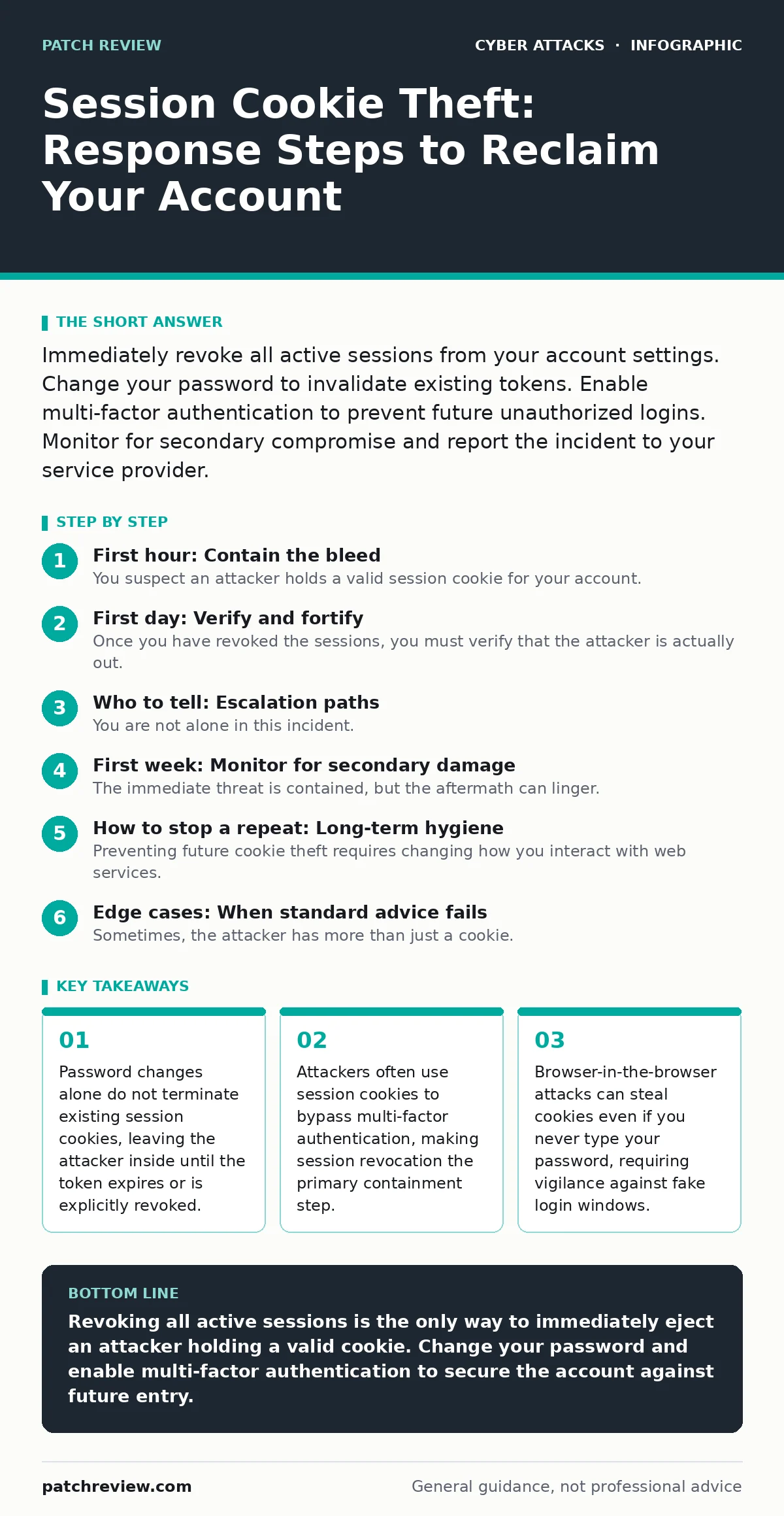
Immediately revoke all active sessions from your account settings. Change your password to invalidate existing tokens. Enable multi-factor authentication to prevent future unauthorized logins. Monitor for secondary compromise and report the incident to your service provider.
First hour: Contain the bleed
You suspect an attacker holds a valid session cookie for your account. This token acts as a digital key, proving to the server that you have already authenticated. The attacker does not need your password to maintain access. They simply present the stolen cookie with every request.
Your first action must be to terminate all active sessions. Log in to the account from a clean, trusted device. Navigate to the security or session management settings. Look for a list of active devices, locations, or sessions. Select the option to "Log out of all devices" or "Revoke all sessions." This forces the server to invalidate every active token, including the one the attacker holds.
If the platform does not offer a global logout feature, you must change your password. This generates a new set of credentials. Then, clear your browser’s cookies and cache for that specific domain. This removes any local storage of the compromised token.
- Identify the compromised account.
- Log in from a known-safe device.
- Revoke all active sessions globally.
- Change the account password immediately.
- Clear browser cookies for the affected site.
First day: Verify and fortify
Once you have revoked the sessions, you must verify that the attacker is actually out. Check your account activity logs. Look for login events from unfamiliar IP addresses or geographic locations. If you see new activity after your revocation, the attacker may have used a different method, such as a persistent backdoor or a compromised email account that allows password resets.
You must now harden the account against re-entry. Enable multi-factor authentication if it is not already active. This adds a second layer of verification. However, be aware that some sophisticated attacks, like browser-in-the-browser attacks, trick you into approving MFA prompts within a fake window. Ensure you are looking at the legitimate browser window when approving requests.
Check the security settings of the account itself. Review authorized applications and API keys. Attackers often grant themselves persistent access by creating app integrations. Revoke any third-party apps you do not recognize or use. Check the recovery email address and phone number associated with the account. Attackers frequently change these to lock you out permanently.
Who to tell: Escalation paths
You are not alone in this incident. The service provider needs to know so they can flag the account for unusual activity. Contact their support or security team. Provide them with the timestamps of the unauthorized access. Ask if they can detect if the attacker used a known malicious IP range.
If this is a work account, notify your IT security team immediately. They may need to reset your credentials across the entire organization. Corporate environments often use conditional access policies to restrict logins based on location or device health. Your breach might trigger a broader investigation into how the cookie was stolen in the first place.
If the account contains financial data or personally identifiable information, consider reporting the incident to relevant consumer protection agencies. This creates a paper trail. It may help if the attacker uses the stolen data for fraud.
First week: Monitor for secondary damage
The immediate threat is contained, but the aftermath can linger. Attackers often harvest data during their window of access. They may have read your emails, exported your contacts, or accessed linked services. You must monitor for secondary compromise.
Check your email inbox for sent messages you did not write. Attackers often use compromised accounts to send phishing emails to your contacts. This helps them spread the infection. If you find such messages, alert your contacts. They need to know not to click links in emails from you during this period.
Review other accounts that share the same password. If you reused credentials, the attacker may have tried them on other sites. Change passwords on those sites as well. This is a tedious but necessary step. Password reuse is a common cause of cascading breaches.
How to stop a repeat: Long-term hygiene
Preventing future cookie theft requires changing how you interact with web services. First, stop reusing passwords. A password manager generates unique, complex credentials for every site. If one site is breached, your other accounts remain safe.
Consider switching to passkeys. These are cryptographic credentials tied to your device. They are resistant to phishing and cookie theft because they cannot be intercepted in transit like a traditional password or cookie. A passkey requires local authentication, such as a fingerprint or face scan, to sign the request.
Be wary of how you log in. Malicious email attachments can install malware that steals cookies from your browser memory. Always verify the sender and content before opening attachments. Similarly, web skimming involves attackers injecting malicious code into legitimate websites to steal form data. While this targets payment information, it demonstrates that the site you trust may be compromised.
See also: Zero-click attacks: How invisible threats bypass your defenses · SPF Explained: How DNS Records Stop Email Spoofing
Edge cases: When standard advice fails
Sometimes, the attacker has more than just a cookie. They may have installed a remote access tool on your computer. This allows them to watch your screen and type commands. In this case, revoking sessions is not enough. You must assume your device is compromised.
Wipe the device and restore from a known-good backup. Do not simply reinstall the operating system if the backup was taken after the infection. You need a clean slate. If you are using a managed device, contact your IT department. They can image the machine securely.
Another edge case involves browser extensions. Some malicious extensions can read cookies from every site you visit. Review your installed extensions. Remove any you do not recognize or no longer use. This reduces the attack surface for future theft.
The human element: Social engineering
Technical controls are only part of the defense. Attackers often steal cookies by tricking you into visiting a malicious site. These sites look identical to the real login page. They capture your credentials and session tokens in real-time.
This is why context matters. Did you click a link in an urgent email? Did you navigate to the site manually? If you clicked a link, you may have been redirected to a phishing site. Even if the URL looks correct, subtle differences can indicate a fake. Always type the address manually or use a bookmark for sensitive accounts.
Imagine you receive a message saying your account is locked. You click the link to unlock it. The site asks for your password. You enter it. The site then asks for your MFA code. You enter that too. The attacker now has both. They use these to steal your session cookie. This is why passkeys are superior. They cannot be phished in the same way because the cryptographic signature is bound to the specific domain.
Key takeaways
- Password changes alone do not terminate existing session cookies, leaving the attacker inside until the token expires or is explicitly revoked.
- Attackers often use session cookies to bypass multi-factor authentication, making session revocation the primary containment step.
- Browser-in-the-browser attacks can steal cookies even if you never type your password, requiring vigilance against fake login windows.
Revoking all active sessions is the only way to immediately eject an attacker holding a valid cookie. Change your password and enable multi-factor authentication to secure the account against future entry.
Frequently asked questions
Does clearing my browser history remove session cookies?
Clearing history often removes cookies, but not always. It is safer to explicitly delete cookies for the specific site or use the browser’s privacy settings to remove all site data.
Can an attacker steal my cookie if I use HTTPS?
Yes, if the attacker compromises your device or tricks you into logging into a fake site. HTTPS protects data in transit, but not data on your device or data you voluntarily hand over to a phishing site.
How long do session cookies last?
It varies by service. Some expire after a few hours, others after days or weeks. This is why manual revocation is necessary; you cannot rely on expiration.
Should I contact the police?
For individual accounts, police may not have resources to investigate. Focus on containing the breach and securing your data. Report to the service provider and relevant consumer agencies.
How this guide was produced: written by the Patch Review editorial team with AI assistance, checked against the public references listed below, and reviewed when the facts change. See our editorial policy or report an error.