
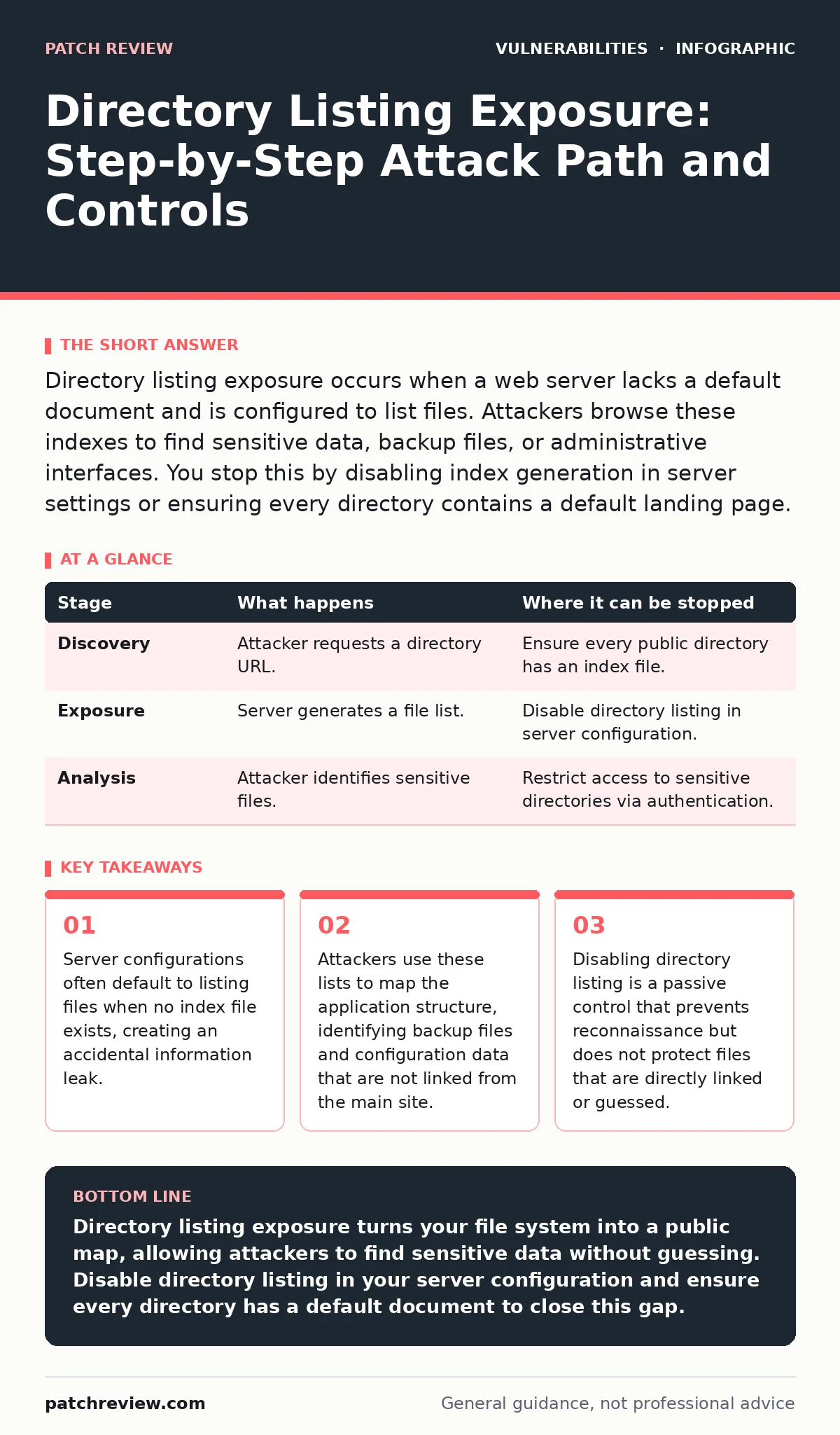
Directory listing exposure occurs when a web server lacks a default document and is configured to list files. Attackers browse these indexes to find sensitive data, backup files, or administrative interfaces. You stop this by disabling index generation in server settings or ensuring every directory contains a default landing page.
The Mechanism of Accidental Disclosure
Web servers are designed to serve files requested by clients. When a user requests a specific URL, the server locates the corresponding file and sends it back. The problem arises when a user requests a directory rather than a specific file. Most servers are configured to look for a default document, such as index.html, within that directory. If that file exists, the server serves it. If it does not exist, the server must decide what to do next.
In many default configurations, the server chooses to generate an HTML page that lists every file and subdirectory within that location. This behavior is intended to help administrators debug or browse their file structures. However, when this setting remains active in a production environment, it turns your entire file system into a public catalog. You are not just exposing the files you intended to publish. You are exposing every file the server can access, including logs, backups, and configuration files.
This exposure is rarely a result of malicious code. It is a configuration oversight. The server is doing exactly what it was told to do. The flaw lies in the assumption that a directory will always contain a default document. When that assumption fails, the server reveals its internal organization. This creates a map for anyone interested in finding weaknesses in your infrastructure.
The Attacker's Reconnaissance Advantage
Imagine an attacker who wants to understand how your application is built. Instead of guessing URLs or scanning for common vulnerability patterns, they simply visit a directory path that lacks a default page. The server responds with a neat list of files. This list often includes file names that reveal the technology stack, the version of libraries used, and the structure of the application.
For example, a listing might show config.php, backup.sql, and admin/login.php. These files are not linked from the main website. They are hidden from casual users. But they are fully accessible to anyone who can see the directory listing. The attacker now knows exactly where to look for credentials, database dumps, or administrative interfaces. This saves them hours of scanning and guessing.
This stage of the attack relies on the principle of least effort. Attackers prefer paths of least resistance. A directory listing provides a clear path. It removes the need for brute-force directory brute-forcing. It turns a search problem into a reading problem. The attacker does not need to exploit a complex vulnerability to gain access. They only need to read the list and click the interesting links.
Stage 1: Initial Discovery
The process begins with the attacker identifying a target directory. This might happen through a search engine index, a leaked sitemap, or a simple guess based on common naming conventions. The attacker constructs a URL that points to a directory rather than a file. They might try /uploads/, /assets/, or /private/.
When the request reaches the server, the server checks for a default document. If the server is configured to allow directory listing, it generates an HTML response. This response contains links to every file in that directory. The attacker receives this page and begins to analyze the file names. They look for patterns that indicate sensitive data, such as .env, .git, or .bak extensions.
| Stage | What happens | Where it can be stopped |
|---|---|---|
| Discovery | Attacker requests a directory URL. | Ensure every public directory has an index file. |
| Exposure | Server generates a file list. | Disable directory listing in server configuration. |
| Analysis | Attacker identifies sensitive files. | Restrict access to sensitive directories via authentication. |
Stage 2: Content Analysis and Target Selection
Once the attacker has the list, they analyze the contents. They look for files that are not meant for public consumption. This includes database backups, configuration files with credentials, and temporary files left by developers. The attacker prioritizes files that are likely to contain high-value information.
For instance, a file named database_backup.sql is immediately more interesting than style.css. The attacker knows that the SQL file likely contains the entire database structure and data. The CSS file contains only styling rules. The attacker selects the most promising targets for the next stage. This selection process is guided by the file names and extensions revealed in the listing.
This stage highlights a critical trade-off. Convenience for developers often leads to exposure for attackers. Developers leave backup files and configuration templates in public directories because it is easy. They assume these files are hidden. The directory listing proves that assumption wrong. The server does not distinguish between public and private files. It lists them all.
Stage 3: Data Extraction and Exploitation
The final stage involves the attacker accessing the selected files. They click the links provided in the directory listing. The server serves the files just as it would serve any other requested resource. If the file is a text file, the attacker can read it in their browser. If it is a database dump, they can download it.
Once the attacker has the data, they can use it to further compromise the system. Credentials found in configuration files allow them to log into administrative interfaces. Database dumps allow them to steal user data. This stage is where the initial information leak turns into a full breach. The directory listing was the door. The sensitive files were the treasure.
See also: Stop Path Traversal Attacks: Defense Strategies That Actually Work · Reverse Proxies: The Hidden Gatekeeper for Web Security
Interrupting the Attack Chain
You can interrupt this chain at multiple points. The most effective point is the exposure stage. By disabling directory listing in your web server configuration, you prevent the server from generating the file list. Instead, the server returns a "403 Forbidden" or "404 Not Found" error. This denies the attacker the map they need to find sensitive files.
This control is passive. It does not require complex code changes. It requires a single configuration change. However, it is not a silver bullet. If an attacker guesses the exact name of a sensitive file, they can still access it. Directory listing prevention does not hide files. It only hides the list of files. You must also ensure that sensitive files are not publicly accessible through other means.
Another interruption point is the discovery stage. By ensuring that every directory contains a default document, you prevent the server from needing to list files. This is a defensive coding practice. It requires more effort but provides a stronger guarantee. Even if directory listing is accidentally enabled, the server will serve the default document instead of the list.
The Hidden Cost of Default Configurations
The root cause of directory listing exposure is often a misunderstanding of default settings. Many web servers, such as Apache and Nginx, have different default behaviors. Some disable listing by default. Others enable it. When you migrate servers or update software, these defaults can change. You might assume your configuration is secure because it was secure before.
This assumption is dangerous. Security is not static. It requires continuous verification. You must know the default behavior of your specific server version. You must verify that your configuration overrides these defaults. This is where exposure management becomes critical. You need a process to regularly check that your servers are configured as intended.
Integrating with Broader Security Practices
Directory listing exposure is a symptom of broader configuration issues. It often appears alongside other weaknesses, such as path traversal vulnerabilities or authentication bypass vulnerabilities. If an attacker can traverse directories, they can access files outside the web root. If they can bypass authentication, they can access protected areas.
You should treat directory listing as part of a larger security posture. It is not an isolated issue. It is a sign that your server configuration needs review. This review should include checking for insecure deserialization risks and ensuring that Content Security Policy headers are properly set. These controls work together to reduce the attack surface.
The OWASP Top 10 often highlights broken access control as a major risk. Directory listing is a form of broken access control. It allows unauthorized users to view information they should not see. Addressing it requires a mindset shift. You must assume that every file is visible unless you explicitly hide it. This mindset leads to more secure configurations and fewer surprises.
The Role of Defense in Depth
No single control is sufficient. Disabling directory listing is a good step, but it is not enough. You need multiple layers of defense. This includes proper file permissions, access controls, and regular audits. You should also monitor for unusual access patterns. If someone is trying to access many files in a directory, it might indicate reconnaissance.
This approach is known as defense in depth. It assumes that one control will fail. By having multiple controls, you increase the likelihood that an attack will be stopped. Directory listing prevention is one layer. Authentication is another. Encryption is a third. Together, they create a robust security posture.
Key takeaways
- Server configurations often default to listing files when no index file exists, creating an accidental information leak.
- Attackers use these lists to map the application structure, identifying backup files and configuration data that are not linked from the main site.
- Disabling directory listing is a passive control that prevents reconnaissance but does not protect files that are directly linked or guessed.
Directory listing exposure turns your file system into a public map, allowing attackers to find sensitive data without guessing. Disable directory listing in your server configuration and ensure every directory has a default document to close this gap.
Frequently asked questions
Does disabling directory listing hide all my files?
No, it only hides the list of files. Attackers can still access files if they know the exact URL or if the files are linked from your site.
How do I know if my server has directory listing enabled?
Try accessing a directory that does not have an index file. If you see a list of files, directory listing is enabled.
Is directory listing a vulnerability in itself?
It is a configuration weakness that leads to information disclosure. It is not a code vulnerability, but it facilitates other attacks.
Can I use a robots.txt file to prevent directory listing?
No, robots.txt is for search engines, not for security. Attackers do not follow robots.txt rules. You must disable listing in server settings.
How this guide was produced: written by the Patch Review editorial team with AI assistance, checked against the public references listed below, and reviewed when the facts change. See our editorial policy or report an error.