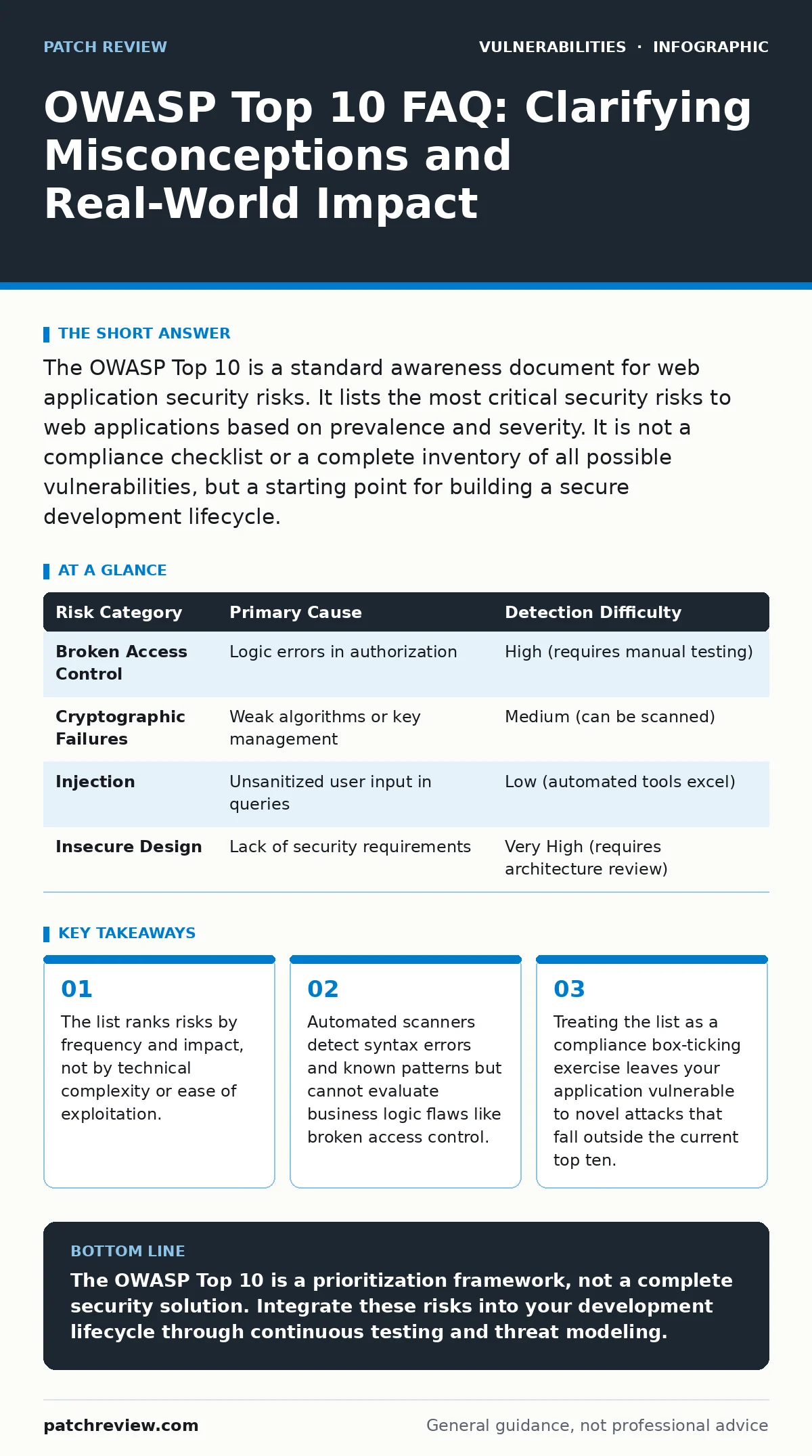
The OWASP Top 10 is a standard awareness document for web application security risks. It lists the most critical security risks to web applications based on prevalence and severity. It is not a compliance checklist or a complete inventory of all possible vulnerabilities, but a starting point for building a secure development lifecycle.
What exactly is the OWASP Top 10?
It is a standard awareness document that describes the most critical security risks to web applications. Published by the Open Web Application Security Project, it serves as a baseline for organizations to understand and prioritize security improvements. It is not a certification standard, nor is it a technical specification for how to secure code. Think of it as a map of the most dangerous terrain, not a guarantee of safety.
Is the list the same every year?
No, the list evolves as attack techniques and development practices change. This shift reflects a change in how attackers target applications, moving from complex code injection to simpler logic errors. You must check the current version because relying on an older edition leaves you blind to newly prioritized threats.
Does a high ranking mean the bug is easy to fix?
Not necessarily; ranking reflects the combination of how often the vulnerability appears and the damage it can cause. A simple logic error like broken object level authorization might be trivial to exploit but devastating in impact. Conversely, a complex insecure deserialization flaw might be rare but lead to immediate remote code execution. The ranking helps you prioritize resources, but it does not dictate the engineering effort required to remediate the issue.
Can automated scanning tools find all Top 10 issues?
Static and dynamic application security testing tools are excellent at finding known patterns like cross-site scripting or SQL injection. They struggle significantly with broken access control because these flaws depend on business logic and user roles. An automated scanner cannot understand that User A should not be able to view User B’s invoice. You must combine automated scanning with manual penetration testing to catch these logic-based failures.
Why is broken access control now number one?
Developers often focus on authentication, ensuring users log in correctly, but neglect authorization, which determines what logged-in users can do. Attackers exploit this by manipulating parameters to access data or functions they should not reach. This is often easier to exploit than traditional injection attacks because it requires no code execution. See our guide on authentication bypass vulnerabilities for deeper context on how identity verification fails.
See also: Stop Path Traversal Attacks: Defense Strategies That Actually Work · Reverse Proxies: The Hidden Gatekeeper for Web Security
How do I handle injection vulnerabilities today?
You must use parameterized queries or prepared statements for all database interactions. This ensures that user input is treated as data, not as executable code. Modern frameworks often provide built-in protections, but custom SQL logic remains a high-risk area. Do not rely on input validation alone, as attackers can often bypass complex regex filters. Refer to the guide on n-day vulnerabilities to understand how quickly patched injection flaws become public exploits.
What is the hidden cost of ignoring security misconfigurations?
Default settings, unused accounts, and open cloud storage buckets create a wide attack surface with minimal effort for attackers. These are often the result of rushed deployments or lack of security baselines. Fixing them requires a disciplined configuration management process, not just a one-time patch. This category often overlaps with directory listing exposure, where server settings reveal sensitive file structures.
Are there risks the Top 10 misses entirely?
Yes, the list focuses on the most prevalent issues, which means niche or emerging threats may not appear. For instance, prototype pollution in JavaScript applications or specific path traversal vulnerabilities in file handling may not make the top ten but can be critical. The list is a starting point, not an exhaustive inventory. You must supplement it with threat modeling specific to your technology stack and business logic.
| Risk Category | Primary Cause | Detection Difficulty |
|---|---|---|
| Broken Access Control | Logic errors in authorization | High (requires manual testing) |
| Cryptographic Failures | Weak algorithms or key management | Medium (can be scanned) |
| Injection | Unsanitized user input in queries | Low (automated tools excel) |
| Insecure Design | Lack of security requirements | Very High (requires architecture review) |
Why does insecure design matter if the code is clean?
Security cannot be bolted onto a flawed architecture. If the design allows sensitive data to flow to untrusted components, no amount of secure coding will stop the leak. This is why emergency patching often fails to address the root cause; the underlying design remains vulnerable to new variants. You must define security requirements during the design phase, not after development begins.
How do I verify if my fixes actually work?
You need a combination of automated regression testing and manual verification. Automated tests ensure the specific bug is gone, but manual testing confirms that the fix has not introduced new logic errors. For complex issues like insecure deserialization, manual review of the deserialization process is mandatory. Do not assume a patch is effective until it has been tested in an environment that mirrors production.
Key takeaways
- The list ranks risks by frequency and impact, not by technical complexity or ease of exploitation.
- Automated scanners detect syntax errors and known patterns but cannot evaluate business logic flaws like broken access control.
- Treating the list as a compliance box-ticking exercise leaves your application vulnerable to novel attacks that fall outside the current top ten.
The OWASP Top 10 is a prioritization framework, not a complete security solution. Integrate these risks into your development lifecycle through continuous testing and threat modeling.
Frequently asked questions
Is the OWASP Top 10 legally required?
No, it is an industry standard, not a law. However, many regulatory frameworks reference it as a baseline for due diligence in software security.
Does the list apply to mobile apps?
The core principles apply, but mobile apps have specific risks like insecure data storage and improper platform usage. Use the OWASP Mobile Top 10 for mobile-specific guidance.
How often should I review my application against the list?
You should review your application against the list with every major release and annually at minimum. Continuous integration pipelines should include automated checks for known vulnerabilities.
Can I ignore risks ranked lower on the list?
No, a lower rank does not mean low impact. It means the risk is less frequent or less impactful on average. Your specific application may be highly vulnerable to a lower-ranked risk.
How this guide was produced: written by the Patch Review editorial team with AI assistance, checked against the public references listed below, and reviewed when the facts change. See our editorial policy or report an error.