
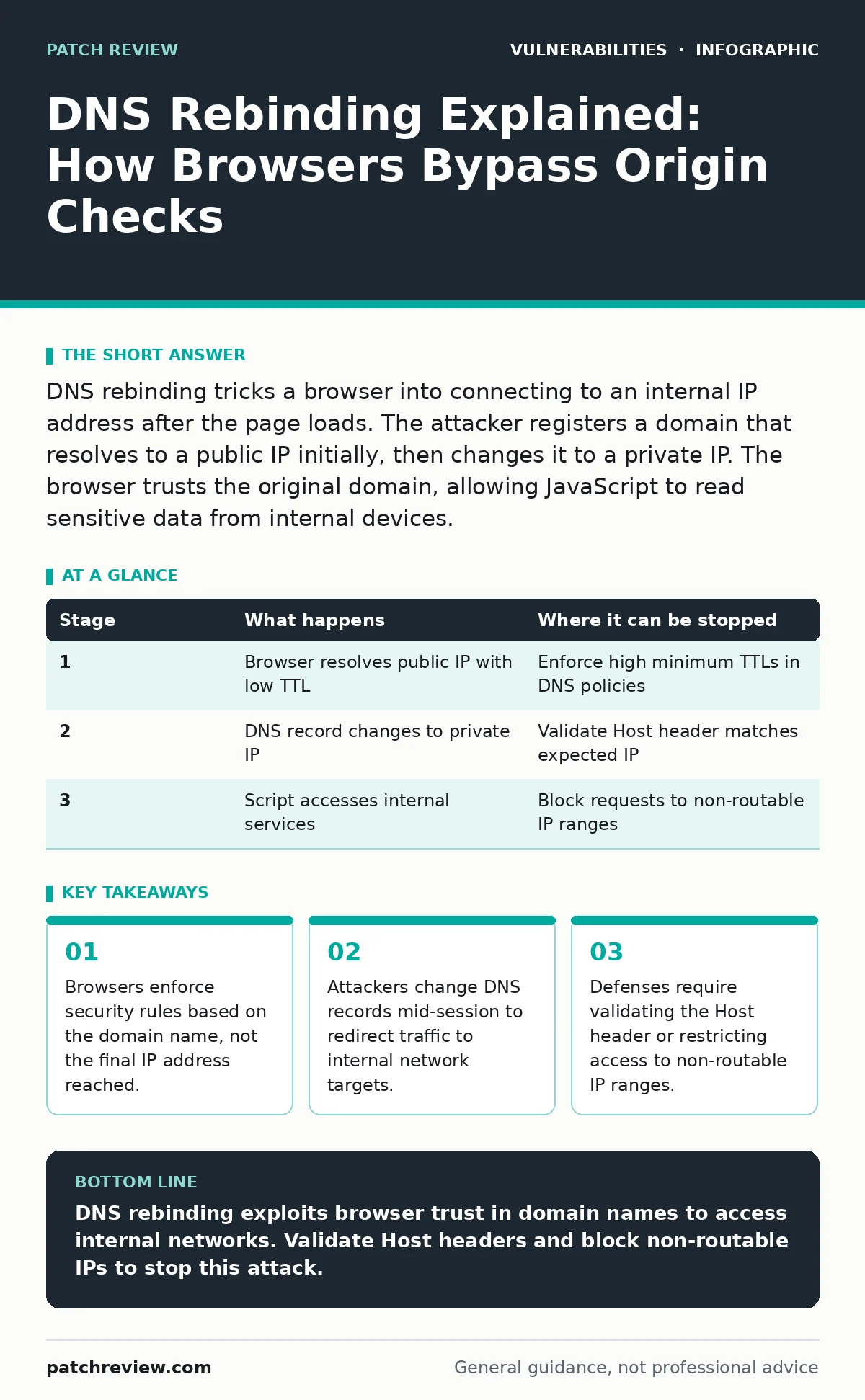
DNS rebinding tricks a browser into connecting to an internal IP address after the page loads. The attacker registers a domain that resolves to a public IP initially, then changes it to a private IP. The browser trusts the original domain, allowing JavaScript to read sensitive data from internal devices.
How DNS Resolution Establishes Trust
Web browsers enforce the same-origin policy to isolate applications from one another. This security model prevents a malicious website from reading data belonging to a legitimate banking site. The browser identifies the origin using the scheme, host, and port. It trusts that the host name corresponds to a specific server.
The system assumes the IP address remains constant after the initial lookup. This assumption creates a blind spot. The browser validates the domain name for security checks but communicates with the underlying IP address for data transfer. If the IP address changes while the domain name stays the same, the browser may not detect the shift.
This gap allows an attacker to redirect traffic. The attacker registers a domain name that they control. They configure the domain to resolve to a public IP address initially. The browser loads the page from this public server. The attacker then changes the DNS record to point to a private IP address inside your network.
Stage 1: Initial Connection and Cache Expiry
The attack begins when you visit a malicious domain controlled by the attacker. The browser performs a DNS lookup to find the IP address. The attacker’s DNS server returns a public IP address. This address hosts a harmless-looking page or a script. The browser establishes a connection and caches the DNS record.
The attacker sets a very low Time To Live value for this DNS record. A low TTL tells the browser to forget the IP address quickly. The browser might cache the record for only a few seconds. This forces the browser to perform another DNS lookup shortly after the page loads. The short cache duration is critical for the next phase.
If the TTL were high, the browser would keep using the public IP address. The attack would fail because the browser would never request the new address. The attacker relies on the browser respecting the TTL and refreshing the lookup. This behavior is standard for DNS systems to ensure updates propagate quickly.
Stage 2: Dynamic Address Resolution
After the initial page loads, the JavaScript executes. The script waits for the DNS cache to expire. It then triggers a new request to the same domain name. The browser sees the cached record has expired. It sends a new DNS query to the resolver. The attacker’s DNS server responds with a different IP address.
This new IP address is private and non-routable from the public internet. It might be an address like 192.168.1.1 or 10.0.0.5. These addresses belong to devices inside your local network. The browser receives this new IP address. It updates its internal mapping for the domain name. The connection now points to an internal device.
The browser does not re-evaluate the security context. It still believes it is communicating with the original domain. The same-origin policy remains relaxed because the host name has not changed. The browser allows the script to send requests to the new IP address. This step bridges the gap between the public web and your private network.
Stage 3: Accessing Internal Resources
The JavaScript now sends HTTP requests to the internal IP address. These requests target services running on your local network. Common targets include routers, smart home devices, or internal web applications. These devices often lack authentication or have weak security controls. They expect requests only from trusted local sources.
The browser sends the request with the original domain name in the Host header. Some internal services trust the Host header to identify the client. Others simply process the request based on the IP connection. The internal device responds with data. The browser receives this response and makes it available to the JavaScript.
The script can now read the sensitive data. It might extract configuration details, user credentials, or system status. The data travels back to the attacker’s server via the original public connection. The attacker gains visibility into your internal network. This happens without your explicit permission or knowledge.
| Stage | What happens | Where it can be stopped |
|---|---|---|
| 1 | Browser resolves public IP with low TTL | Enforce high minimum TTLs in DNS policies |
| 2 | DNS record changes to private IP | Validate Host header matches expected IP |
| 3 | Script accesses internal services | Block requests to non-routable IP ranges |
Why Browsers Do Not Prevent This
Browsers prioritize compatibility and performance over strict IP validation. Changing the IP address during a session is legitimate for load balancing and failover. If browsers blocked IP changes, many legitimate websites would break. The same-origin policy is designed to protect against cross-site scripting, not network redirection.
The browser trusts the DNS system implicitly. It assumes that a domain name always points to the intended server. This trust is fundamental to how the web works. Challenging this assumption would require significant changes to browser architecture. It would also slow down page loading times for every user.
Attackers exploit this design choice. They use the browser’s trust against itself. The browser’s inability to distinguish between a public and private IP address is the core vulnerability. This limitation exists in all major browsers. It is not a bug but a feature of the current web model.
See also: Website Defacement Prevention Checklist for Web Security · Stop Path Traversal Attacks: Defense Strategies That Actually Work
Mitigating DNS Rebinding Attacks
Defending against DNS rebinding requires changes on both the client and server sides. On the client side, browsers have started implementing restrictions. Some browsers block requests to non-routable IP addresses from public domains. This prevents the final step of the attack. However, these protections are not universal.
On the server side, administrators must validate incoming requests. Services should check the Host header against the expected domain name. If the Host header does not match, the server should reject the request. This stops the script from tricking the service into responding. It adds a layer of verification that the browser does not provide.
Network segmentation also helps. Internal services should not be accessible from the public internet. Firewalls must block inbound traffic to private IP ranges. This prevents external scripts from reaching internal devices. Even if the browser connects, the firewall drops the packet. This is the most effective defense against rebinding.
The Trade-Offs of Security Controls
Implementing these defenses introduces complexity. Validating Host headers can break legitimate reverse proxy setups. Blocking non-routable IPs might interfere with local development environments. Administrators must balance security with functionality. They need to test changes carefully to avoid disrupting users.
The attack surface for DNS rebinding is growing. More devices are connected to the internet. Many of these devices run web interfaces with weak security. Attackers target these devices to gain a foothold. The ease of launching a rebinding attack makes it a persistent threat.
You must assume that your internal network is exposed. Treat all web-facing services as potential targets. Implement strict access controls. Monitor for unusual DNS activity. Regularly update your devices to patch known vulnerabilities. These steps reduce the risk of successful exploitation.
Related Security Considerations
Understanding DNS rebinding helps you appreciate other web vulnerabilities. It shares similarities with clickjacking, where attackers trick users into clicking hidden elements. Both attacks exploit the gap between user intent and system action. They rely on the browser’s rendering engine to bypass security controls.
This type of attack also relates to Kubernetes misconfigurations. If internal services are exposed improperly, rebinding can access them. Proper network policies in Kubernetes prevent unauthorized access. This is similar to how firewalls block rebinding attempts. Both require careful configuration of network boundaries.
The OWASP Top 10 lists broken access control as a major risk. DNS rebinding is a form of broken access control. It allows unauthorized access to internal resources. Addressing this requires a holistic approach to security. You must consider both application logic and network infrastructure.
Key takeaways
- Browsers enforce security rules based on the domain name, not the final IP address reached.
- Attackers change DNS records mid-session to redirect traffic to internal network targets.
- Defenses require validating the Host header or restricting access to non-routable IP ranges.
DNS rebinding exploits browser trust in domain names to access internal networks. Validate Host headers and block non-routable IPs to stop this attack.
Frequently asked questions
Can a firewall stop DNS rebinding?
A firewall can block traffic to private IP ranges from external sources. This prevents the final connection to internal devices. It is an effective layer of defense.
Do all browsers support rebinding protections?
No, browser support varies. Some browsers block requests to non-routable IPs. Others do not. You cannot rely on browser features alone for security.
Is DNS rebinding a common attack?
It is a known technique used in advanced attacks. It targets specific internal services. It is less common than phishing but more dangerous for internal networks.
How do I test for rebinding vulnerabilities?
You can simulate the attack using controlled environments. Change DNS records dynamically and attempt to access internal services. Use specialized tools for this testing.
How this guide was produced: written by the Patch Review editorial team with AI assistance, checked against the public references listed below, and reviewed when the facts change. See our editorial policy or report an error.