
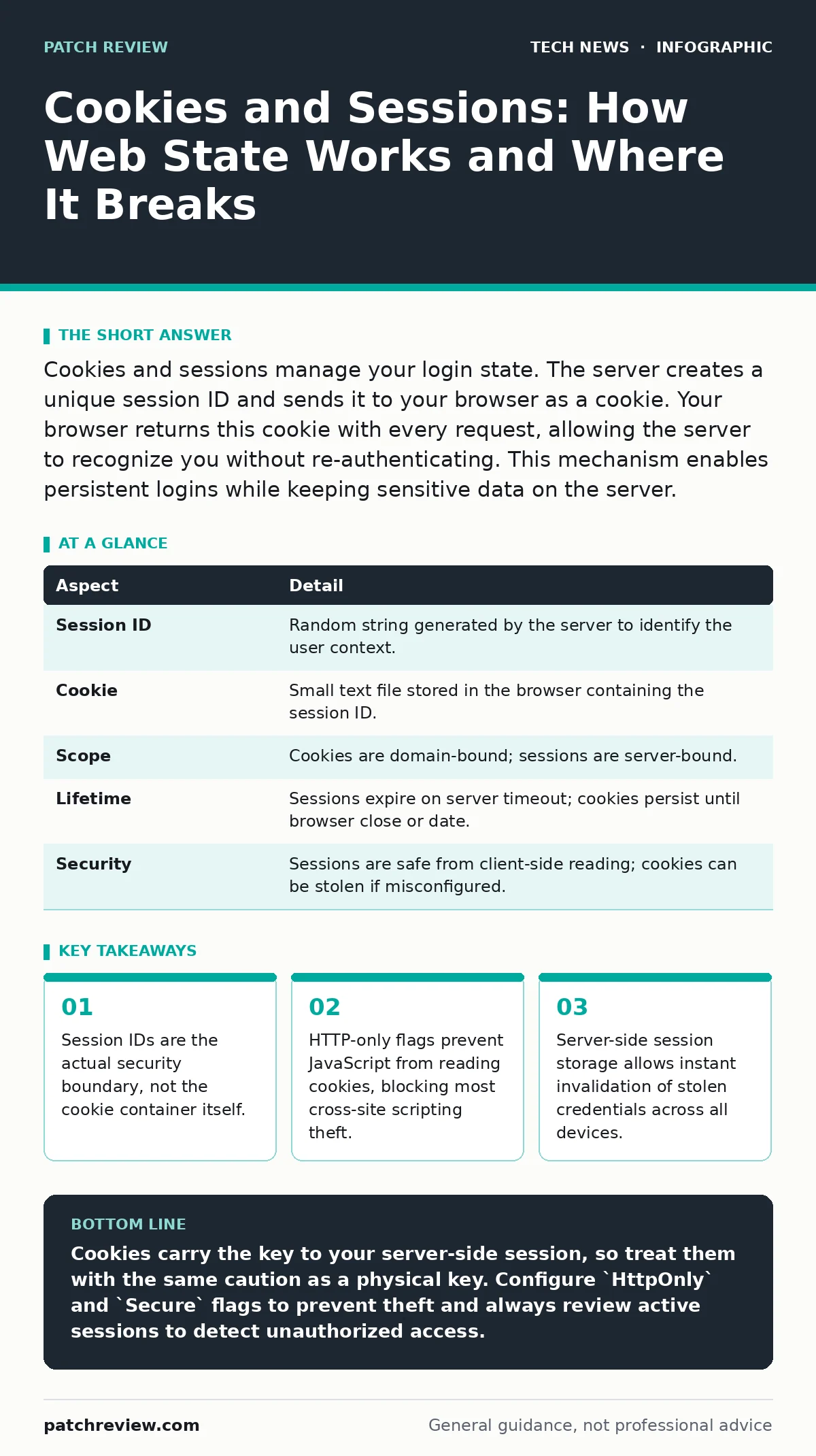
Cookies and sessions manage your login state. The server creates a unique session ID and sends it to your browser as a cookie. Your browser returns this cookie with every request, allowing the server to recognize you without re-authenticating. This mechanism enables persistent logins while keeping sensitive data on the server.
Why Web Servers Forget You
Imagine walking into a library. The librarian checks your ID at the door, stamps a ticket, and hands it to you. You do not carry your ID into the stacks. You show the ticket to borrow books. The librarian trusts the ticket because they control the stamping machine. If someone steals your ticket, they can borrow books. If you lose the ticket, you cannot prove who you are.
Web servers operate on this same principle. The HTTP protocol is stateless. Each request stands alone. The server does not remember your previous requests. Without a mechanism to link requests, you would log in, load a page, and log out instantly. Cookies and sessions solve this problem. The server generates a random string called a session identifier. It sends this identifier to your browser inside a cookie. Your browser stores this cookie and sends it back with every subsequent request to that domain.
How Cookies and Sessions Work Together
The relationship between cookies and sessions is often confused. They are distinct mechanisms that cooperate. A session is a server-side record. It contains your data, such as your user ID and permissions. A cookie is a client-side file. It contains only the key to access that server-side record.
When you log in, the server creates a session entry in its memory or database. It assigns a unique, high-entropy session ID. The server sends a Set-Cookie header in the HTTP response. This header tells your browser to store the session ID as a cookie. On the next request, your browser includes a Cookie header with that ID. The server looks up the ID, finds the session data, and processes the request as if you were authenticated.
This separation provides a critical security benefit. Your sensitive data never leaves the server. The cookie contains only a random string. Even if an attacker intercepts the cookie, they see only the key, not the value of your account. The server remains the single source of truth for your identity.
| Aspect | Detail |
|---|---|
| Session ID | Random string generated by the server to identify the user context. |
| Cookie | Small text file stored in the browser containing the session ID. |
| Scope | Cookies are domain-bound; sessions are server-bound. |
| Lifetime | Sessions expire on server timeout; cookies persist until browser close or date. |
| Security | Sessions are safe from client-side reading; cookies can be stolen if misconfigured. |
Who Handles the Risk
You affect this system every time you click a link. The browser vendor affects it by defining how cookies are stored and sent. The web developer affects it by configuring cookie flags and session lifetimes. The server administrator affects it by managing the storage backend for session data.
Attackers target the weakest link in this chain. They rarely attack the server's session storage directly. They attack the transmission channel or the client-side storage. If you transmit the cookie over an unencrypted connection, anyone on the network can read it. This is why HTTPS is mandatory. It encrypts the traffic between your browser and the server. Without HTTPS, the cookie travels in plain text.
Developers often make mistakes that expose users. They might store the session ID in a URL parameter. This allows the ID to leak into server logs, browser history, and referral headers. They might set the cookie to be accessible by JavaScript. This allows malicious scripts on the page to read and exfiltrate the ID. You cannot fix these server-side errors from your browser. You must rely on developers to implement secure defaults.
What People Usually Get Wrong
Many users believe that clearing their cookies logs them out everywhere. This is only true if the session expires simultaneously. Some applications tie the session lifetime to the cookie lifetime. Others use server-side timeouts independent of the cookie. If you clear cookies but the server session remains active, you might still be logged in if you have another device with a valid cookie.
Another common misconception is that cookies always contain personal data. Modern security practices discourage storing sensitive information in cookies. Cookies should only hold the session ID. Applications that store user preferences or tokens in cookies increase the attack surface. If an attacker steals a cookie with a stored token, they might bypass authentication entirely. This is known as session fixation or token theft.
Developers sometimes confuse session cookies with persistent cookies. Session cookies disappear when you close the browser. Persistent cookies remain on disk until a set expiration date. Persistent cookies are convenient for "remember me" features. They are also riskier. If your computer is compromised, the attacker can steal the persistent cookie and reuse it. Session cookies offer better security because they vanish with the browser process.
Configuring Secure Defaults
You must configure cookies with specific flags to reduce risk. The Secure flag ensures the browser only sends the cookie over HTTPS connections. This prevents man-in-the-middle attacks from capturing the cookie. The HttpOnly flag prevents JavaScript from accessing the cookie. This blocks cross-site scripting attacks from stealing the session ID. The SameSite flag restricts how the cookie is sent with cross-site requests. This mitigates cross-site request forgery attacks.
Developers should set SameSite to Strict or Lax. Strict prevents the cookie from being sent on any cross-site request. Lax allows it on top-level navigations, like clicking a link. This balances security with usability. If you set SameSite to None, you must also set Secure. Browsers will reject cookies that lack these protections in modern environments.
Server-side session management also requires care. Use high-entropy random number generators for session IDs. Predictable IDs allow attackers to guess valid sessions. Regenerate the session ID after a successful login. This prevents session fixation attacks where an attacker sets a known ID before you log in. Implement absolute and idle timeouts. Absolute timeouts expire the session after a fixed period. Idle timeouts expire it after inactivity. This limits the window for attackers to use stolen cookies.
See also: Stop Path Traversal Attacks: Defense Strategies That Actually Work · Reverse Proxies: The Hidden Gatekeeper for Web Security
EXAMPLE: The Stolen Ticket
Suppose you visit a banking website. The server creates a session ID abc123xyz and sends it to your browser. You click a link to a news site. The news site contains a malicious script. This script tries to read your cookies. Because you configured HttpOnly, the script fails. It cannot see abc123xyz.
Now suppose you visit the bank over HTTP instead of HTTPS. The Secure flag is missing. Your neighbor connects to the same Wi-Fi. They capture the traffic. They see abc123xyz in plain text. They create their own request to the bank with this ID. The bank server sees the valid ID and grants access. You are locked out. The attacker does not need your password. They only needed the cookie. This scenario highlights why HTTPS and Secure flags are non-negotiable.
Managing Your Exposure
You can reduce your risk by managing your browser settings. Use a separate browser profile for sensitive activities. This isolates cookies from your daily browsing. If you visit a malicious site in your main browser, the stolen cookies do not affect your banking profile. This containment strategy limits the blast radius of a compromise.
Review your installed extensions. Extensions can access cookies if you grant them permission. Malicious or compromised extensions can exfiltrate session IDs. Disable extensions you do not actively use. This reduces the number of scripts that can run on every page. Some browsers offer "Private" or "Incognito" modes. These modes delete cookies when you close the window. Use these modes for public computers or shared devices.
Monitor your account activity. Many services provide a list of active sessions. Review this list regularly. If you see a session from an unknown device or location, terminate it immediately. This action invalidates the session ID on the server. Even if the attacker has your cookie, they can no longer use it. This is the most effective way to recover from a stolen cookie.
Understanding Related Security Layers
Cookies and sessions do not operate in isolation. They rely on other security mechanisms to function safely. HTTPS encrypts the transport layer. Without it, cookies are visible to anyone on the network. Understanding how HTTPS works helps you appreciate why the padlock icon matters. It is not just about privacy; it is about integrity and authentication.
Server infrastructure also plays a role. If you use virtual machines for development, ensure they are isolated. A compromised development environment might leak session secrets. DevOps security practices ensure that session storage backends are properly secured. If session data is stored in a database, access controls must be strict. AES encryption protects data at rest. If the server disk is stolen, encrypted session data remains unreadable.
Open port management prevents unauthorized access to the server. If an attacker can reach the session management service directly, they might manipulate sessions. Edge computing and edge computing security become relevant when session state is distributed. Caching layers might store session data. Misconfigured caches can serve private data to public users. Understanding these dependencies helps you build a more secure architecture.
Key takeaways
- Session IDs are the actual security boundary, not the cookie container itself.
- HTTP-only flags prevent JavaScript from reading cookies, blocking most cross-site scripting theft.
- Server-side session storage allows instant invalidation of stolen credentials across all devices.
Cookies carry the key to your server-side session, so treat them with the same caution as a physical key. Configure `HttpOnly` and `Secure` flags to prevent theft and always review active sessions to detect unauthorized access.
Frequently asked questions
Do cookies store my password?
No, modern applications should never store passwords in cookies. They store a session ID that references your authenticated state on the server.
Can I use cookies without sessions?
Yes, cookies can store arbitrary data like preferences. However, for authentication, sessions are safer because the sensitive data stays on the server.
How long does a session last?
Session duration varies by application. It is defined by server-side timeout settings, typically ranging from minutes to hours of inactivity.
Why did I get logged out?
Your session likely expired due to inactivity or a server restart. The server invalidated the session ID, so your cookie is no longer recognized.
How this guide was produced: written by the Patch Review editorial team with AI assistance, checked against the public references listed below, and reviewed when the facts change. See our editorial policy or report an error.