
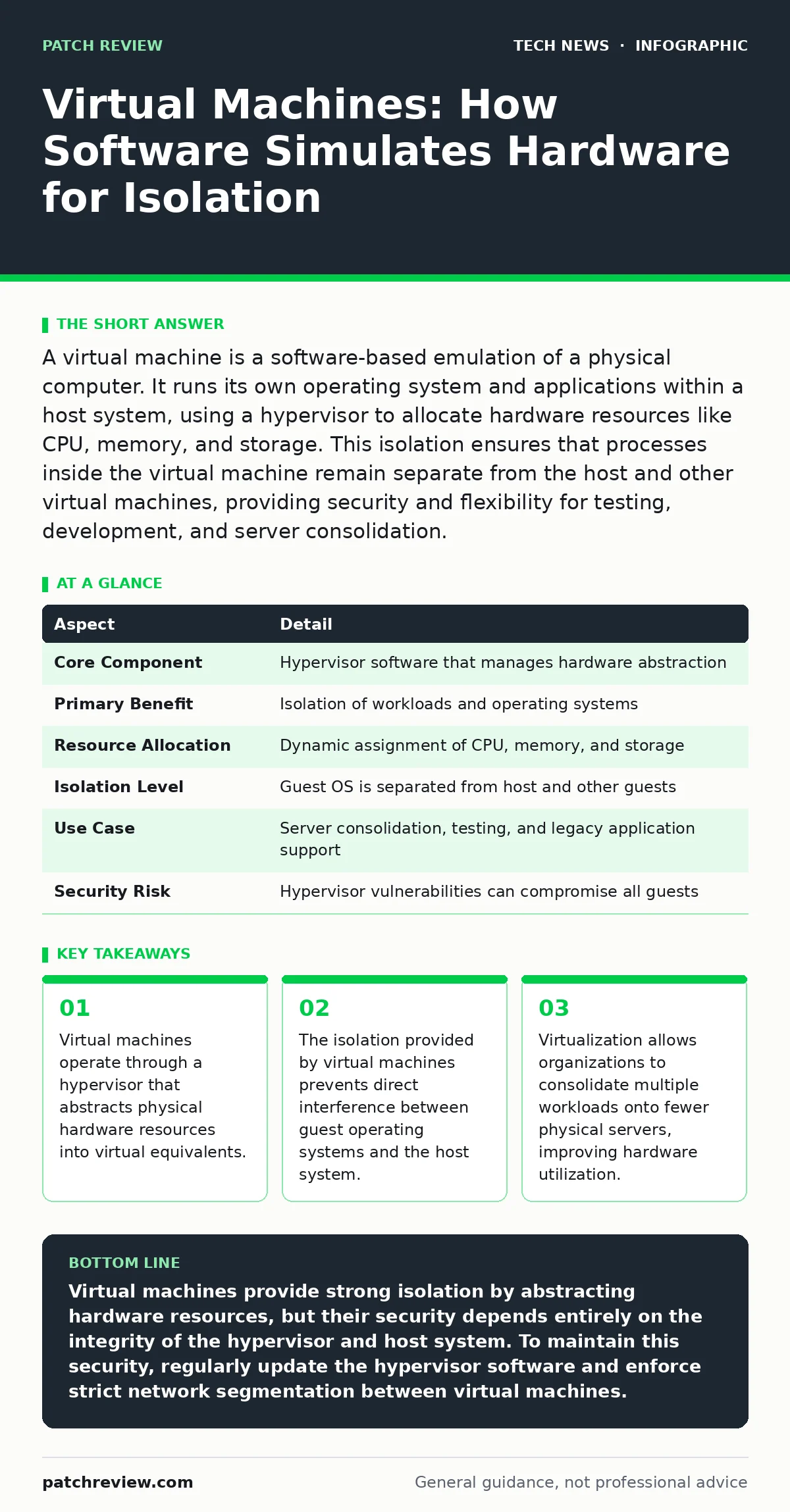
A virtual machine is a software-based emulation of a physical computer. It runs its own operating system and applications within a host system, using a hypervisor to allocate hardware resources like CPU, memory, and storage. This isolation ensures that processes inside the virtual machine remain separate from the host and other virtual machines, providing security and flexibility for testing, development, and server consolidation.
The Library Analogy for Virtualization
Imagine a large library that houses thousands of books. In a traditional setup, each book sits on a specific shelf, and if you want to read a book from another section, you must physically move to that shelf. Now, suppose the library installs a system where every book is digitized and accessible through individual tablets. Each tablet acts as its own independent library, containing only the books assigned to it. The physical library building represents the host hardware, while each tablet is a virtual machine. You can carry the tablet anywhere, and it functions independently of the other tablets, even though they all rely on the same building for power and space.
This analogy illustrates how virtual machines abstract physical resources. The host system provides the underlying power and storage, while the virtual machine presents a self-contained environment to the user. This separation allows multiple independent systems to coexist on a single piece of hardware without conflicting with one another.
How Virtual Machines Work in Practice
At its core, a virtual machine relies on a piece of software called a hypervisor. The hypervisor sits between the physical hardware and the virtual machines, managing the allocation of resources such as processing power, memory, and disk space. When a virtual machine requests access to the CPU, the hypervisor intercepts this request and schedules it on the physical processor. This process happens so quickly that the virtual machine believes it has exclusive access to the hardware.
There are two main types of hypervisors. Type 1 hypervisors run directly on the host’s hardware, providing better performance and stability for server environments. Type 2 hypervisors run on top of a conventional operating system, making them easier to install on personal computers for development or testing purposes. Regardless of the type, the hypervisor enforces strict boundaries between virtual machines. This isolation means that a crash or security breach in one virtual machine does not automatically affect others or the host system.
| Aspect | Detail |
|---|---|
| Core Component | Hypervisor software that manages hardware abstraction |
| Primary Benefit | Isolation of workloads and operating systems |
| Resource Allocation | Dynamic assignment of CPU, memory, and storage |
| Isolation Level | Guest OS is separated from host and other guests |
| Use Case | Server consolidation, testing, and legacy application support |
| Security Risk | Hypervisor vulnerabilities can compromise all guests |
Daily Usage in Development and Testing
Developers use virtual machines extensively to create consistent testing environments. Instead of installing software directly on their personal computers, they spin up a virtual machine with a specific operating system version. This ensures that the software behaves the same way in testing as it does in production. If the testing process corrupts the system, the developer can simply delete the virtual machine and create a new one from a clean template. This process, known as snapshotting, saves time and prevents the host system from becoming unstable.
Operations teams also use virtual machines to run legacy applications. Older software may require an outdated operating system that is no longer supported or secure. By running this software inside a virtual machine, organizations can keep it functional without exposing the entire network to the risks of an unsupported operating system. The virtual machine acts as a container, limiting the attack surface of the legacy software. This approach is particularly useful when integrating older systems with modern infrastructure, provided that the virtual machine remains isolated from critical network segments.
Common Misconceptions About Virtual Machines
Many people confuse virtual machines with containers. While both technologies provide isolation, they operate at different levels. Virtual machines emulate entire hardware systems, including the operating system kernel. Containers, on the other hand, share the host operating system’s kernel and only isolate the application and its dependencies. This means containers are lighter and faster to start, but virtual machines provide stronger isolation because each guest runs its own kernel. Understanding this distinction is vital for choosing the right tool for your security and performance needs.
Another common mistake is assuming that virtual machines are inherently secure. While isolation helps, it is not a magic shield. If the hypervisor has a vulnerability, an attacker who compromises one virtual machine might escape to the host. This is known as a breakout. Additionally, if the host system is compromised, all virtual machines running on it are at risk. Therefore, securing the hypervisor and the host hardware is just as important as securing the virtual machines themselves. Regular updates and strict access controls for the hypervisor are necessary to maintain this security boundary.
Security Implications and Isolation Boundaries
The isolation provided by virtual machines is a double-edged sword. On one hand, it limits the spread of malware. If a virtual machine is infected, the malware is generally confined to that environment. On the other hand, if an attacker gains control of the hypervisor, they can monitor or manipulate all virtual machines on the host. This makes the hypervisor a high-value target for attackers. To mitigate this risk, organizations often use techniques like virtual machine introspection, which allows the hypervisor to monitor the internal state of virtual machines without installing agents inside them.
Network security also plays a critical role in virtual machine protection. Virtual machines often communicate through virtual switches, which are software-based network interfaces. If these virtual switches are misconfigured, traffic between virtual machines might bypass traditional network security controls.
Implementing micro-segmentation, where each virtual machine has its own firewall rules, helps enforce strict communication policies. This ensures that even if one virtual machine is compromised, the attacker cannot easily move laterally to other systems. For broader network security, integrating with reverse proxies can help manage and inspect traffic before it reaches sensitive virtual machines.
See also: Domain Name System vs Domain Name Server: The Exact Difference · AI Data Centers Explained: Infrastructure, Power, and Cooling Basics
Performance Trade-offs and Resource Management
Running multiple virtual machines on a single physical server introduces performance overhead. The hypervisor consumes some of the host’s resources to manage the virtual machines, which means less power is available for the actual workloads. This overhead is usually small, but it can become significant when running many virtual machines or when the workloads are highly resource-intensive. To manage this, administrators must carefully monitor resource usage and adjust allocations dynamically. Over-provisioning, where more resources are allocated than the hardware can provide, leads to performance degradation and increased latency.
Another trade-off involves storage performance. Virtual machines often use virtual disk files stored on the host’s physical drives. If the host’s storage subsystem is slow, all virtual machines will experience delays when reading or writing data. Using solid-state drives and optimizing storage configurations can mitigate this issue. Additionally, distributing virtual machines across multiple physical hosts ensures that a single hardware failure does not take down all workloads. This distribution strategy is a key component of high-availability architectures, ensuring that services remain accessible even during hardware maintenance or failures.
Integration with Modern Security Frameworks
Virtual machines fit into broader security frameworks by providing a controlled environment for testing and deployment. For instance, when evaluating open-source software security, organizations can use virtual machines to analyze code and dependencies without risking the main network. This isolation allows security teams to perform deep inspections, such as running static analysis tools or fuzzing tests, in a safe sandbox. If a vulnerability is discovered, it can be addressed before the software is deployed to production.
Furthermore, virtual machines are often used in conjunction with edge computing architectures. At the edge, resources are limited, and security is paramount. Lightweight virtual machines can run on edge devices, providing isolation for different workloads while maintaining low overhead. This setup ensures that even if one application at the edge is compromised, the rest of the system remains secure. By combining virtualization with robust home router security practices, organizations can protect both centralized and distributed computing environments.
The Role of Virtualization in Device Policies
In environments where employees use personal devices for work, virtual machines can help enforce bring your own device policies. By running corporate applications inside a virtual machine on the employee’s personal device, organizations can ensure that sensitive data remains isolated from the personal operating system. If the device is lost or stolen, the data within the virtual machine can be remotely wiped without affecting the user’s personal files. This separation of duties enhances security while providing flexibility for remote work.
Similarly, for users relying on macOS security settings, virtual machines offer a way to run incompatible software or test configurations without altering the host system. This is particularly useful for developers who need to test applications on different operating systems. By keeping the host system clean and using virtual machines for specialized tasks, users can maintain a stable and secure primary environment. This approach reduces the risk of introducing malware or unstable software into the main operating system.
Key takeaways
- Virtual machines operate through a hypervisor that abstracts physical hardware resources into virtual equivalents.
- The isolation provided by virtual machines prevents direct interference between guest operating systems and the host system.
- Virtualization allows organizations to consolidate multiple workloads onto fewer physical servers, improving hardware utilization.
- Security breaches within a virtual machine can potentially escape to the host if the hypervisor is misconfigured or vulnerable.
Virtual machines provide strong isolation by abstracting hardware resources, but their security depends entirely on the integrity of the hypervisor and host system. To maintain this security, regularly update the hypervisor software and enforce strict network segmentation between virtual machines.
Frequently asked questions
Can a virus inside a virtual machine infect the host computer?
Generally, no, because the virtual machine is isolated from the host. However, if the hypervisor has a vulnerability or is misconfigured, an attacker might exploit a breakout vulnerability to escape the virtual machine and compromise the host.
What is the difference between a virtual machine and a container?
Virtual machines emulate entire hardware systems and run their own operating system kernels, providing stronger isolation. Containers share the host operating system’s kernel and only isolate applications, making them lighter but less isolated.
Do virtual machines slow down my computer?
Yes, virtual machines consume host resources such as CPU, memory, and storage. This overhead can reduce performance, especially if the host is under-provisioned or running many virtual machines simultaneously.
Are virtual machines secure for storing sensitive data?
Virtual machines can be secure for storing sensitive data if the hypervisor is properly secured and the virtual machine is isolated from untrusted networks. However, they are not immune to hypervisor vulnerabilities or host-level compromises.
How this guide was produced: written by the Patch Review editorial team with AI assistance, checked against the public references listed below, and reviewed when the facts change. See our editorial policy or report an error.