
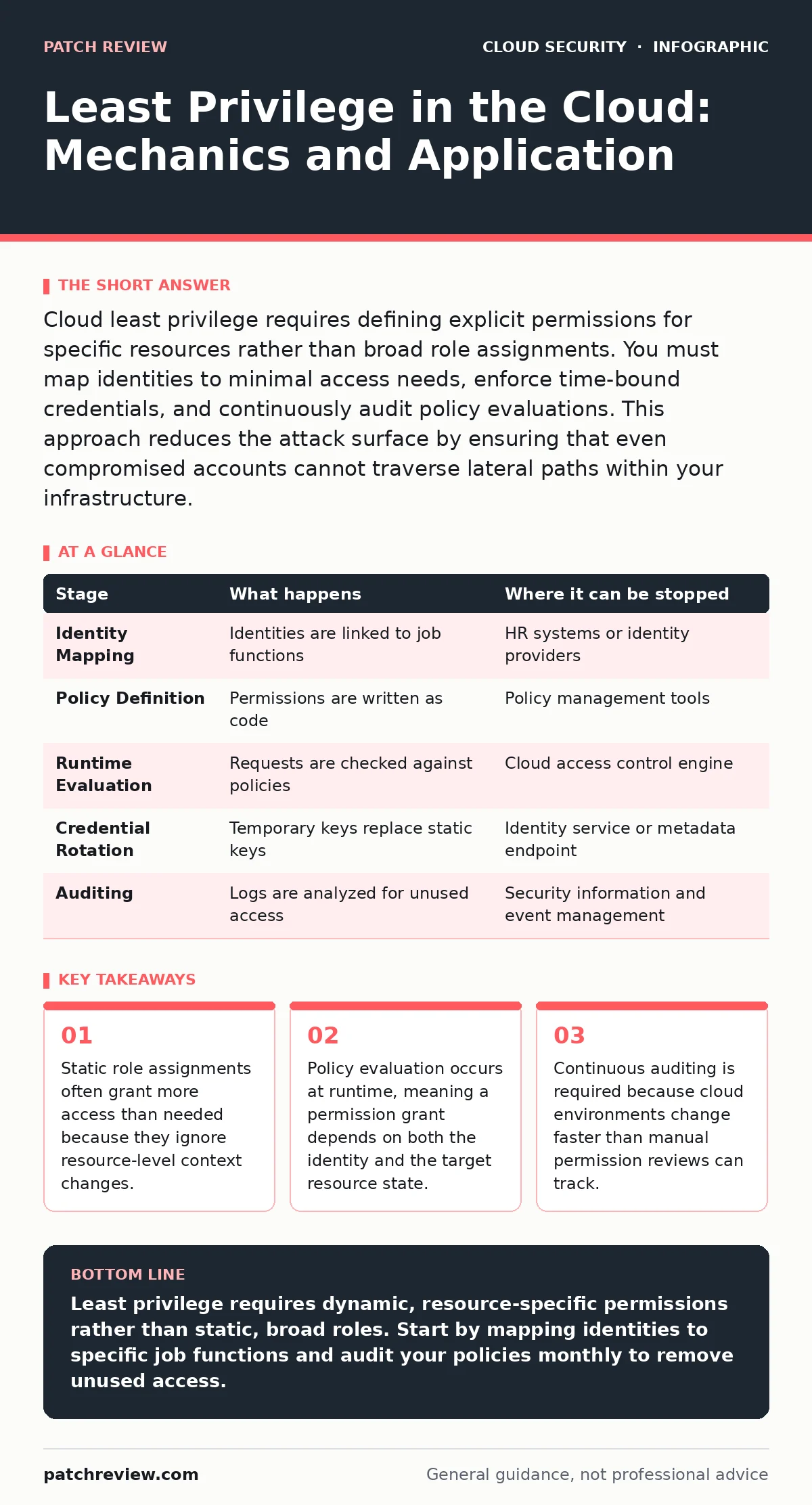
Cloud least privilege requires defining explicit permissions for specific resources rather than broad role assignments. You must map identities to minimal access needs, enforce time-bound credentials, and continuously audit policy evaluations. This approach reduces the attack surface by ensuring that even compromised accounts cannot traverse lateral paths within your infrastructure.
Identity and Resource Mapping
Least privilege in cloud environments fails when you assign permissions to people instead of roles. People change jobs, roles change responsibilities, and static permissions accumulate over time. You must map every identity to a specific job function. This function defines the exact set of resources that identity needs to touch. The cloud provider does not care about your organizational chart. It only cares about the policy statements attached to the identity.
Imagine a developer who needs access to a staging database. You do not grant them "database administrator" rights. You grant them read and write access to that specific database instance. You deny them access to production databases. You deny them access to billing consoles. This mapping must be explicit. Implicit denials are the default in most cloud platforms, but only if you have not granted broader permissions elsewhere.
Policy Definition and Scope
Policy statements define what an identity can do. They typically contain three elements: the action, the resource, and the condition. The action is the verb, such as read, write, or delete. The resource is the noun, such as a storage bucket or a compute instance. The condition adds context, such as the source IP address or the time of day.
You must scope resources to the lowest level possible. Granting access to a resource group is safer than granting access to an entire region. Granting access to a specific file is safer than granting access to a storage account. Conditions add another layer of control. You can require that access only occurs during business hours. You can require that access only occurs from a trusted network. These conditions are evaluated at the time of the request.
Runtime Evaluation Mechanism
The cloud provider evaluates permissions at the moment a request is made. This is different from traditional on-premises systems where access might be cached or checked less frequently. The evaluation engine checks the identity’s policies against the resource’s policies. It also checks any condition keys. If any policy denies the action, the request is rejected. This is known as explicit deny. If no policy denies the action, the engine looks for an allow.
This runtime evaluation means that permissions are dynamic. A user might have access to a resource at 9:00 AM but not at 9:05 AM if a time-based condition expires. This dynamism is both a strength and a weakness. It allows for fine-grained control. It also makes debugging difficult. When access fails, you must trace the evaluation path to find which policy caused the denial.
Credential Management and Rotation
Long-lived credentials are a major risk in cloud environments. If a static access key is leaked, an attacker can use it indefinitely. You must use short-lived credentials instead. These credentials expire after a short period, such as an hour. The identity must request a new credential before the old one expires. This process is usually automated by the cloud provider’s identity service.
You should avoid using static keys for applications whenever possible. Use instance profiles or workload identity providers instead. These mechanisms automatically inject temporary credentials into the application. The application does not need to store secrets. It requests them from the cloud metadata service or a similar endpoint. This reduces the risk of leaked cloud access keys. It also simplifies rotation because the cloud provider handles the lifecycle.
Auditing and Continuous Review
You cannot assume that your permissions are correct after initial setup. Cloud environments change constantly. New resources are created. Old resources are deleted. Identities are added and removed. You must audit your permissions regularly. Look for permissions that are no longer used. Look for identities that have not logged in for a long time. Look for policies that are overly broad.
Automated tools can help with this process. They can analyze your policies and suggest tighter restrictions. They can simulate access requests to see if they would be allowed or denied. This is known as policy simulation. It allows you to test changes before applying them. You should also review access logs. Look for unusual patterns of access. Look for access from unexpected locations. This helps you detect compromised accounts early.
See also: Prevent Overprivileged Cloud Identities: A Precise Checklist · Cloud Privilege Escalation Mistakes and Fixes
Handling Legacy and Complex Systems
Legacy systems often rely on broad permissions to function. Refactoring these systems to use least privilege can be difficult. You must identify the specific permissions that the legacy system needs. You can use access logging to determine this. Enable logging for the resources that the legacy system interacts with. Analyze the logs to find the exact actions and resources used. Create a new policy based on this data. Test the new policy thoroughly.
Suppose a legacy application uses a broad role to access multiple services. You can create a new role with only the necessary permissions. You can switch the application to use the new role. You can then monitor the application to ensure it still functions correctly. If it fails, check the logs to see which permissions are missing. Add those permissions to the role. Repeat this process until the role is minimal.
Integration with Network Controls
Least privilege is not just about identity. It is also about network access. You must combine identity-based controls with network-based controls. Use security groups to restrict traffic between resources. Use private endpoints to keep traffic within the cloud network. Use virtual private clouds to isolate resources. This defense in depth approach ensures that even if an identity is compromised, the attacker cannot easily move laterally.
Common Pitfalls and Misconfigurations
Overprivileged cloud identities are a common problem. This happens when you grant permissions to a role and then assign that role to multiple identities. If one identity needs broad access, you might grant it to the role. This grants broad access to all identities in that role. You must avoid this pattern. Create separate roles for different job functions. Assign identities to the role that matches their specific needs.
Another common pitfall is ignoring resource-level permissions. You might grant an identity permission to read all objects in a storage bucket. This is safer than granting permission to read all buckets. But it is still too broad if the identity only needs to read specific objects. You must scope permissions to the specific objects. This requires more effort upfront. But it significantly reduces the risk of data exposure.
| Stage | What happens | Where it can be stopped |
|---|---|---|
| Identity Mapping | Identities are linked to job functions | HR systems or identity providers |
| Policy Definition | Permissions are written as code | Policy management tools |
| Runtime Evaluation | Requests are checked against policies | Cloud access control engine |
| Credential Rotation | Temporary keys replace static keys | Identity service or metadata endpoint |
| Auditing | Logs are analyzed for unused access | Security information and event management |
Advanced Scenarios and Edge Cases
Imagine a scenario where a service account needs to access resources in another account. This is common in multi-account setups. You must use cross-account roles. These roles allow the service account to assume a role in the other account. You must define the trust relationship carefully. The trust relationship specifies which accounts and identities can assume the role. You must also define the permissions policy for the role. This policy specifies what the role can do in the target account.
Another edge case is cross-region access. You might have resources in multiple regions. You must ensure that your policies account for this. Some permissions are global. Some are regional. You must understand the scope of each permission. This prevents accidental access to resources in other regions. You should also consider using cross-region replication for data. This allows you to access data from a closer region without granting cross-region permissions.
Summary of Implementation
Implementing least privilege in the cloud is an ongoing process. It requires careful planning, continuous monitoring, and regular updates. You must start by mapping identities to job functions. You must define policies that are specific and scoped. You must use short-lived credentials. You must audit your permissions regularly. You must combine identity controls with network controls. This approach reduces the risk of unauthorized access. It also makes your environment more secure and easier to manage.
Key takeaways
- Static role assignments often grant more access than needed because they ignore resource-level context changes.
- Policy evaluation occurs at runtime, meaning a permission grant depends on both the identity and the target resource state.
- Continuous auditing is required because cloud environments change faster than manual permission reviews can track.
Least privilege requires dynamic, resource-specific permissions rather than static, broad roles. Start by mapping identities to specific job functions and audit your policies monthly to remove unused access.
Frequently asked questions
How do I find unused permissions in my cloud account?
Use access logging to track which actions and resources are actually used. Compare this data against your current policies. Remove any permissions that are not in the usage logs.
Can I use least privilege with third-party applications?
Yes, but you must manage the third-party application’s credentials carefully. Use short-lived tokens and restrict the application’s permissions to only what it needs to function.
What is the difference between IAM and least privilege?
IAM is the framework for managing access. Least privilege is the principle of granting only the minimum necessary access. IAM is the tool; least privilege is the strategy.
How do I handle emergency access in a least privilege environment?
Use a break-glass account with limited, time-bound access. Document the use of this account and review it regularly. Ensure that the account is not used for routine tasks.
How this guide was produced: written by the Patch Review editorial team with AI assistance, checked against the public references listed below, and reviewed when the facts change. See our editorial policy or report an error.