
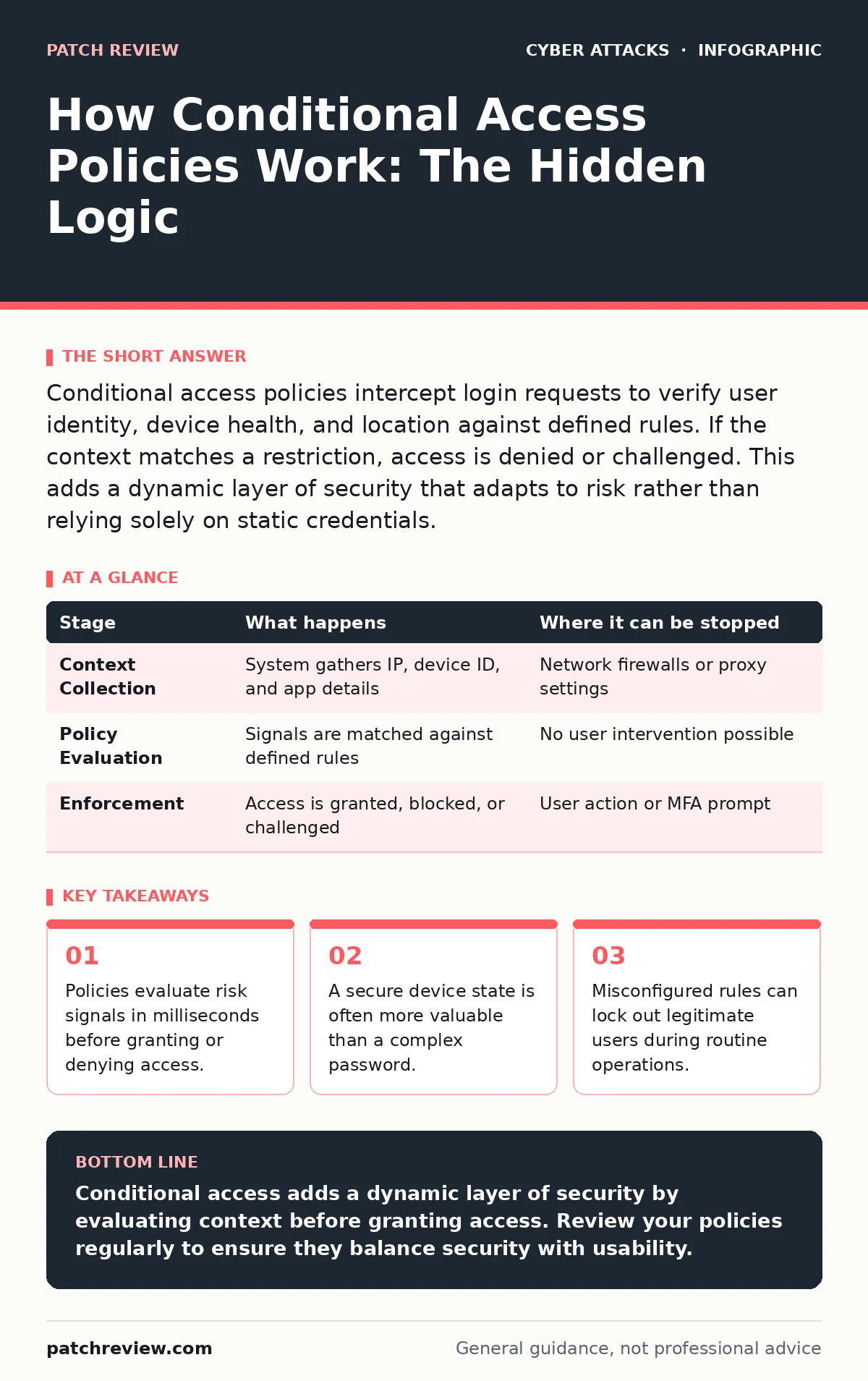
Conditional access policies intercept login requests to verify user identity, device health, and location against defined rules. If the context matches a restriction, access is denied or challenged. This adds a dynamic layer of security that adapts to risk rather than relying solely on static credentials.
The Identity Interception Point
When you attempt to log into a cloud service, the system does not immediately check your password. Instead, it first intercepts the request at the identity provider. This provider acts as the gatekeeper, verifying who you claim to be before any application data is exposed. The process begins with authentication, where you prove your identity through credentials or biometrics.
Once your identity is confirmed, the system pauses. It does not grant access yet. It gathers context about the request. This includes the device you are using, your geographic location, and the sensitivity of the application you are trying to reach. This pause is where conditional access operates. It transforms a simple login into a risk assessment.
### Stage 1: Context Collection
The first stage involves gathering signals from the environment. The identity provider looks at the IP address associated with the request. It checks if this address originates from a known corporate network or an unfamiliar location. It also examines the device identifier. This identifier tells the system if the device is managed by your organization or if it is a personal device you brought from home.
This collection happens automatically. You do not see it happening, but the system is building a profile of the request. It looks for anomalies. For example, if you usually log in from one city and suddenly appear in another, the system flags this as a potential risk. The system also checks the application being accessed. Accessing a public website carries less risk than accessing a database containing sensitive customer records.
| Stage | What happens | Where it can be stopped |
|---|---|---|
| Context Collection | System gathers IP, device ID, and app details | Network firewalls or proxy settings |
| Policy Evaluation | Signals are matched against defined rules | No user intervention possible |
| Enforcement | Access is granted, blocked, or challenged | User action or MFA prompt |
### Stage 2: Policy Evaluation
After collecting context, the system compares these signals against your organization’s conditional access policies. These policies are a set of rules defined by administrators. They specify what is allowed and what is not. For instance, a policy might state that users can only access financial data from devices that are encrypted and managed by the company.
The system evaluates each policy in order. If a signal matches a restriction, the policy triggers. This is a logical operation, similar to an if-then statement. If the device is not compliant, then access is denied. If the location is outside the country, then multi-factor authentication is required. This evaluation is instantaneous. It happens in the background, ensuring that security decisions are made before you even see the application interface.
### Stage 3: Enforcement and Access Decision
The final stage is enforcement. Based on the policy evaluation, the system makes a decision. It can grant access, deny access, or require additional verification. Granting access means the user proceeds to the application. Denying access means the request is blocked, and the user receives an error message. Requiring additional verification means the system prompts for another factor, such as a code from an authenticator app.
This stage is where the user feels the impact of the policy. If the system requires multi-factor authentication, you must complete that step before proceeding. If the system denies access, you cannot proceed at all. This enforcement is strict. It does not negotiate. It follows the rules defined in the previous stage. This ensures that security decisions are consistent and predictable.
The Limits of Contextual Security
Conditional access is powerful, but it is not infallible. It relies on the accuracy of the signals it collects. If an attacker compromises a device that is already compliant, the system may grant access. The policy assumes that a managed device is safe. This assumption can be wrong if the device is infected with malware.
Another limit is the reliance on network location. IP addresses can be spoofed or routed through proxies. An attacker might use a virtual private network to appear as if they are logging in from a trusted location. The system sees a trusted IP and may lower its guard. This is why conditional access should be part of a broader strategy. It works best when combined with other security measures.
See also: Edge Computing Security: Why Perimeter Defenses Fail at the Edge · Website Defacement Prevention Checklist for Web Security
Integration with Broader Defenses
Conditional access does not operate in isolation. It works alongside other security controls to provide layered protection. For example, it complements email authentication protocols that verify the sender of a message. It also supports defenses against malicious email attachments by restricting access to sensitive files from unmanaged devices.
Consider the risk of session cookie theft. If an attacker steals a session token, they can bypass the login screen. Conditional access can help here by requiring re-authentication for high-risk actions. It also works with passkeys to provide a stronger initial authentication factor. By integrating with these controls, conditional access becomes part of a cohesive security architecture. It addresses the attack lifecycle at the access control stage, preventing unauthorized entry before damage occurs.
Common Configuration Pitfalls
Misconfiguration is the biggest risk with conditional access. Administrators often create rules that are too broad or too narrow. A rule that is too broad may allow access from risky locations. A rule that is too narrow may block legitimate users, causing frustration and productivity loss. This is known as user friction.
Another common mistake is failing to test policies before deployment. If a policy is deployed without testing, it may lock out critical staff. This can disrupt business operations. To avoid this, administrators should use a reporting mode. This mode logs what would happen without actually blocking access. It allows you to see the impact of a rule before enforcing it. This careful approach ensures that security does not come at the cost of usability.
The Human Element in Policy Design
Designing effective conditional access policies requires understanding user behavior. You must know how users work and where they work from. If you restrict access to only the office network, you exclude remote workers. If you allow access from any location, you increase the risk of compromise. The goal is to find a balance.
This balance is dynamic. It changes as threats evolve and as user behavior shifts. Regular reviews of policy effectiveness are necessary. Look for patterns in denied access requests. Are legitimate users being blocked? Are there anomalies in granted access? These insights help refine the policies. They ensure that the security controls remain relevant and effective.
Key takeaways
- Policies evaluate risk signals in milliseconds before granting or denying access.
- A secure device state is often more valuable than a complex password.
- Misconfigured rules can lock out legitimate users during routine operations.
Conditional access adds a dynamic layer of security by evaluating context before granting access. Review your policies regularly to ensure they balance security with usability.
Frequently asked questions
Does conditional access protect against password theft?
It mitigates the risk by requiring additional verification or blocking access from risky contexts, even if the password is correct.
Can conditional access block legitimate users?
Yes, if policies are too restrictive or if user behavior changes unexpectedly, such as traveling to a new location.
How does it differ from multi-factor authentication?
MFA verifies identity, while conditional access evaluates the context of the request, such as device health and location, to decide if access should be granted.
Is conditional access effective against internal threats?
It can limit damage by restricting access based on device compliance and location, but it does not prevent malicious actions from authorized users.
How this guide was produced: written by the Patch Review editorial team with AI assistance, checked against the public references listed below, and reviewed when the facts change. See our editorial policy or report an error.