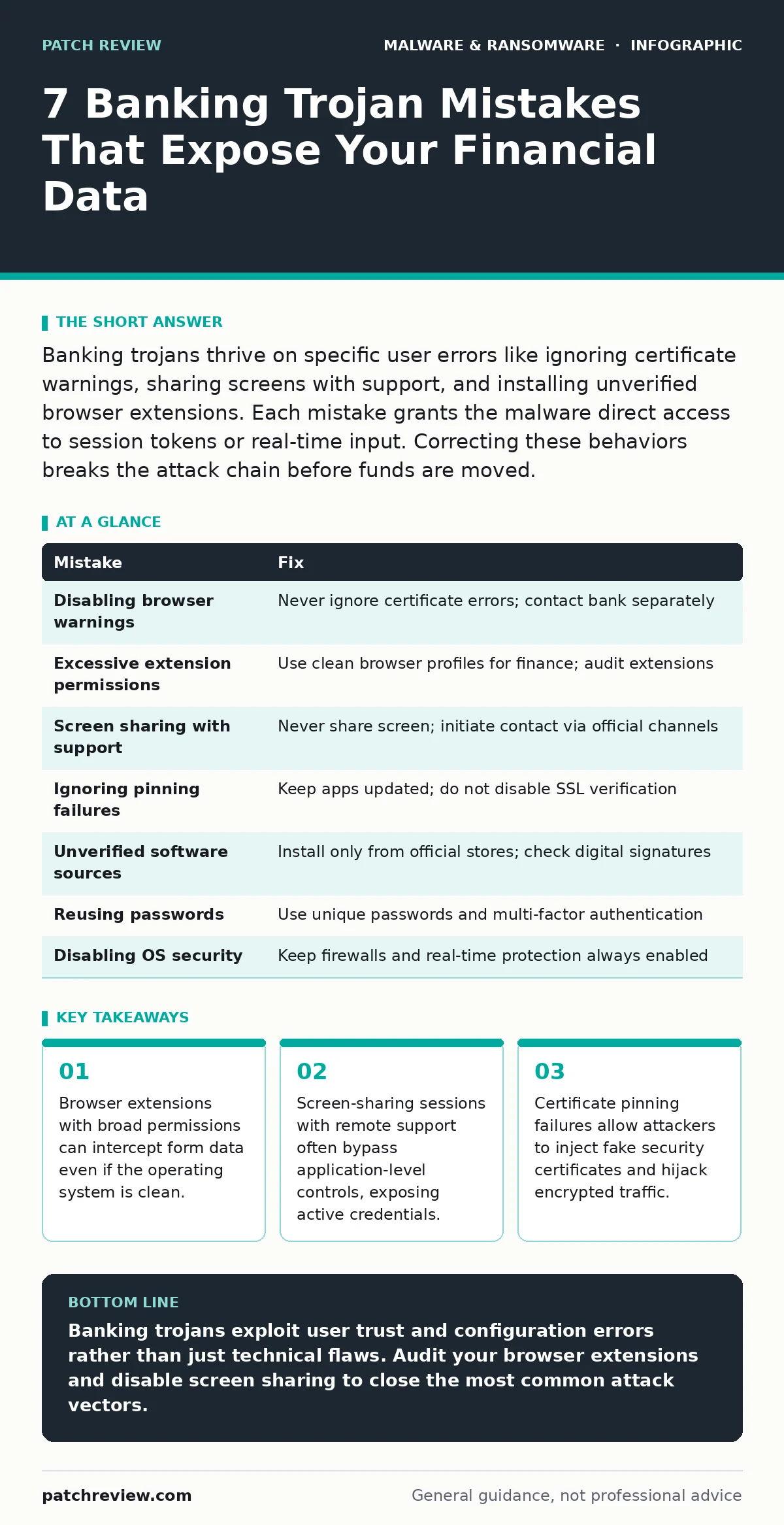
Banking trojans thrive on specific user errors like ignoring certificate warnings, sharing screens with support, and installing unverified browser extensions. Each mistake grants the malware direct access to session tokens or real-time input. Correcting these behaviors breaks the attack chain before funds are moved.
Mistake 1: Disabling Browser Security Warnings
Modern browsers display prominent warnings when a site’s security certificate is invalid or mismatched. Disabling these warnings to access a preferred banking portal creates an immediate vulnerability. The browser can no longer verify the identity of the server you are connecting to. This allows a man-in-the-middle attacker to intercept your login credentials and session tokens in plain text.
Why it hurts: Banking trojans often manipulate local system files to inject fake certificates or block legitimate certificate checks. When you dismiss the warning, you authorize the connection to a malicious server that mimics your bank. The malware captures your authentication data before it reaches the legitimate financial institution. You remain unaware because the fake site looks identical to the real one.
The fix: Never disable certificate errors or warning banners for financial transactions. If a browser blocks access to a banking site, contact the bank through a separate, verified channel to confirm the outage. Configure your browser to block all mixed content, which forces all resources to load over encrypted connections. This ensures the browser rejects any attempt to serve insecure or mismatched certificates.
Mistake 2: Granting Excessive Permissions to Browser Extensions
Users frequently install browser extensions for ad-blocking, password management, or convenience features. Many of these extensions request permissions to "read and change data on all websites." This broad access allows the extension to see every form you fill out and every page you visit. A compromised or malicious extension can log your keystrokes and capture banking credentials directly from the browser memory.
Why it hurts: Unlike traditional malware that requires execution on the operating system, a malicious extension runs inside the browser sandbox with high privileges. It can bypass many traditional security controls because the browser trusts the extension. The malware can inject scripts into banking pages to redirect funds or steal one-time passwords. This vector is particularly effective because users often trust extensions from official marketplaces without reviewing their code or permissions.
The fix: Audit installed extensions regularly and remove any that are unused or unnecessary. Restrict permissions to the minimum required functionality. Use a browser profile specifically for financial transactions that contains no extensions. This isolation prevents any extension from accessing banking pages. Consider using infostealers detection tools to monitor for unusual extension behavior or data exfiltration patterns.
Mistake 3: Sharing Your Screen with Remote Support
Tech support scams often convince users to share their screen via remote desktop software. The attacker asks for access to "fix" a problem or "verify" your identity. Once connected, the attacker sees your entire desktop, including active banking windows, notification pop-ups, and password managers. They can type commands directly into your command line or copy data from your clipboard.
Why it hurts: Screen sharing bypasses application-level security controls. The attacker does not need to install software to view your data; they simply watch. Banking trojans can be installed during this session to persist after the call ends. The attacker can observe you entering your PIN or password and use that information to authorize transactions. This method exploits human trust rather than technical vulnerabilities, making it difficult for automated defenses to block.
The fix: Never share your screen with unsolicited callers or messages. Legitimate banks and tech support companies will never ask for remote access to your device. If you need assistance, initiate the contact yourself using the official phone number or website found on your statement. Disable remote desktop features when not in use. Configure your firewall to block incoming connections on common remote access ports to prevent unsolicited entry.
Mistake 4: Ignoring Certificate Pinning Failures
Certificate pinning is a security mechanism where an application remembers the specific certificate or public key of the server it expects to connect to. If a banking app or browser extension detects a mismatch, it should block the connection. Users often ignore these errors or use tools that strip pinning to bypass network restrictions. This disables a critical defense against certificate authority compromises.
Why it hurts: Without pinning, an attacker who compromises a certificate authority can issue a valid certificate for your bank. The browser or app will accept this fake certificate as legitimate. Banking trojans exploit this by intercepting traffic and replacing the legitimate server’s response with their own. You send your credentials to the attacker, who then forwards them to the real bank to maintain the illusion. The attack remains invisible because the encryption appears valid.
The fix: Do not use tools or configurations that disable certificate pinning or SSL verification. Keep your banking applications updated to the latest version, which includes the most recent pinning configurations. If an app frequently reports pinning failures, uninstall it and download it directly from the official source. Monitor for any unusual network activity that might indicate traffic interception attempts.
Mistake 5: Installing Software from Unverified Sources
Downloading banking apps or financial tools from third-party websites, peer-to-peer networks, or unofficial app stores increases the risk of infection. These sources often host modified versions of legitimate software that contain embedded malware. Users seeking cracked versions or early access releases are particularly vulnerable. The malware may appear to function normally while running malicious code in the background.
Why it hurts: The malware installed alongside the financial software can log keystrokes, capture screen contents, and inject malicious code into the application. It may also install logic bombs that trigger only when specific banking actions are performed. This delays detection until funds are already in motion. The attacker gains persistent access to your device, allowing them to monitor future transactions and steal additional credentials over time.
The fix: Only install financial software from official app stores or the bank’s verified website. Check digital signatures to ensure the software has not been tampered with. Use application whitelisting to restrict execution to known, trusted programs. Regularly scan your device for potentially unwanted programs that may have been installed alongside legitimate software. Remove any applications that were not installed by you or your organization.
See also: Ransomware Attack Chain: 6 Common Misreadings That Leave Gaps · Logic Bomb Mistakes: 7 Errors That Leave Systems Vulnerable
Mistake 6: Reusing Passwords Across Financial Services
Using the same password for your banking account and other online services creates a single point of failure. If one service suffers a data breach, attackers can use the leaked credentials to access your bank account. This technique, known as credential stuffing, automates the login process across multiple sites. Banking trojans may harvest these credentials from memory or browser storage if other security measures fail.
Why it hurts: A breach in an unrelated service can compromise your financial security. Attackers do not need to break into the bank directly; they only need to find your password elsewhere. Once logged in, they can initiate transfers or change contact information to block recovery. This mistake undermines even the strongest technical defenses because the authentication itself is valid. It also makes it difficult to identify the source of the compromise.
The fix: Use unique, strong passwords for every financial account. A password manager generates and stores complex passwords, reducing the risk of reuse. Enable multi-factor authentication for all banking services, preferably using hardware security keys or authenticator apps. Avoid SMS-based two-factor authentication, which can be intercepted via SIM swapping. Regularly review account activity for unauthorized logins or changes to security settings.
Mistake 7: Disabling Operating System Security Features
Users sometimes disable firewall, antivirus, or real-time protection features to improve performance or avoid false positives. This removes critical layers of defense that detect and block malicious activity. Banking trojans rely on these features being disabled to install themselves and operate freely. Without real-time monitoring, the malware can establish persistence and communicate with command-and-control servers undetected.
Why it hurts: Disabling security features leaves your device exposed to known and emerging threats. Banking trojans can exploit system vulnerabilities to escalate privileges and hide their presence. They may inject code into legitimate processes to avoid detection by static analysis. This allows the malware to capture sensitive data and manipulate transactions without triggering alerts. The lack of real-time protection means the attack can proceed until manual intervention occurs.
The fix: Keep operating system security features enabled and updated. Configure firewall rules to block outbound connections to unknown servers. Use endpoint detection and response tools to monitor for suspicious behavior. Avoid disabling real-time protection for any reason. If performance issues arise, adjust settings to optimize scanning schedules rather than turning off protection. Regularly review security logs for signs of tampering or disabled services.
| Mistake | Fix |
|---|---|
| Disabling browser warnings | Never ignore certificate errors; contact bank separately |
| Excessive extension permissions | Use clean browser profiles for finance; audit extensions |
| Screen sharing with support | Never share screen; initiate contact via official channels |
| Ignoring pinning failures | Keep apps updated; do not disable SSL verification |
| Unverified software sources | Install only from official stores; check digital signatures |
| Reusing passwords | Use unique passwords and multi-factor authentication |
| Disabling OS security | Keep firewalls and real-time protection always enabled |
Key takeaways
- Browser extensions with broad permissions can intercept form data even if the operating system is clean.
- Screen-sharing sessions with remote support often bypass application-level controls, exposing active credentials.
- Certificate pinning failures allow attackers to inject fake security certificates and hijack encrypted traffic.
Banking trojans exploit user trust and configuration errors rather than just technical flaws. Audit your browser extensions and disable screen sharing to close the most common attack vectors.
Frequently asked questions
Can a banking Trojan infect my device through a USB drive?
Yes, if the USB drive contains an infected file that you execute. Banking trojans can spread via removable media if auto-run features are enabled or if you manually open malicious files. Keep your operating system updated to patch execution vulnerabilities.
Do mobile devices need protection against banking Trojans?
Mobile devices are targeted by banking trojans that exploit app permissions and overlay attacks. These trojans can capture touch inputs and display fake login screens. Use official app stores and restrict permissions to minimize exposure on mobile platforms.
How do banking Trojans avoid detection by antivirus software?
They use malware obfuscation techniques to hide their code and behavior. They may also inject themselves into legitimate processes to blend in with normal system activity. Real-time behavioral monitoring is more effective than signature-based detection for these threats.
Can a banking Trojan steal cryptocurrency wallets?
Yes, many banking trojans now target cryptocurrency wallet files and clipboard data. They can replace copied wallet addresses with the attacker’s address during transfers. Ensure your wallet software is updated and verify addresses manually before confirming transactions.
How this guide was produced: written by the Patch Review editorial team with AI assistance, checked against the public references listed below, and reviewed when the facts change. See our editorial policy or report an error.