
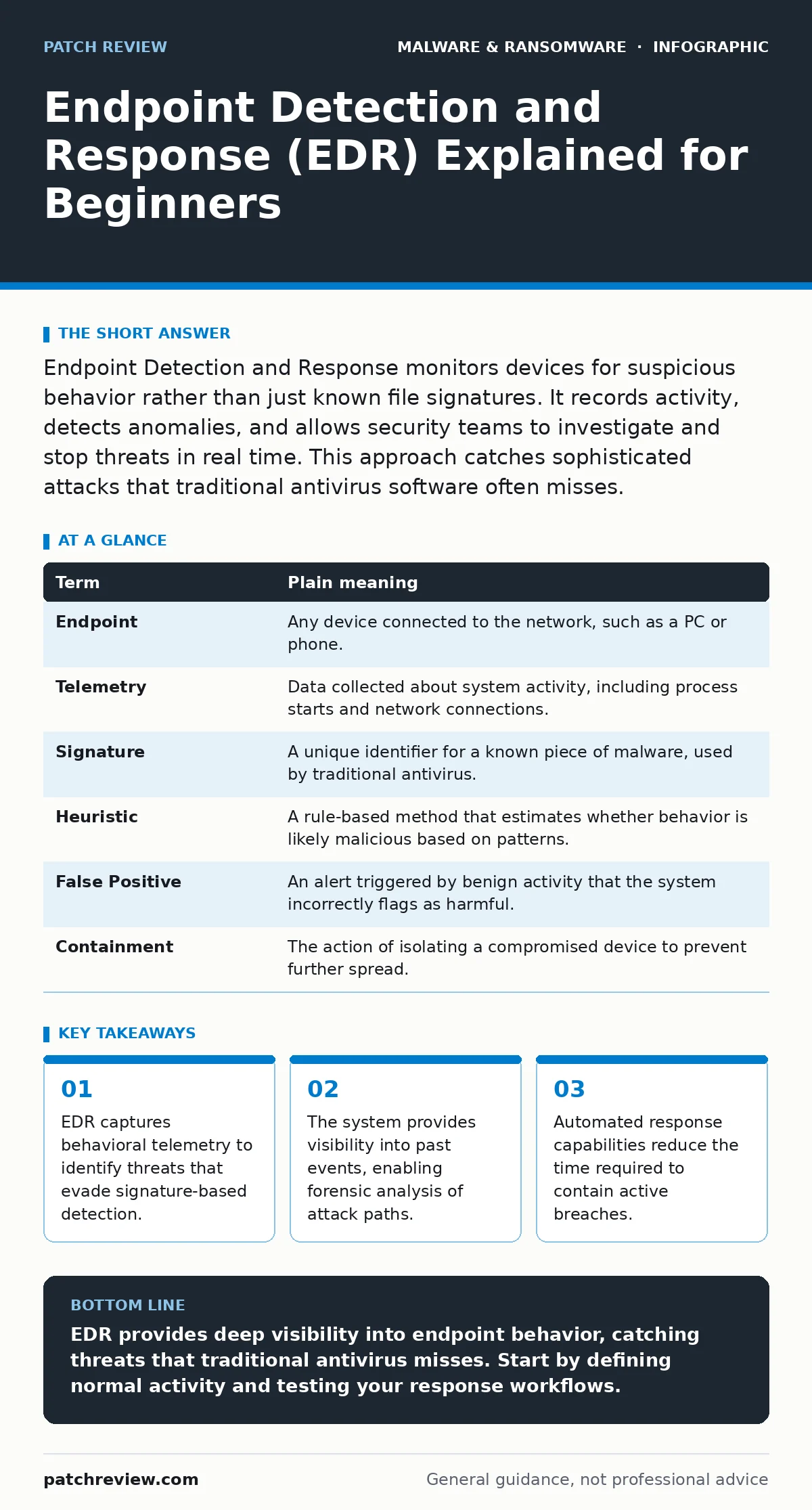
Endpoint Detection and Response monitors devices for suspicious behavior rather than just known file signatures. It records activity, detects anomalies, and allows security teams to investigate and stop threats in real time. This approach catches sophisticated attacks that traditional antivirus software often misses.
The Security Guard Analogy
Imagine a building with a strict security guard at the front door. The guard checks every visitor against a list of known criminals. If someone is not on the list, they are allowed inside. This represents traditional antivirus software. It relies on a database of known bad files. If a new criminal wears a disguise, the guard lets them in.
Now imagine that same building is equipped with cameras in every hallway. The cameras do not just check faces; they watch behavior. If a person enters a restricted room, moves quickly between floors, or tries to open a safe, the system flags the action. This is how Endpoint Detection and Response works. It watches what the device does, not just what files are present.
Defining the Core Mechanism
Endpoint Detection and Response is a cybersecurity product that continuously monitors and collects data from endpoints. An endpoint is any device that connects to a network, such as a laptop, desktop, or server. The system uses sensors installed on these devices to capture telemetry. Telemetry refers to the automated collection and transmission of data about the device's activity.
Unlike traditional antivirus, which focuses on the static properties of a file, EDR focuses on runtime behavior. It looks for sequences of actions that indicate malicious intent. For example, it might detect a legitimate program trying to modify system files in an unusual way. This behavioral approach allows defenders to spot threats that have never been seen before.
Key Terms for Beginners
Understanding the vocabulary helps you navigate technical discussions. These terms define how the system operates and what it reports.
| Term | Plain meaning |
|---|---|
| Endpoint | Any device connected to the network, such as a PC or phone. |
| Telemetry | Data collected about system activity, including process starts and network connections. |
| Signature | A unique identifier for a known piece of malware, used by traditional antivirus. |
| Heuristic | A rule-based method that estimates whether behavior is likely malicious based on patterns. |
| False Positive | An alert triggered by benign activity that the system incorrectly flags as harmful. |
| Containment | The action of isolating a compromised device to prevent further spread. |
Why Behavior Matters More
Traditional security tools struggle with fileless malware. This type of threat operates in memory and does not write malicious files to the disk. Since there is no file to scan, signature-based antivirus often ignores it. EDR detects the abnormal behavior of the processes running in memory. It sees the commands being executed and the changes being made to the system state.
This capability is critical against ransomware. Attackers often use legitimate system tools to move laterally through a network. This technique, known as living off the land, is hard to stop with file scanning. EDR recognizes when a standard tool is used in an unusual context. It alerts the security team before encryption begins. Understanding the ransomware attack chain helps you see where EDR intervenes.
The Trade-Offs of Monitoring
Deploying EDR requires careful planning. The sensors collect vast amounts of data. This creates storage costs and requires significant processing power. If the system is not tuned correctly, it may generate too many false positives. A false positive occurs when the system flags normal user activity as malicious. This leads to alert fatigue, where analysts ignore warnings because most are harmless.
You must balance visibility with performance. Heavy monitoring can slow down user devices. It can also raise privacy concerns if personal data is captured inadvertently. Organizations must define clear data retention policies. They must also ensure that only authorized personnel can access the collected telemetry. The cost of implementation includes hardware, software licenses, and the skilled staff needed to manage alerts.
See also: Malware Obfuscation Explained: How Code Hides from Detection · Ransomware Attack Chain: 6 Common Misreadings That Leave Gaps
Practical Steps to Start
Implementing EDR is not just about installing software. It requires a structured approach to ensure the data is useful. Follow these steps to begin your journey.
- Define your baseline. Understand what normal activity looks like on your devices. This includes typical process executions, network connections, and user behaviors. Without a baseline, you cannot identify anomalies.
- Configure alert thresholds. Start with conservative settings to reduce noise. Adjust them gradually as you become familiar with the types of alerts generated. This prevents overwhelming your team with irrelevant notifications.
- Test the response workflow. Simulate a benign threat to see how the system reacts. Verify that the containment actions work as expected. Ensure that the team knows how to investigate and resolve alerts efficiently.
Integrating with Broader Security
EDR does not operate in isolation. It works best when integrated with other security controls. For example, it can feed data into a Security Information and Event Management system. This provides a centralized view of all security events. It also helps in detecting complex threats that span multiple devices.
Consider the risk of potentially unwanted programs. These applications may not be malicious but can create vulnerabilities. EDR can help identify these programs by monitoring their behavior. It can also assist in managing malware persistence mechanisms. These are techniques attackers use to maintain access to a system. By detecting unusual persistence attempts, EDR helps defenders remove hidden backdoors.
The Human Element
Technology alone cannot stop every threat. The effectiveness of EDR depends on the skills of the security team. Analysts must understand how to investigate alerts and interpret telemetry data. They need to know how to trace the root cause of an incident. This requires continuous training and practice.
Security is an ongoing process. New threats emerge constantly. Attackers adapt their techniques to evade detection. Defenders must keep their knowledge up to date. They must also regularly review and update their EDR configurations. This ensures that the system remains effective against evolving threats.
Key takeaways
- EDR captures behavioral telemetry to identify threats that evade signature-based detection.
- The system provides visibility into past events, enabling forensic analysis of attack paths.
- Automated response capabilities reduce the time required to contain active breaches.
EDR provides deep visibility into endpoint behavior, catching threats that traditional antivirus misses. Start by defining normal activity and testing your response workflows.
Frequently asked questions
Does EDR replace antivirus software?
No, EDR complements antivirus. Antivirus blocks known threats using signatures, while EDR detects unknown threats using behavioral analysis. They work together to provide layered defense.
Can EDR detect all types of malware?
No, no system can detect everything. EDR is effective against behavioral anomalies but may miss threats that mimic normal activity perfectly. Regular updates and tuning are necessary.
Is EDR suitable for small businesses?
Yes, but it depends on resources. Small businesses may struggle with the cost and complexity. Cloud-based EDR solutions can reduce hardware requirements and management overhead.
How does EDR handle false positives?
EDR systems allow administrators to whitelist trusted processes and adjust sensitivity. Regular review of alerts helps refine the configuration and reduce unnecessary warnings over time.
How this guide was produced: written by the Patch Review editorial team with AI assistance, checked against the public references listed below, and reviewed when the facts change. See our editorial policy or report an error.