
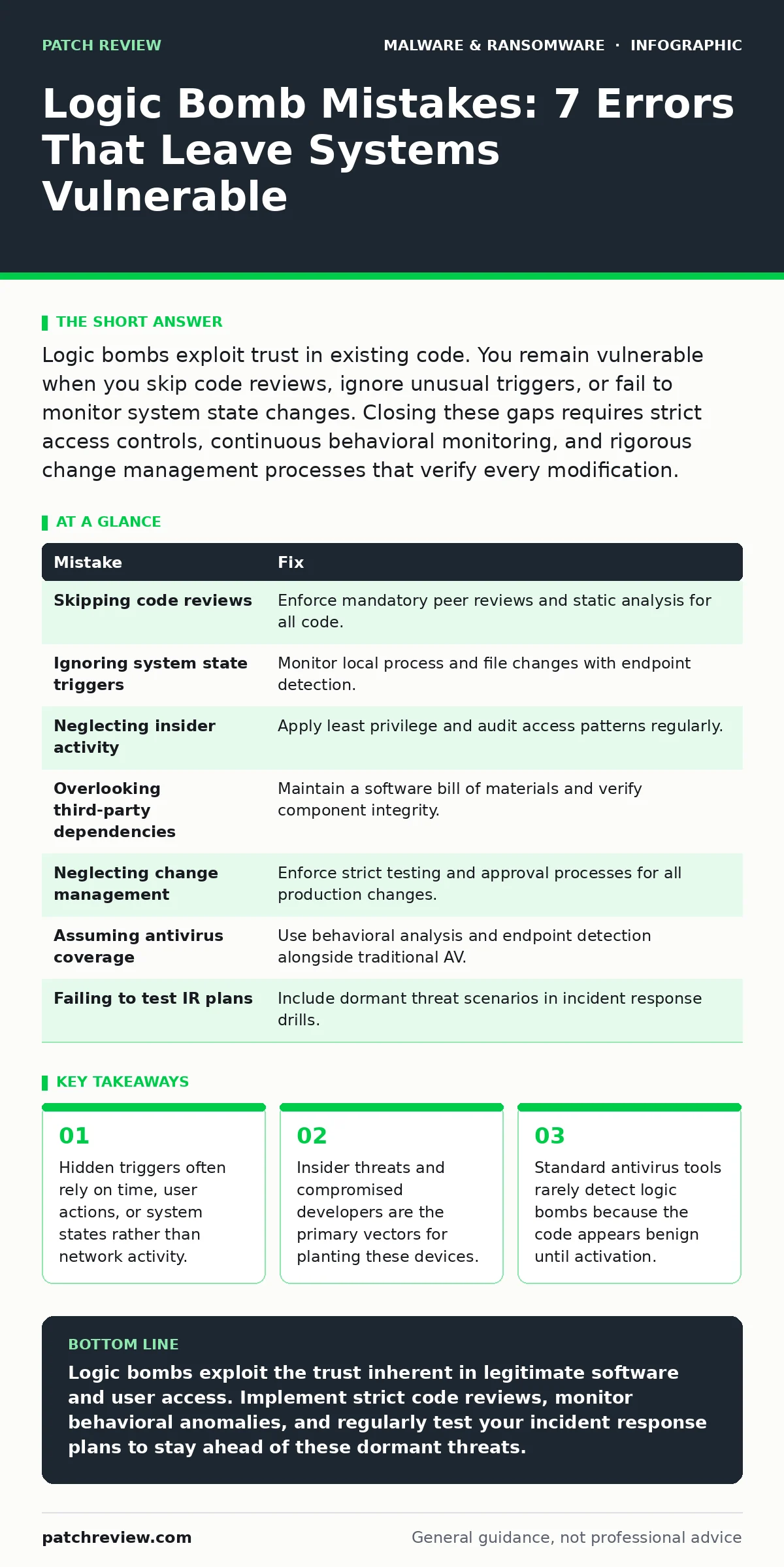
Logic bombs exploit trust in existing code. You remain vulnerable when you skip code reviews, ignore unusual triggers, or fail to monitor system state changes. Closing these gaps requires strict access controls, continuous behavioral monitoring, and rigorous change management processes that verify every modification.
Logic bombs are malicious programs designed to lie dormant until a predefined condition is met. Unlike ransomware that demands immediate attention, a logic bomb waits. It might delete files on a specific date, corrupt databases when a user logs off, or disable security controls when CPU usage drops. The danger lies in the delay. By the time the effect is visible, the damage is often irreversible, and the trigger mechanism has already fired.
Understanding why these devices persist requires looking at the gaps in standard security hygiene. Most organizations focus on perimeter defense and real-time threat detection. This focus leaves the internal logic of applications and the behavior of trusted users largely unchecked. A logic bomb does not need to break in; it needs to be invited in, or it needs to hide in plain sight within legitimate software.
Mistake 1: Skipping Code Reviews for Internal Tools
Developers often bypass formal review processes for internal utilities, scripts, or emergency patches. This assumption of trust creates a blind spot. A disgruntled employee or a compromised developer account can insert a trigger condition into this code. The code functions correctly for months, building a reputation for reliability, before the hidden condition is satisfied.
Why it hurts: The malicious logic is embedded in trusted binaries. Security tools allow the execution because the file signature matches known good software. The trigger might be as simple as the deletion of the developer’s own user account, ensuring the bomb activates precisely when the perpetrator leaves the organization.
The fix: Enforce mandatory code reviews for all software, including internal tools and scripts. Use static application security testing to scan for suspicious conditional statements. Implement a policy where no code runs in production without a second pair of eyes verifying the logic flow. This aligns with best practices for preventing malware persistence mechanisms that rely on trusted execution paths.
Mistake 2: Ignoring Unusual System State Triggers
Many logic bombs trigger based on system states rather than network traffic. They might activate when a specific process is not running, when a file is missing, or when the system clock reaches a certain value. Standard monitoring often focuses on network anomalies, leaving these local state changes unobserved.
Why it hurts: The attack is invisible to network-based detection. The system behaves normally until the precise moment the condition is met. By then, the payload executes locally, bypassing network firewalls and intrusion detection systems that look for external communication patterns.
The fix: Implement endpoint detection and response solutions that monitor process creation and file system changes. Look for anomalies in system state, such as processes starting at unusual times or files being accessed in unexpected sequences. This approach helps detect fileless malware that relies on memory execution and local triggers rather than dropping traditional executable files.
Mistake 3: Failing to Monitor Insider Activity
Logic bombs are frequently planted by insiders who have legitimate access to critical systems. These individuals know the blind spots in monitoring. They can plant the device during normal working hours, using their own credentials, which makes the activity look like routine maintenance.
Why it hurts: User and entity behavior analytics often struggle to distinguish between complex legitimate tasks and subtle malicious preparations. If an insider has high privileges, their actions may not generate alerts. The bomb remains dormant, protected by the user’s legitimate access rights, until the trigger fires.
The fix: Apply the principle of least privilege strictly. Regularly audit access rights and revoke unnecessary permissions. Monitor for unusual access patterns, such as logins at odd hours or access to sensitive data without a business justification. This reduces the surface area for infostealers that rely on compromised credentials to exfiltrate data silently.
Mistake 4: Overlooking Third-Party Software Dependencies
Organizations often trust third-party libraries and open-source components without verifying their integrity. A logic bomb can be hidden within a widely used dependency. When the organization updates its software, the malicious component is installed alongside the legitimate code.
Why it hurts: The supply chain attack vector bypasses internal security controls. The software vendor may not even be aware of the compromise. The logic bomb activates when the organization’s environment meets the specific trigger, affecting all systems that use the compromised component.
The fix: Maintain a software bill of materials to track all dependencies. Verify the integrity of downloaded components using checksums and digital signatures. Scan third-party code for anomalies before integration. This practice is critical for mitigating risks associated with potentially unwanted programs that masquerade as legitimate updates or utilities.
Mistake 5: Neglecting Change Management Protocols
Hasty changes to production environments, often done to fix urgent issues, bypass standard testing procedures. This rush creates opportunities for introducing logic bombs, either accidentally through flawed code or intentionally by someone with access to the change process.
Why it hurts: Without rigorous testing, the trigger condition may go unnoticed. The change is deployed to the entire environment, spreading the vulnerability. If the trigger is time-based, the entire organization may experience simultaneous failures, amplifying the impact.
The fix: Enforce strict change management protocols that require testing in isolated environments before production deployment. Use automated testing to verify that changes do not introduce unexpected behavior. Document all changes and maintain an audit trail. This discipline helps prevent ransomware-as-a-service operators from exploiting weak change controls to deploy their payloads.
Mistake 6: Assuming Antivirus Provides Full Coverage
Traditional antivirus software relies on signature-based detection. Logic bombs often use polymorphic code or are embedded in legitimate files, making them invisible to signature scanners. Users assume that because no alert was raised, the system is clean.
Why it hurts: The false sense of security delays detection. The logic bomb remains active, waiting for its trigger. By the time the damage is evident, the system may already be compromised, and the attacker may have established additional footholds.
The fix: Supplement antivirus with behavioral analysis and endpoint detection and response. These tools look for suspicious actions rather than known malicious signatures. Regularly update detection rules and tune them to reduce false positives. This layered approach is necessary to combat malware obfuscation techniques that hide the true intent of the code.
Mistake 7: Failing to Test Incident Response Plans
Incident response plans often focus on immediate threats like active ransomware attacks. They rarely include scenarios for dormant threats that activate unexpectedly. When a logic bomb fires, teams may not recognize the pattern, leading to delayed response and increased damage.
Why it hurts: Confusion and lack of preparedness allow the attack to spread. Teams may attempt to restore from backups that also contain the logic bomb, perpetuating the cycle. The lack of a specific playbook for dormant triggers slows down containment efforts.
The fix: Include logic bomb scenarios in incident response drills. Test the ability to detect and isolate systems based on behavioral anomalies rather than just known indicators of compromise. Ensure backup integrity by using immutable storage and regular verification. This preparation is vital for managing the aftermath of crypto-stealing malware that may accompany the primary attack.
| Mistake | Fix |
|---|---|
| Skipping code reviews | Enforce mandatory peer reviews and static analysis for all code. |
| Ignoring system state triggers | Monitor local process and file changes with endpoint detection. |
| Neglecting insider activity | Apply least privilege and audit access patterns regularly. |
| Overlooking third-party dependencies | Maintain a software bill of materials and verify component integrity. |
| Neglecting change management | Enforce strict testing and approval processes for all production changes. |
| Assuming antivirus coverage | Use behavioral analysis and endpoint detection alongside traditional AV. |
| Failing to test IR plans | Include dormant threat scenarios in incident response drills. |
Key takeaways
- Hidden triggers often rely on time, user actions, or system states rather than network activity.
- Insider threats and compromised developers are the primary vectors for planting these devices.
- Standard antivirus tools rarely detect logic bombs because the code appears benign until activation.
Logic bombs exploit the trust inherent in legitimate software and user access. Implement strict code reviews, monitor behavioral anomalies, and regularly test your incident response plans to stay ahead of these dormant threats.
Frequently asked questions
How do I detect a logic bomb that has not yet triggered?
Focus on behavioral anomalies and code reviews. Look for unusual conditional statements in code and monitor for processes that run at irregular intervals or under specific system states.
Can antivirus software remove a logic bomb?
Traditional antivirus often misses logic bombs because they hide in legitimate code. Endpoint detection and response tools that analyze behavior are more effective at identifying and stopping these threats.
What is the difference between a logic bomb and a virus?
A virus replicates and spreads to other systems, while a logic bomb remains dormant until a specific condition is met. A logic bomb does not necessarily replicate; it waits to execute its payload.
How can I protect against insider threats planting logic bombs?
Implement strict access controls, monitor user activity for anomalies, and enforce separation of duties. Regular audits and code reviews help identify and prevent malicious modifications by insiders.
How this guide was produced: written by the Patch Review editorial team with AI assistance, checked against the public references listed below, and reviewed when the facts change. See our editorial policy or report an error.