
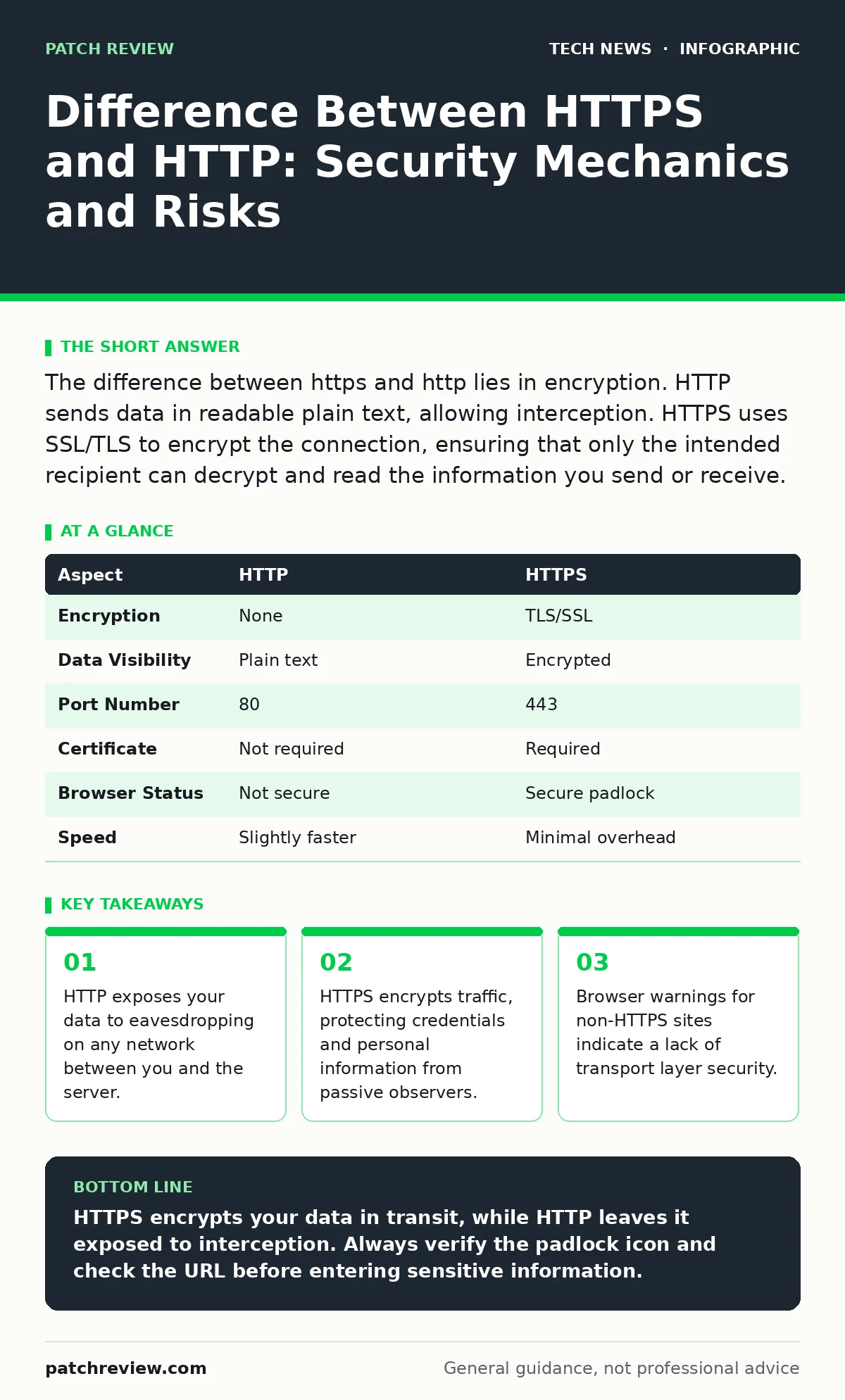
The difference between https and http lies in encryption. HTTP sends data in readable plain text, allowing interception. HTTPS uses SSL/TLS to encrypt the connection, ensuring that only the intended recipient can decrypt and read the information you send or receive.
Everyday Analogy for Data Transmission
Imagine sending a postcard versus a sealed letter. When you send a postcard, anyone handling the mail can read your message. The postal worker, the sorting machine operator, and the delivery person all see your words. This is how HTTP works. Your data travels across the internet in plain text.
Now imagine sending a sealed envelope. The postal workers can see the address, but they cannot read the contents without breaking the seal. This is how HTTPS works. The encryption acts as the seal, keeping your message private even if someone intercepts the package during transit.
Difference Between HTTPS and HTTP
The difference between https and http is the presence of an encryption layer. HTTP stands for Hypertext Transfer Protocol. It is the foundation of data communication for the World Wide Web. It requests and delivers web pages. However, it does not protect the data in transit.
HTTPS stands for Hypertext Transfer Protocol Secure. It adds a security layer on top of HTTP. This layer is usually SSL (Secure Sockets Layer) or TLS (Transport Layer Security). TLS is the modern standard. It encrypts the data before it leaves your device. The server decrypts it upon arrival. This process prevents third parties from reading your traffic.
How HTTPS Works Technically
HTTPS relies on a handshake process to establish a secure connection. Your browser and the server exchange information to agree on encryption methods. They also verify the server's identity using a digital certificate. This certificate is issued by a trusted Certificate Authority.
Once the handshake completes, the browser and server generate shared secret keys. These keys encrypt all subsequent data. The encryption ensures confidentiality and integrity. Confidentiality means only the two parties can read the data. Integrity means the data cannot be altered in transit without detection. If an attacker modifies the data, the receiver will know.
| Aspect | HTTP | HTTPS |
|---|---|---|
| Encryption | None | TLS/SSL |
| Data Visibility | Plain text | Encrypted |
| Port Number | 80 | 443 |
| Certificate | Not required | Required |
| Browser Status | Not secure | Secure padlock |
| Speed | Slightly faster | Minimal overhead |
Who Is Affected by the Choice
Every internet user is affected by the protocol choice. When you log into a bank account, HTTPS protects your credentials. Without it, anyone on the same Wi-Fi network could capture your username and password. This applies to students, employees, and home users alike.
Websites that handle sensitive data must use HTTPS. This includes e-commerce stores, healthcare portals, and social media platforms. Even blogs benefit from HTTPS. Search engines prioritize secure sites in rankings. Users trust sites with the padlock icon more. The shift to HTTPS is now a baseline expectation for web credibility.
What People Usually Get Wrong
Many users believe the padlock icon means a website is safe. This is a common misconception. The padlock only confirms that the connection is encrypted. It does not verify that the website is legitimate. A phishing site can have a valid HTTPS certificate. You can send your password to a scammer over a secure connection.
Another mistake is assuming HTTPS protects all data. It only protects data in transit. Once the data reaches the server, it is subject to server-side security measures. If the server is compromised, your data is at risk. HTTPS does not protect against malware on your device. It does not protect against poor password policies.
See also: Cookies and Sessions: How Web State Works and Where It Breaks · USB Security Dongle: How Hardware Keys Stop Account Takeovers
Practical Steps for Users
You can check if a site uses HTTPS by looking at the address bar. Most modern browsers display a padlock icon for secure sites. If you see "Not Secure" or a warning, do not enter any personal information. Leave the site immediately. Browsers are getting better at blocking insecure connections automatically.
For website owners, enabling HTTPS is mandatory. Use free certificates from public authorities like Let's Encrypt. Configure your server to redirect all HTTP traffic to HTTPS. This ensures users always connect securely. Keep your TLS configuration up to date. Disable old protocols like SSLv3 and TLS 1.0. They have known vulnerabilities.
Related Security Considerations
HTTPS is one part of a broader security strategy. It works alongside other measures to protect your digital life. For instance, cookies and sessions manage your login state. If a cookie is stolen, an attacker can hijack your session. HTTPS protects the cookie in transit, but you must also set secure flags on cookies.
DNSSEC (Domain Name System Security Extensions) protects the initial lookup. It ensures you connect to the correct server IP address. Without DNSSEC, an attacker could redirect you to a fake server, even if you type the correct URL. HTTPS and DNSSEC work together to provide end-to-end trust.
Password policies also play a role. A strong password is useless if sent over HTTP. HTTPS ensures the password is encrypted during login. However, if you reuse passwords, a breach on one site compromises others. Use a password manager to generate unique, complex passwords for each site.
Conclusion on Protocol Choice
The choice between HTTP and HTTPS is no longer optional. HTTP is obsolete for any site handling user data. HTTPS provides the necessary encryption to protect privacy and integrity. Users should expect HTTPS on every site they visit. Website owners must implement it to maintain trust and compliance.
Understanding the mechanics helps you spot anomalies. If a secure site suddenly drops to HTTP, investigate the cause. It could be a configuration error or an attack. Stay informed about security best practices. Review your browser settings regularly. Ensure your devices are updated to support the latest TLS versions.
Key takeaways
- HTTP exposes your data to eavesdropping on any network between you and the server.
- HTTPS encrypts traffic, protecting credentials and personal information from passive observers.
- Browser warnings for non-HTTPS sites indicate a lack of transport layer security.
- Encryption does not verify the legitimacy of the website content itself.
HTTPS encrypts your data in transit, while HTTP leaves it exposed to interception. Always verify the padlock icon and check the URL before entering sensitive information.
Frequently asked questions
Does HTTPS protect against viruses?
No, HTTPS only encrypts the connection. It does not scan for or block malware on your device or the server.
Can I use HTTPS on my own local network?
Yes, you can configure local services to use HTTPS. This protects data even within your home or office network.
Why do some old sites still use HTTP?
Older sites may lack resources to upgrade or use outdated software that does not support modern encryption standards.
Is HTTPS slower than HTTP?
The initial handshake adds minimal delay. Modern processors handle encryption efficiently, making the speed difference negligible for most users.
How this guide was produced: written by the Patch Review editorial team with AI assistance, checked against the public references listed below, and reviewed when the facts change. See our editorial policy or report an error.