
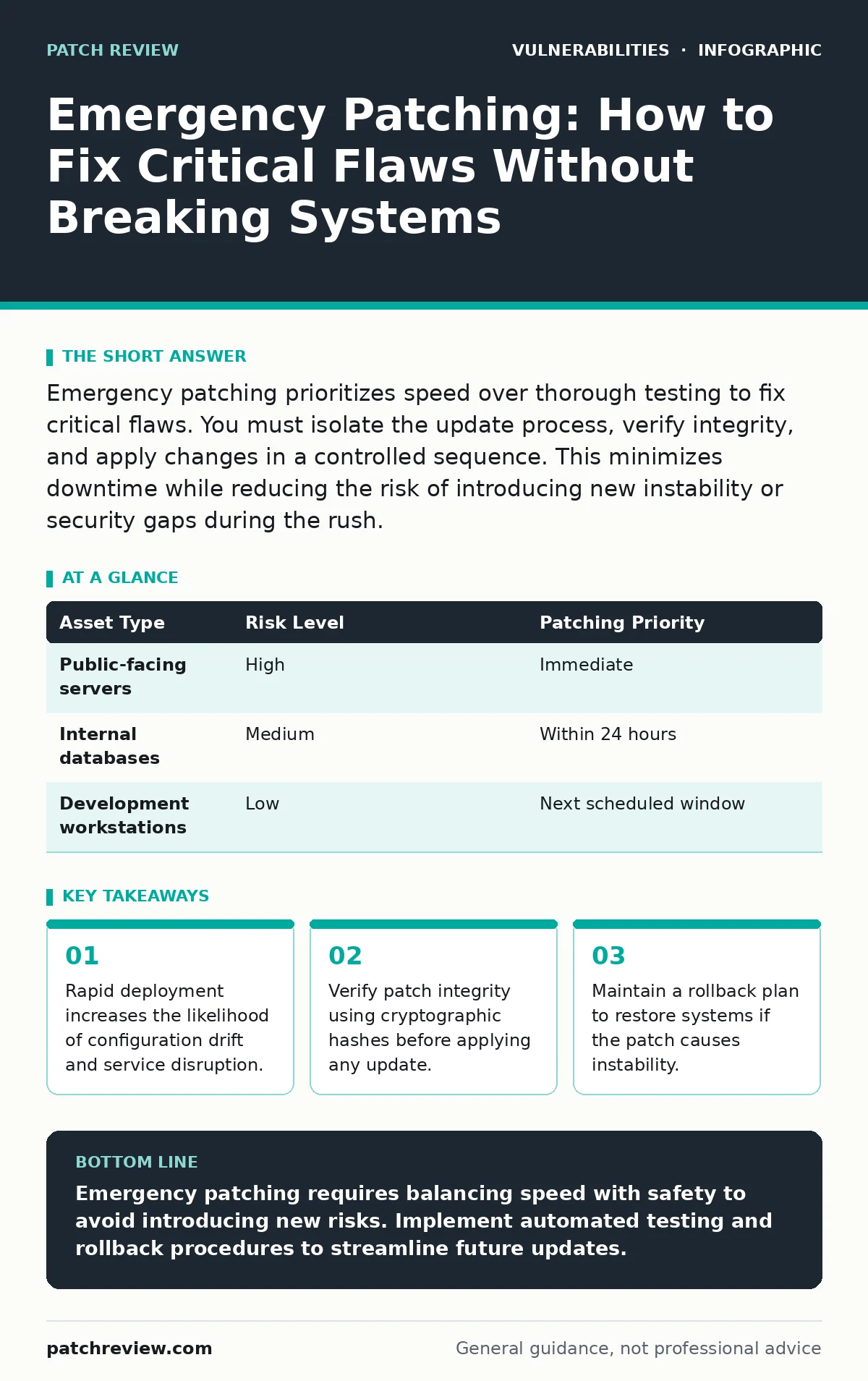
Emergency patching prioritizes speed over thorough testing to fix critical flaws. You must isolate the update process, verify integrity, and apply changes in a controlled sequence. This minimizes downtime while reducing the risk of introducing new instability or security gaps during the rush.
Why does emergency patching differ from routine maintenance?
Emergency patching addresses a known, actively exploitable vulnerability that poses an immediate threat to your infrastructure. Unlike routine maintenance, which follows a scheduled cycle with extensive testing, emergency updates require immediate action with limited validation time. This urgency shifts the risk profile from operational stability to security containment. You are trading thorough verification for speed to close a window of exposure.
How do you identify which systems need immediate attention?
You must prioritize assets based on their exposure and the severity of the vulnerability. Systems facing the internet or holding sensitive data require immediate patching. Internal systems with limited access can often wait for a verified window. This triage prevents you from wasting resources on low-risk assets while high-value targets remain exposed.
| Asset Type | Risk Level | Patching Priority |
|---|---|---|
| Public-facing servers | High | Immediate |
| Internal databases | Medium | Within 24 hours |
| Development workstations | Low | Next scheduled window |
What is the first step before applying the patch?
You must verify the authenticity of the patch file using cryptographic hashes. Download the update from the official vendor source and compare its hash against the published value. This step ensures the file has not been tampered with or corrupted during transfer. Applying a modified patch can introduce backdoors or cause system failure.
How do you test the patch without delaying deployment?
Apply the patch to a single non-production instance that mirrors your production environment. Monitor this instance for stability, performance issues, and configuration conflicts. If the system remains stable for a short observation period, proceed with broader deployment. This limited testing provides confidence without significantly delaying the emergency response.
What is the safest way to deploy the patch at scale?
Monitor each wave for errors, service disruptions, or unexpected behavior before proceeding to the next group. This staged approach limits the blast radius if the patch causes issues. It allows you to halt deployment and investigate problems before they affect all systems.
See also: N-Day Vulnerabilities: How to Read the Risk Correctly · OWASP Top 10 FAQ: Clarifying Misconceptions and Real-World Impact
How do you handle systems that cannot be patched immediately?
Implement compensating controls to mitigate the risk while the patch is pending. You might restrict network access, disable vulnerable features, or deploy virtual patches via a web application firewall. These measures reduce the attack surface without requiring changes to the underlying system. This strategy buys time for systems that require extended downtime or complex validation.
What is the role of exposure management in emergency patching?
Exposure management helps you identify unknown assets and misconfigurations that could be exploited. It provides a real-time view of your attack surface, ensuring you do not miss critical systems during the patching process. Without accurate visibility, you might patch known assets while leaving shadow IT or forgotten servers vulnerable. This gap can undermine the entire emergency response effort.
How do you ensure the patch does not break dependent services?
Review the patch notes for changes to APIs, libraries, or configuration formats. Test integrations with dependent services in your staging environment before full deployment. Some updates remove deprecated features or change default behaviors that other systems rely on. Identifying these conflicts early prevents cascading failures across your infrastructure.
What is the rollback procedure if the patch causes issues?
Maintain a recent backup or snapshot of your systems before applying the patch. If critical failures occur, restore the system to its pre-patch state immediately. Document the steps taken to apply the patch and any errors encountered. This information helps you analyze the failure and prepare a corrected patch for future deployment.
How do you verify the patch was successful?
Run vulnerability scans or integrity checks to confirm the vulnerability is closed. Verify that the new version of the software is active and functioning correctly. Check logs for any errors or warnings related to the update. This verification step ensures the patch achieved its goal and did not introduce new issues.
What lessons should you learn from the emergency patching process?
Document the timeline, challenges, and outcomes of the emergency patching effort. Identify bottlenecks in your approval, testing, or deployment processes. Use this information to improve your incident response plans and automation tools. Continuous improvement reduces the impact of future emergencies and increases your team's efficiency.
Key takeaways
- Rapid deployment increases the likelihood of configuration drift and service disruption.
- Verify patch integrity using cryptographic hashes before applying any update.
- Maintain a rollback plan to restore systems if the patch causes instability.
- Segment critical assets to contain potential issues during the patching window.
Emergency patching requires balancing speed with safety to avoid introducing new risks. Implement automated testing and rollback procedures to streamline future updates.
Frequently asked questions
Can I apply emergency patches to production systems without testing?
No, you should always test on a representative non-production system first. Skipping testing increases the risk of deployment failures and service disruptions.
How long should I wait before deploying an emergency patch?
Deploy as soon as you have verified the patch integrity and tested it on a single instance. Delays increase the window of exposure to active exploits.
What if the vendor does not provide a patch immediately?
Implement compensating controls like network segmentation or feature disabling. Monitor for updates and apply the patch as soon as it becomes available.
Do emergency patches require different approval processes?
Yes, they often bypass standard change management procedures. However, you must still document the change and verify its success post-deployment.
How this guide was produced: written by the Patch Review editorial team with AI assistance, checked against the public references listed below, and reviewed when the facts change. See our editorial policy or report an error.