
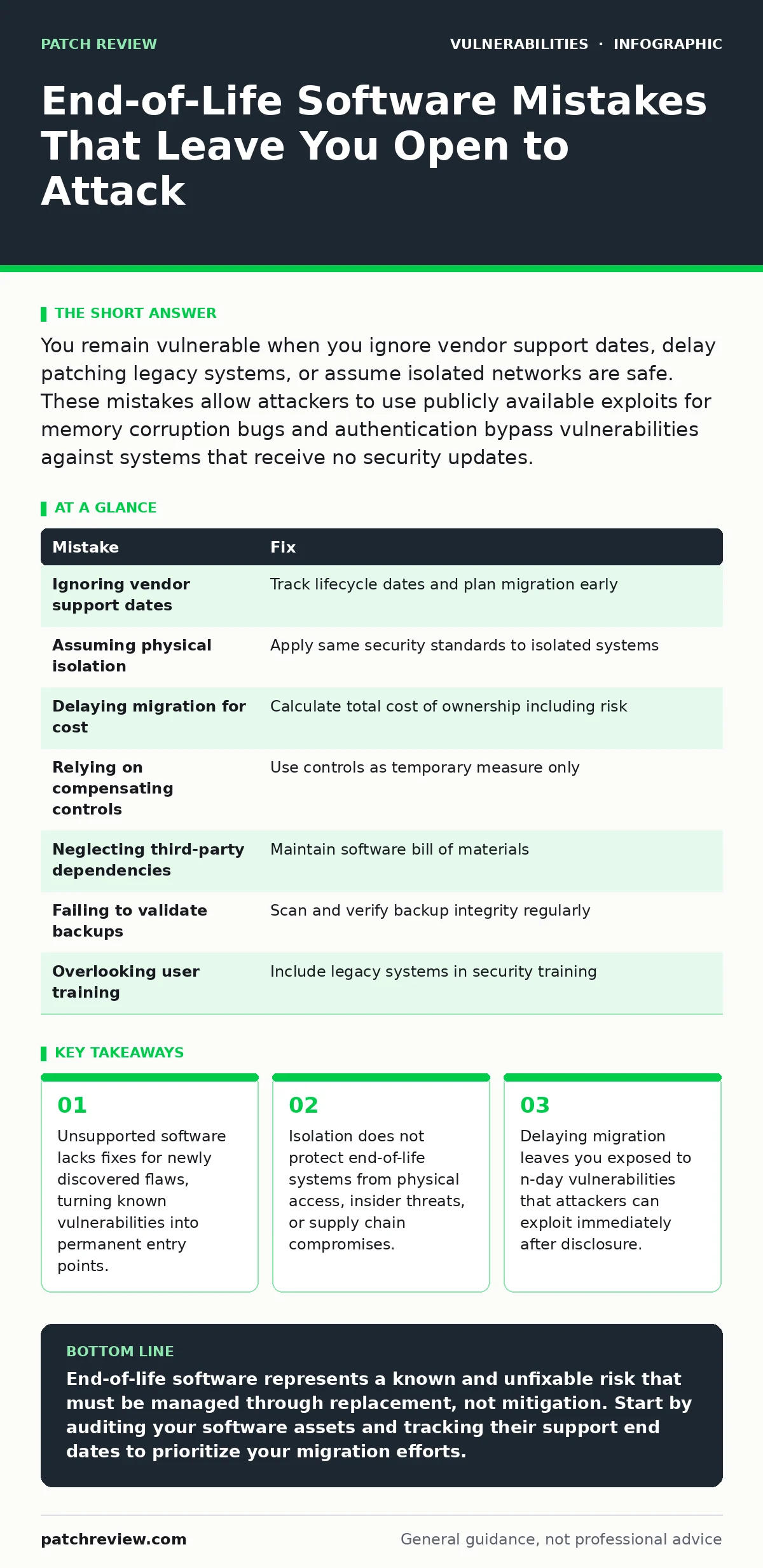
You remain vulnerable when you ignore vendor support dates, delay patching legacy systems, or assume isolated networks are safe. These mistakes allow attackers to use publicly available exploits for memory corruption bugs and authentication bypass vulnerabilities against systems that receive no security updates.
Mistake 1: Ignoring Vendor Support Lifecycle Dates
Organizations often focus on current security threats while neglecting the long-term support status of their software. When a vendor declares a product end-of-life, it stops receiving security patches. This decision is final and usually announced well in advance. You must track these dates to plan migrations. Ignoring them means your defenses degrade predictably over time.
Why it hurts:
You lose the ability to patch critical flaws. Attackers catalog these known weaknesses and build tools to exploit them automatically. Your system becomes a predictable target. The lack of updates turns every new discovery into an immediate risk. You face exposure to memory corruption bugs that vendors no longer fix.
The fix:
Maintain a registry of all software assets and their support end dates. Subscribe to vendor lifecycle announcements. Plan migration or replacement before support ends. Test new versions in a staging environment. Ensure business continuity during the transition. Document the decommissioning process for old hardware.
Mistake 2: Assuming Physical Isolation Provides Security
Teams often believe that disconnecting end-of-life systems from the internet makes them safe. They argue that without network access, remote attackers cannot reach the software. This assumption fails when considering physical access, maintenance ports, or internal threats. Isolated systems often handle sensitive data or control critical infrastructure. They require just as much protection as connected systems.
Why it hurts:
Attackers can gain access through physical ports, maintenance laptops, or compromised supply chain components. Once inside, they can move laterally to connected networks. The isolated system becomes a bridge for intrusion. You also miss out on centralized monitoring. An attacker can operate silently without triggering network-based alerts.
The fix:
Apply the same security standards to isolated systems as to connected ones. Restrict physical access with locks and badges. Monitor maintenance ports and USB connections. Use air-gapped backups for recovery. Treat internal users with access to these systems as potential threats. Audit all maintenance activities regularly.
Mistake 3: Delaying Migration Due to Cost Concerns
Organizations frequently delay replacing end-of-life software to save money. They choose to keep running unsupported systems rather than invest in new hardware or licenses. This short-term saving leads to long-term risk. The cost of a breach far exceeds the cost of replacement. Delaying migration increases the window of exposure to n-day vulnerabilities.
Why it hurts:
You accumulate technical debt that becomes harder to resolve over time. Integrations with modern systems break. Finding staff who know the old technology becomes difficult. The system becomes fragile and prone to failure. Attackers target these known, unpatched systems with high success rates. You pay more for emergency fixes later.
The fix:
Calculate the total cost of ownership, including risk. Include potential breach costs in your budget. Phase migrations to spread out expenses. Seek grants or subsidies for critical infrastructure upgrades. Document the business case for replacement. Show how new systems improve efficiency and security.
Mistake 4: Relying on Compensating Controls Alone
Security teams sometimes believe that firewalls, intrusion detection systems, or strict access controls can protect end-of-life software. They argue that these layers prevent attackers from reaching the vulnerable code. This approach fails when attackers find a way past the perimeter. Compensating controls add friction but do not fix the underlying flaw.
Why it hurts:
Compensating controls can be bypassed or misconfigured. They do not address the root cause of the vulnerability. Attackers can use social engineering or insider threats to bypass these controls. The software remains vulnerable to side-channel attacks or path traversal vulnerabilities. You create a false sense of security.
The fix:
Use compensating controls as a temporary measure only. Plan for immediate replacement or isolation. Reduce the attack surface by disabling unnecessary features. Limit user access to the minimum required. Monitor for signs of compromise. Treat these controls as a stopgap, not a solution.
Mistake 5: Neglecting Third-Party and Legacy Dependencies
Organizations often focus on their own software while ignoring third-party components. Many applications include libraries or frameworks that reach end-of-life independently. These dependencies can contain critical flaws. You may not know these components are unsupported. This lack of visibility leaves hidden gaps in your defense.
Why it hurts:
Attackers target these known dependencies to gain access to the main application. You face exposure to prototype pollution or other common flaws in outdated libraries. Patching the main application does not fix the underlying dependency. You must update or replace the entire stack. Ignoring these components creates a chain reaction of risk.
The fix:
Maintain a software bill of materials for all applications. Track the support status of all dependencies. Automate dependency updates where possible. Test updates for compatibility issues. Remove unused libraries and frameworks. Engage with vendors to ensure they update their components.
See also: OWASP Top 10 FAQ: Clarifying Misconceptions and Real-World Impact · Emergency Patching: How to Fix Critical Flaws Without Breaking Systems
Mistake 6: Failing to Validate Backup Integrity
Teams often assume that backups of end-of-life systems are safe. They believe that restoring from backup will recover the system to a clean state. This assumption fails if the backup contains malware or configuration errors. Restoring a compromised backup spreads the infection. You must verify the integrity of backups before restoring.
Why it hurts:
You reintroduce vulnerabilities and malware into your environment. The restored system is just as vulnerable as the original. Attackers can tamper with backups to ensure persistence. You lose the ability to recover effectively. The restoration process becomes a vector for further compromise.
The fix:
Scan backups for malware before restoration. Verify the integrity of backup files. Store backups offline or in immutable storage. Test restoration procedures regularly. Ensure backups do not include unnecessary data. Monitor backup logs for anomalies.
Mistake 7: Overlooking User Training on Legacy Systems
Users often interact with end-of-life systems differently. They may bypass security controls to get work done. They may not recognize the risks associated with outdated interfaces. Training programs often focus on modern systems and ignore legacy tools. This gap leaves users vulnerable to social engineering and misconfiguration.
Why it hurts:
Users become the weakest link in your defense. They may accidentally expose sensitive data. They may install unauthorized software to work around limitations. Attackers target users with tailored phishing campaigns. You lose the benefit of technical controls. Human error compounds technical vulnerabilities.
The fix:
Include legacy systems in your security training. Teach users to recognize risks specific to outdated software. Provide clear guidance on reporting issues. Encourage users to follow security protocols strictly. Monitor user activity for signs of compromise. Update training materials regularly.
| Mistake | Fix |
|---|---|
| Ignoring vendor support dates | Track lifecycle dates and plan migration early |
| Assuming physical isolation | Apply same security standards to isolated systems |
| Delaying migration for cost | Calculate total cost of ownership including risk |
| Relying on compensating controls | Use controls as temporary measure only |
| Neglecting third-party dependencies | Maintain software bill of materials |
| Failing to validate backups | Scan and verify backup integrity regularly |
| Overlooking user training | Include legacy systems in security training |
Key takeaways
- Unsupported software lacks fixes for newly discovered flaws, turning known vulnerabilities into permanent entry points.
- Isolation does not protect end-of-life systems from physical access, insider threats, or supply chain compromises.
- Delaying migration leaves you exposed to n-day vulnerabilities that attackers can exploit immediately after disclosure.
End-of-life software represents a known and unfixable risk that must be managed through replacement, not mitigation. Start by auditing your software assets and tracking their support end dates to prioritize your migration efforts.
Frequently asked questions
How do I know if my software is end-of-life?
Check the vendor's official website for lifecycle announcements. Look for support end dates and security update schedules.
Can I patch end-of-life software myself?
You can apply unofficial patches, but they are not verified. This practice introduces new risks and may break functionality.
What is the difference between end-of-life and end-of-support?
End-of-life means the product is no longer sold. End-of-support means no security updates are provided. Both create risk.
How do I handle critical infrastructure with end-of-life software?
Isolate the system, apply strict access controls, and plan for immediate replacement. Engage with vendors for extended support if available.
How this guide was produced: written by the Patch Review editorial team with AI assistance, checked against the public references listed below, and reviewed when the facts change. See our editorial policy or report an error.