
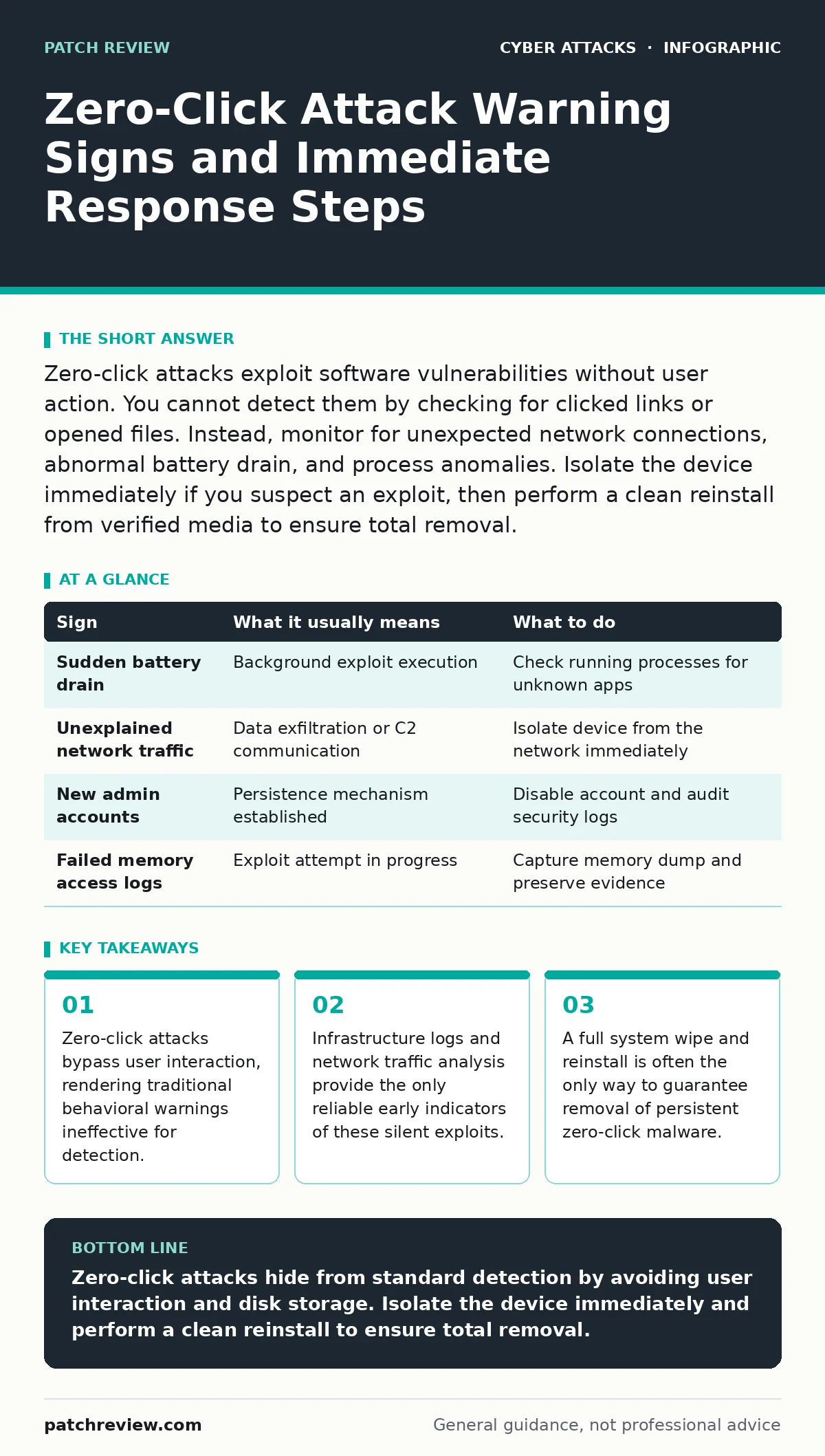
Zero-click attacks exploit software vulnerabilities without user action. You cannot detect them by checking for clicked links or opened files. Instead, monitor for unexpected network connections, abnormal battery drain, and process anomalies. Isolate the device immediately if you suspect an exploit, then perform a clean reinstall from verified media to ensure total removal.
What defines a zero-click attack mechanism
A zero-click attack exploits a software vulnerability to execute code without any user interaction. The term "zero-click" indicates that the victim does not click a link, open an attachment, or approve a prompt. The exploit triggers automatically when the vulnerable software processes data. This data might arrive via a messaging app, a network protocol, or a background service. The attack chain relies on memory corruption techniques to redirect execution flow. Because no user action is required, traditional security awareness training provides no defense. The vulnerability exists in the code, not in the user's judgment.
First signs people notice on the device
Users rarely see visual alerts for zero-click exploits. The first noticeable signs are often subtle changes in device performance. You might observe unexpected battery drain because background processes are running continuously. Network usage may spike when the device exfiltrates data or communicates with a command server. The device might feel warm to the touch due to increased CPU activity. These symptoms are generic and often attributed to poor battery health or heavy apps. You must correlate these performance issues with other indicators to suspect a zero-click compromise.
Signs that are easy to miss without logs
Silent indicators require access to system logs or network monitoring tools. You might see new processes spawning from unexpected parent processes. A web browser might launch a hidden instance to process malicious payloads. Network logs may show connections to unfamiliar IP addresses on non-standard ports. The operating system might report memory access violations that are quickly suppressed. These signs are easy to miss because they occur in milliseconds. Without persistent logging, the evidence disappears before an analyst can review it.
| Sign | What it usually means | What to do |
|---|---|---|
| Sudden battery drain | Background exploit execution | Check running processes for unknown apps |
| Unexplained network traffic | Data exfiltration or C2 communication | Isolate device from the network immediately |
| New admin accounts | Persistence mechanism established | Disable account and audit security logs |
| Failed memory access logs | Exploit attempt in progress | Capture memory dump and preserve evidence |
Why standard defenses often fail to alert
Traditional antivirus solutions rely on known signatures or behavioral heuristics. Zero-click attacks often use fileless techniques or exploit legitimate system components. The malicious code resides in memory rather than on disk. Signature-based detection cannot match code that does not exist as a file. Behavioral alerts may trigger false positives for legitimate software updates. The exploit chain is designed to stay below the threshold of detection. This creates a blind spot for endpoint protection platforms. You cannot rely on standard security software to catch every zero-click attempt.
Immediate steps when you suspect compromise
Suspecting a zero-click attack requires immediate containment. Do not attempt to scan the device while it remains connected to the network. The attacker may maintain access and wipe forensic evidence. Disconnect the device from Wi-Fi and cellular networks. Enable airplane mode to block all wireless transmissions. This stops active data exfiltration and command reception. Preserve the current state of the device for analysis if possible. Do not reboot the device, as this may clear volatile memory containing exploit artifacts. Secure the physical device to prevent tampering.
See also: Replay Attack Response: Containment, Recovery, and Prevention Steps · Warning Signs of GitLab Vulnerabilities in Self-Hosted Instances
Long-term recovery and system hardening
Recovery from a zero-click compromise is difficult. You cannot simply delete the malicious file because it may not exist on disk. The safest recovery method is a full factory reset or clean reinstall. You must restore the operating system from verified, signed installation media. Do not restore user data from backups until you have verified their integrity. Backups may contain the same vulnerabilities or persistent backdoors. Update all software to the latest versions before reconnecting to the network. Enable strict conditional access policies to limit lateral movement. Review your security posture against replay attacks to prevent credential reuse.
Preventing future zero-click exploitation
Prevention focuses on reducing the attack surface. Keep all software updated to patch known vulnerabilities. Enable automatic updates where possible to minimize the window of exposure. Use application whitelisting to restrict which programs can run. Implement network segmentation to limit the impact of a compromised device. Monitor for anomalies in system behavior using specialized endpoint detection tools. Consider using passkeys to reduce the risk of credential theft. While these measures do not stop every zero-click attack, they increase the difficulty for attackers. Regular security audits help identify weak points before exploitation.
Key takeaways
- Zero-click attacks bypass user interaction, rendering traditional behavioral warnings ineffective for detection.
- Infrastructure logs and network traffic analysis provide the only reliable early indicators of these silent exploits.
- A full system wipe and reinstall is often the only way to guarantee removal of persistent zero-click malware.
Zero-click attacks hide from standard detection by avoiding user interaction and disk storage. Isolate the device immediately and perform a clean reinstall to ensure total removal.
Frequently asked questions
Can antivirus software detect zero-click attacks?
Standard antivirus often fails because these attacks are fileless and exploit memory. Specialized endpoint detection with behavioral analysis offers better protection, but no tool guarantees complete detection.
How long can a zero-click implant persist?
Persistence varies by exploit technique. Some survive reboots by modifying firmware or boot loaders. Others vanish when the device is powered off. A clean reinstall is required to ensure removal.
Are zero-click attacks limited to smartphones?
No, they can target any device with vulnerable software. Desktop operating systems, routers, and IoT devices are also susceptible if they process untrusted data automatically.
Should I use a firewall to stop zero-click attacks?
A firewall can block some command-and-control traffic. It cannot prevent the initial exploit if the vulnerability is in an allowed protocol. Defense in depth is necessary for effective protection.
How this guide was produced: written by the Patch Review editorial team with AI assistance, checked against the public references listed below, and reviewed when the facts change. See our editorial policy or report an error.