
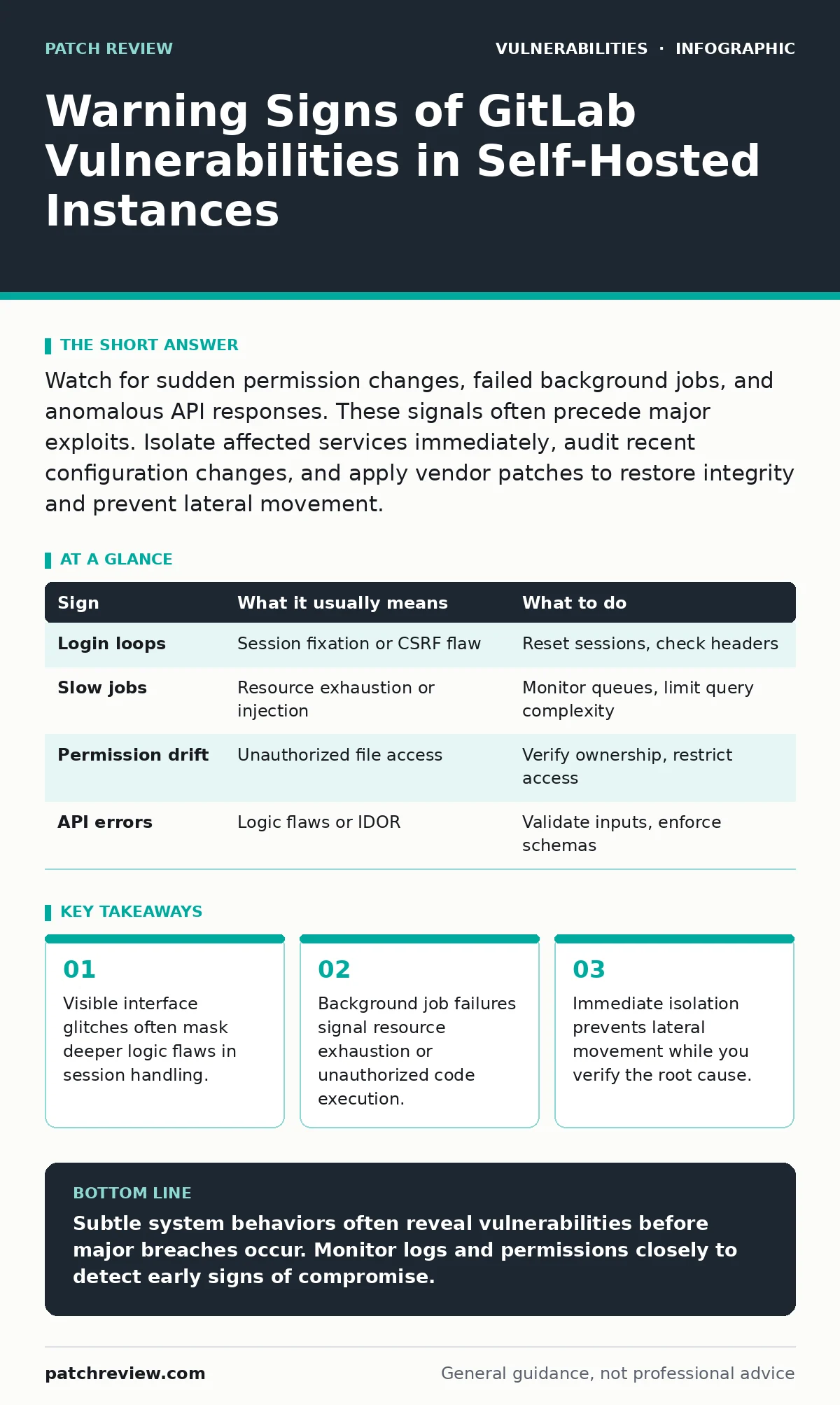
Watch for sudden permission changes, failed background jobs, and anomalous API responses. These signals often precede major exploits. Isolate affected services immediately, audit recent configuration changes, and apply vendor patches to restore integrity and prevent lateral movement.
Surface Indicators of Compromise
Users notice interface anomalies first when a vulnerability is actively exploited. Broken redirects or unexpected login loops suggest session fixation or cross-site scripting issues. These problems disrupt normal workflow and indicate that the application state no longer matches user expectations. You should treat any deviation from standard behavior as a potential security breach.
Imagine a user clicks a link and lands on a page with different permissions than intended. This misdirection often stems from improper input validation. The application fails to sanitize user data before processing it. This failure allows attackers to manipulate the request flow. You must log these events and check server access logs for unusual patterns.
Hidden Signals in System Logs
Subtle signs hide within background processes and system logs. Failed background jobs or delayed email notifications often indicate resource exhaustion. Attackers frequently use complex queries to slow down the database. This technique distracts from the primary exploit while consuming system resources. You need to monitor job queues for abnormal latency or repeated failures.
Database query times also reveal hidden stress. A sudden spike in query duration suggests inefficient code execution. This inefficiency might be accidental, but it often accompanies injection attempts. You should correlate slow queries with specific user actions. This correlation helps identify which endpoints are under pressure.
Configuration Drift and Permission Changes
Permission drift occurs when file or directory permissions change unexpectedly. Self-hosted GitLab requires specific ownership for its directories. If permissions broaden, attackers may read sensitive configuration files. This exposure allows them to extract database credentials or private keys. You must regularly verify that ownership matches the expected user accounts.
Configuration files should never change without explicit administrative action. Any modification to application settings indicates potential tampering. You should check for unauthorized additions to shared object libraries. These additions often contain malicious code that executes during normal operations.
API Response Anomalies
The REST API provides a window into internal logic errors. Unexpected status codes or malformed JSON responses signal backend instability. These anomalies often accompany insecure direct object references (IDOR). Attackers exploit IDOR by guessing resource identifiers to access unauthorized data. You must validate that API responses strictly adhere to defined schemas.
Rate limiting failures also indicate API abuse. If the system fails to throttle requests, attackers can brute-force credentials. This behavior overwhelms the authentication service. You should monitor for high-frequency requests from single IP addresses. This monitoring helps detect automated attack tools.
Immediate Response Procedures
When you detect a vulnerability, isolate the affected service immediately. Disconnect the instance from the network to prevent lateral movement. This step stops the attacker from accessing other systems. You should preserve logs and memory dumps for forensic analysis. Do not restart the service until you have secured evidence.
Apply vendor patches to fix the known vulnerability. Verify that the patch resolves the issue by testing in an isolated environment. You must also review recent configuration changes. This review helps identify any additional modifications made by the attacker. Restore from clean backups if necessary.
| Sign | What it usually means | What to do |
|---|---|---|
| Login loops | Session fixation or CSRF flaw | Reset sessions, check headers |
| Slow jobs | Resource exhaustion or injection | Monitor queues, limit query complexity |
| Permission drift | Unauthorized file access | Verify ownership, restrict access |
| API errors | Logic flaws or IDOR | Validate inputs, enforce schemas |
See also: Cloud Ransomware Response: Containment and Recovery Steps · Emergency Patching: How to Fix Critical Flaws Without Breaking Systems
Long-Term Mitigation Strategies
Implement continuous monitoring to detect future anomalies. Use automated tools to scan for known weaknesses. This approach aligns with risk-based vulnerability management. You should prioritize fixes based on actual exposure and business impact. This method ensures you address the most dangerous flaws first.
Regular audits of third-party components prevent supply chain attacks. Many vulnerabilities originate in libraries rather than core code. You must keep all dependencies up to date. This practice reduces the attack surface significantly.
Related Security Practices
Understanding exposure management helps you identify all attack vectors. This knowledge allows you to prioritize defenses effectively. You should also review end-of-life software policies to avoid unsupported components. Outdated software lacks security updates and poses significant risks.
Clickjacking protections prevent interface manipulation. Ensure your headers include anti-clickjacking directives. Bug bounty programs can uncover hidden flaws before attackers do. Consider participating in such programs to enhance security. OWASP Top 10 provides a baseline for common vulnerabilities. Use this framework to guide your testing efforts.
Verification and Testing
After applying fixes, verify that the vulnerability is resolved. Test the affected endpoints with both valid and invalid inputs. This testing ensures that the patch does not introduce new issues. You should also monitor logs for any residual anomalies. This monitoring confirms that the system has returned to normal operation.
Document the incident and the steps taken to resolve it. This documentation helps improve future response times. You should share lessons learned with your team. This sharing fosters a culture of security awareness.
Key takeaways
- Visible interface glitches often mask deeper logic flaws in session handling.
- Background job failures signal resource exhaustion or unauthorized code execution.
- Immediate isolation prevents lateral movement while you verify the root cause.
Subtle system behaviors often reveal vulnerabilities before major breaches occur. Monitor logs and permissions closely to detect early signs of compromise.
Frequently asked questions
How do I know if my GitLab instance is compromised?
Look for unexpected permission changes, failed background jobs, and anomalous API responses. These signs often indicate active exploitation.
What is the first step when I suspect a vulnerability?
Isolate the affected service immediately to prevent lateral movement and preserve evidence for forensic analysis.
Can I fix vulnerabilities without rebooting?
Some fixes require service restarts, but others can be applied dynamically. Check vendor documentation for specific requirements.
How often should I audit permissions?
You should audit permissions regularly, especially after updates or configuration changes. Automated tools can help with continuous monitoring.
How this guide was produced: written by the Patch Review editorial team with AI assistance, checked against the public references listed below, and reviewed when the facts change. See our editorial policy or report an error.