
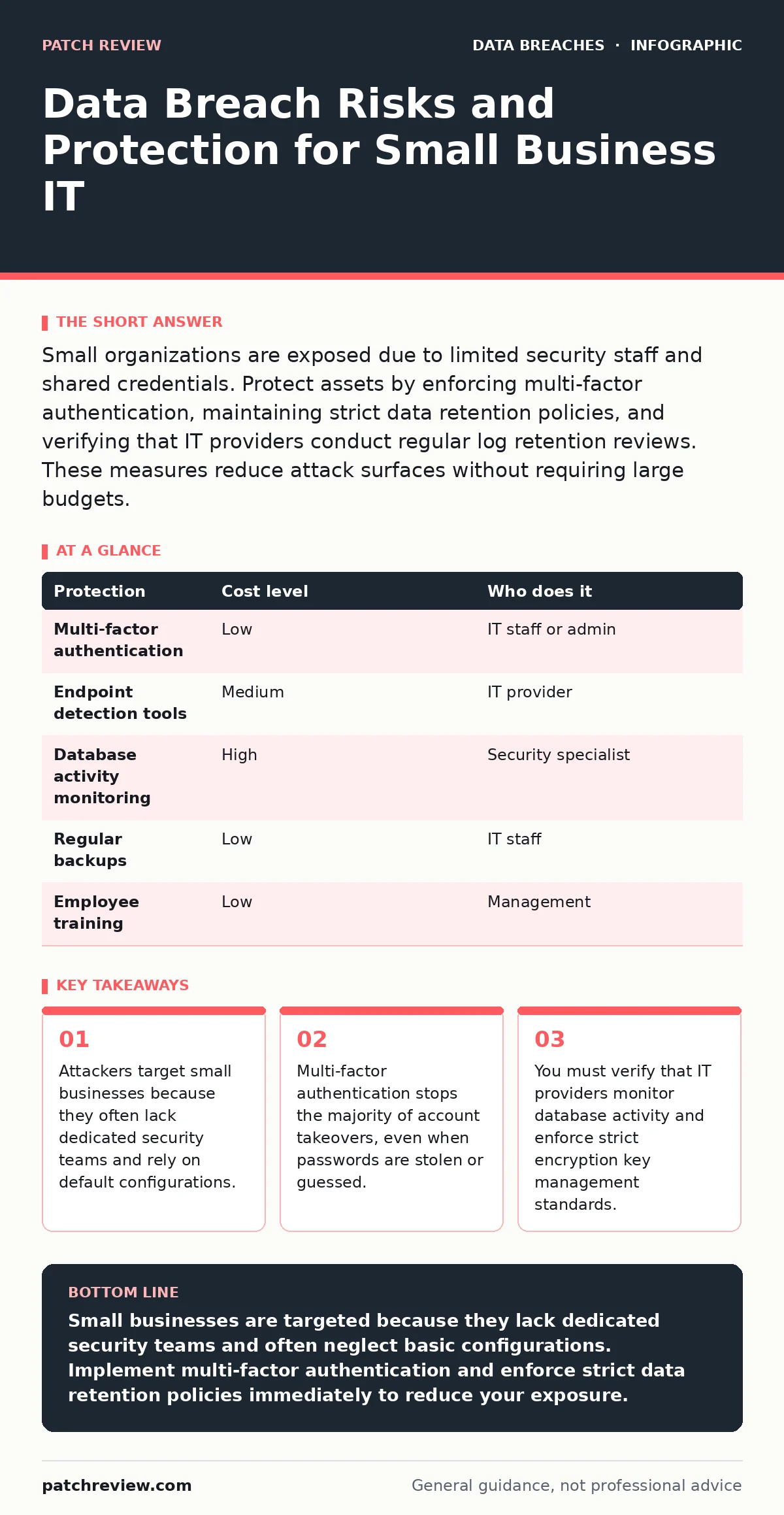
Small organizations are exposed due to limited security staff and shared credentials. Protect assets by enforcing multi-factor authentication, maintaining strict data retention policies, and verifying that IT providers conduct regular log retention reviews. These measures reduce attack surfaces without requiring large budgets.
Why Small Organizations Face Disproportionate Risk
Small organizations are exposed to data breaches because they present a high-reward, low-effort target for automated attacks. Large enterprises invest in complex defense layers, making them difficult to penetrate. Smaller entities often run on general-purpose software with minimal hardening. Attackers use scanning tools to find open ports or unpatched services across thousands of potential victims. They do not need to hack into every system; they only need one successful entry point. This asymmetry means a single misconfigured server can expose an entire network.
The lack of dedicated security personnel creates a structural weakness. Staff members wear multiple hats, handling sales, support, and IT tasks simultaneously. This role confusion leads to inconsistent security practices. Employees may reuse passwords across personal and work accounts. They might connect to unsecured public Wi-Fi without a virtual private network. These behaviors increase the likelihood of credential theft. The organization suffers because it assumes trust where verification is required.
The Hidden Cost of Default Configurations
Default configurations are the primary entry point for many breaches. Software vendors ship products with settings that prioritize ease of use over security. Admin accounts often have generic usernames like "admin" or "root". Passwords may be blank or set to common defaults. If you install software and do not change these settings, you invite intrusion. Attackers maintain databases of known default credentials for thousands of applications. They automate the testing of these credentials against newly discovered internet-facing devices.
You must audit every installed system for default settings. Change all default usernames and passwords immediately after installation. Disable any accounts you do not actively use. Review firewall rules to ensure only necessary ports are open. This process requires time and attention, but it prevents automated scans from succeeding. Ignoring this step leaves your digital doors unlocked. The cost of remediation after a breach far exceeds the hours spent configuring settings correctly.
Low-Cost Protections That Actually Work
Effective security does not require expensive tools. It requires consistent application of basic controls. Multi-factor authentication is the single most impactful measure you can implement. It adds a second layer of verification, such as a code from an authenticator app or a hardware token. Even if an attacker steals your password, they cannot access the account without the second factor. This stops credential stuffing attacks and phishing attempts. You should enable multi-factor authentication on all cloud services, email accounts, and administrative panels.
Data encryption protects information at rest and in transit. At rest refers to data stored on disks or servers. In transit refers to data moving across networks. Encryption ensures that even if an attacker steals the data, they cannot read it without the decryption key. You must manage these keys carefully. Poor encryption key management can render your encryption useless. Use standard protocols and avoid custom cryptographic implementations. Public frameworks provide tested and reliable methods for securing data.
| Protection | Cost level | Who does it |
|---|---|---|
| Multi-factor authentication | Low | IT staff or admin |
| Endpoint detection tools | Medium | IT provider |
| Database activity monitoring | High | Security specialist |
| Regular backups | Low | IT staff |
| Employee training | Low | Management |
Managing Data Lifecycles Effectively
Holding data longer than necessary increases your risk exposure. Every file you store is a potential target. If you do not need it, you should not keep it. Establish clear data retention policies that define how long you keep different types of information. This reduces the amount of data an attacker can steal. It also simplifies compliance efforts.
Log retention is another critical aspect of data management. Logs record system events and user actions. You need them to investigate incidents and detect anomalies. However, storing logs indefinitely creates a massive data hoard. Define a retention period that balances investigation needs with storage costs. Rotate logs regularly and archive them securely. Ensure that only authorized personnel can access historical logs. This prevents attackers from covering their tracks by deleting evidence.
What to Ask an IT Provider
Many small businesses outsource IT support to manage technical complexity. This decision shifts responsibility but does not eliminate risk. You must verify that your provider follows security best practices. Do not assume they are protecting your data. Ask specific questions about their processes and tools. Demand transparency in their operations. If they cannot explain their security measures clearly, they are not ready to protect your infrastructure.
- Do you conduct regular vulnerability assessments on our systems?
- How do you monitor database activity for unauthorized access?
- What is your process for encryption key management and rotation?
- Can you provide examples of how you handle data exfiltration alerts?
- Do you maintain detailed logs and how long do you retain them?
- How do you verify the identity of users accessing administrative functions?
See also: HIPAA Security Rule Applies to Data Contained in Electronic Systems · Should I Turn On Advanced Data Encryption: The Real Trade-Offs
The Role of Monitoring and Response
Prevention is not enough. You must detect intrusions quickly. Database activity monitoring helps you spot unusual queries or access patterns. If an attacker gains access to your database, they may try to export large volumes of data. Monitoring tools can flag these actions in real time. You can then block the activity and investigate the source. This limits the damage before it becomes a full-scale breach.
Response plans must be tested regularly. Knowing what to do in an emergency reduces panic and confusion. Define roles and responsibilities for each team member. Establish communication channels for reporting incidents. Practice your plan with simulated scenarios. Identify gaps and update procedures accordingly. A well-rehearsed response team can contain a breach faster than one that relies on improvisation. Speed is critical in limiting data loss.
Integrating Security into Daily Operations
Security is not a one-time project. It is an ongoing discipline. Integrate security checks into your daily workflows. Review access rights regularly to ensure employees only have the permissions they need. Remove access for former employees immediately. Update software patches as soon as they become available. Train staff to recognize phishing emails and social engineering tactics. Consistency builds a culture of security awareness.
You must also consider the broader supply chain. Your vendors and partners may have access to your systems. Evaluate their security posture before sharing data. Require them to follow similar security standards. This extends your defense perimeter beyond your own walls. Weak links in the chain can compromise the entire network. Vigilance and verification are your best defenses against complex threats.
Key takeaways
- Attackers target small businesses because they often lack dedicated security teams and rely on default configurations.
- Multi-factor authentication stops the majority of account takeovers, even when passwords are stolen or guessed.
- You must verify that IT providers monitor database activity and enforce strict encryption key management standards.
Small businesses are targeted because they lack dedicated security teams and often neglect basic configurations. Implement multi-factor authentication and enforce strict data retention policies immediately to reduce your exposure.
Frequently asked questions
How do I know if my small business has been breached?
Look for unexpected system slowdowns, unfamiliar files, or unusual login attempts. Check your logs for access from unknown locations or times. If you suspect a breach, isolate affected systems and contact a security professional.
Is cloud storage safe for sensitive business data?
Cloud storage can be secure if configured correctly. You must enable encryption and multi-factor authentication. Review the provider's security certifications and understand their data handling practices. Do not share admin credentials with anyone.
What is the most common cause of data breaches in small firms?
Phishing attacks and weak passwords are leading causes. Employees may click malicious links or reuse credentials across sites. Training and multi-factor authentication significantly reduce these risks.
Do I need a dedicated security officer for a small team?
Not necessarily, but you need someone responsible for security tasks. This person can be an IT manager or an external consultant. They must stay updated on threats and enforce security policies consistently.
How this guide was produced: written by the Patch Review editorial team with AI assistance, checked against the public references listed below, and reviewed when the facts change. See our editorial policy or report an error.