
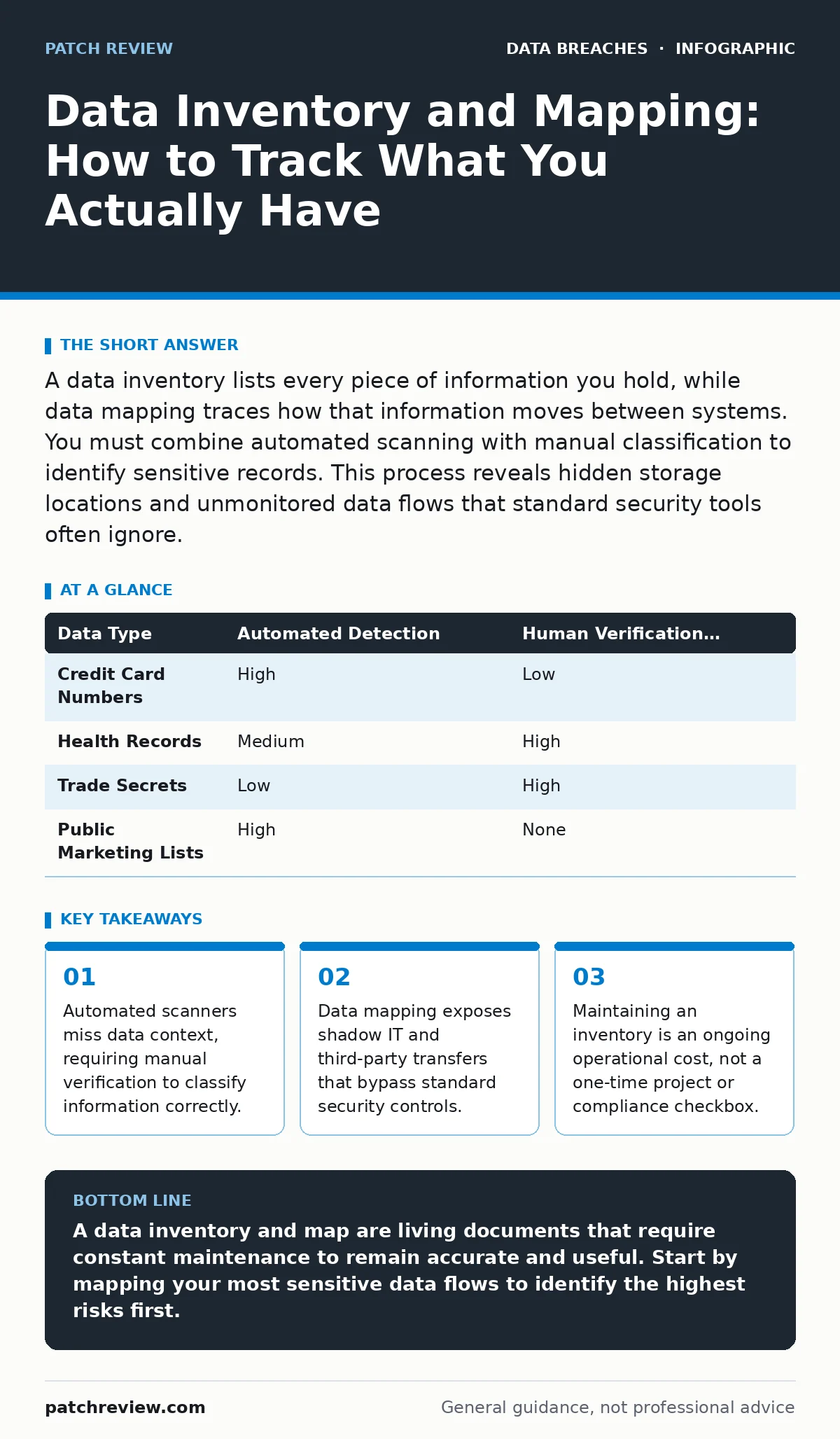
A data inventory lists every piece of information you hold, while data mapping traces how that information moves between systems. You must combine automated scanning with manual classification to identify sensitive records. This process reveals hidden storage locations and unmonitored data flows that standard security tools often ignore.
What is the difference between a data inventory and data mapping?
A data inventory is a static list of where data resides, while data mapping is a dynamic diagram of how that data moves. The inventory answers the question of location, identifying servers, databases, and file shares. Mapping answers the question of flow, showing the path from collection to storage, processing, and deletion. You need both because knowing where data sits does not tell you who can access it or how it leaves your network. Without mapping, you cannot assess the risk of transit or third-party sharing.
Why can’t automated scanning tools find all my sensitive data?
Automated scanners rely on pattern matching to identify formats like credit card numbers or social security numbers. They fail to recognize sensitive information that lacks a standard format or exists in unstructured documents. For example, a scanned PDF of a handwritten note may contain sensitive details that a scanner cannot parse. Furthermore, scanners cannot determine the context or sensitivity level of the data they find. A list of names might be public marketing data in one context and private patient records in another. You must supplement scanning with human classification to avoid false negatives.
How do I discover data stored in shadow IT systems?
Shadow IT refers to software or services used by employees without formal IT approval. These systems often store data outside your primary inventory, creating blind spots. You discover them by monitoring network traffic for unknown destinations and reviewing cloud service logs. Check for personal cloud storage accounts accessed from corporate devices. Also, interview department heads to understand what tools they use for daily operations. This human intelligence reveals storage locations that network monitors miss entirely.
Should I map data flows for third-party vendors?
Yes, you must map how data moves to and from external partners. Many organizations assume their internal controls protect data once it leaves their servers. This assumption fails when a vendor stores data in a different jurisdiction or on less secure infrastructure. Mapping these flows reveals where your responsibility ends and theirs begins. It also highlights dependencies on vendors who may not meet your security standards. You can find more details on managing these risks in our guide on third-party data breaches.
What is the hidden cost of maintaining a data inventory?
The hidden cost is the operational overhead of keeping the inventory accurate. Data is not static; it is created, moved, modified, and deleted constantly. An inventory that is not updated weekly becomes obsolete and misleading. You must allocate staff time to verify new data stores and remove decommissioned systems. This ongoing maintenance requires dedicated resources and clear ownership policies. Treating the inventory as a one-time project guarantees it will become inaccurate within months.
See also: How to Prevent Credit Card Theft Online: 5 Proven Methods · Chain of Custody Form: How to Preserve Digital Evidence Integrity
How does data mapping help prevent data exfiltration?
Data mapping identifies every exit point where data can leave your environment. It reveals legitimate business transfers that might look like malicious activity to security monitors. By defining the normal flow of data, you create a baseline for detection. Any transfer that deviates from the mapped flow triggers an alert. This reduces false positives and helps security teams focus on genuine threats. Understanding these flows is critical for stopping unauthorized removal of information, as discussed in our guide on data exfiltration.
Can I automate the classification of sensitive data?
You can automate the initial detection of sensitive patterns, but not the final classification. Automation speeds up the identification of known formats like email addresses or phone numbers. However, determining whether that data is sensitive requires understanding business context and legal requirements. For instance, an email address in a public newsletter is not sensitive, but the same address in an internal HR file is. You must use automation as a filter, not a final authority. Human review remains necessary for high-risk data categories.
| Data Type | Automated Detection | Human Verification Required |
|---|---|---|
| Credit Card Numbers | High | Low |
| Health Records | Medium | High |
| Trade Secrets | Low | High |
| Public Marketing Lists | High | None |
How do I handle data that spans multiple countries?
Data that crosses borders must be mapped to ensure compliance with local laws. Different regions have different rules about where data can be stored and processed. Your map must show the physical location of servers and the legal jurisdiction of each vendor. This visibility helps you avoid violating regulations that restrict cross-border data transfers. You can explore the legal complexities further in our guide on data sovereignty. Ignoring these boundaries can lead to legal penalties and loss of customer trust.
What happens when I delete data that is still in use?
Deleting data from your primary storage does not remove it from backups or archived systems. These copies often retain sensitive information long after the original record is gone. You must include backup and archive systems in your data mapping process. This ensures that deletion policies apply to all copies of the data. Failure to do so creates lingering liability and increases the attack surface. Proper removal procedures are detailed in our guide on secure data disposal.
How do I protect the inventory itself from attackers?
The data inventory is a high-value target for attackers because it reveals your entire data architecture. If an attacker obtains your inventory, they know exactly where to look for sensitive information. You must restrict access to the inventory to a small group of authorized personnel. Store the inventory in a secure, encrypted location with strict logging. Regularly audit access logs to detect unauthorized viewing attempts. Treat the inventory with the same security rigor as the data it describes.
Key takeaways
- Automated scanners miss data context, requiring manual verification to classify information correctly.
- Data mapping exposes shadow IT and third-party transfers that bypass standard security controls.
- Maintaining an inventory is an ongoing operational cost, not a one-time project or compliance checkbox.
A data inventory and map are living documents that require constant maintenance to remain accurate and useful. Start by mapping your most sensitive data flows to identify the highest risks first.
Frequently asked questions
How often should I update my data inventory?
You should review and update your inventory at least monthly, with immediate updates for any major system changes or new data projects.
Do I need to map public data?
You do not need to map public data with the same rigor as sensitive data, but you should note its location to manage reputation risks.
What is the first step in creating a data map?
Identify the key data owners within your organization and interview them to understand their data creation and usage habits.
Can I use a single tool for both inventory and mapping?
Some tools offer both features, but most organizations need to combine automated scanners with manual processes for accurate mapping.
How this guide was produced: written by the Patch Review editorial team with AI assistance, checked against the public references listed below, and reviewed when the facts change. See our editorial policy or report an error.